
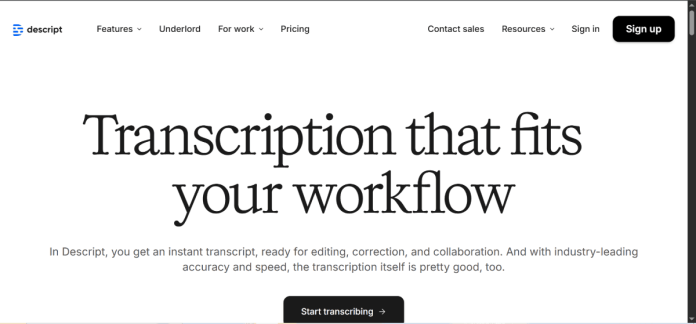
Description
Descript is a text-based video and podcast editor: deleting or rearranging words in the transcript edits the underlying audio and video to match. Its Overdub AI voice cloning feature lets a creator fix a flubbed line by typing new dialogue in the speaker’s own voice, and Studio Sound removes background noise and echo from a recording automatically. The same workspace handles multi-track audio and video editing, auto-generated captions, and screen recording, positioning Descript as a single tool for podcast and video production rather than a transcription add-on.
Key Features
- Transcript-based editing — cut, move, or rewrite spoken content by editing text; the audio and video update to match.
- Overdub / AI voice cloning — generates new dialogue in a speaker’s own cloned voice to fix mistakes without a re-record.
- Studio Sound — removes background noise and room echo from a recording automatically.
- Eye Contact — AI-adjusts on-camera gaze to look at the lens even when reading off-screen.
- Multi-track editing — full audio/video timeline editing alongside the transcript view.
- Green-screen-free background removal — removes video backgrounds without a physical green screen.
How It Works
A user uploads audio or video into Descript, which transcribes it automatically; editing the transcript text edits the underlying media to match, instead of scrubbing a traditional timeline. Studio Sound and background or gaze correction run as one-click AI passes over the same file. If a line needs fixing after the fact, Overdub can generate the correction in the speaker’s own cloned voice from typed text, avoiding a re-record. The finished piece exports as video, audio, or a shareable web page with an embedded transcript, and can publish directly to the platforms Descript integrates with.
Technical Architecture & Overview
- Core Engine: Descript’s proprietary transcription, Overdub voice cloning, and Studio Sound audio-cleanup models.
- Deployment: Desktop app (Mac and Windows) and a browser-based web app.
- API Surface: No general public developer API; Descript is a standalone creator application.
- Known Limits: Monthly media hours, AI credits, and export resolution all scale by plan; the free tier caps at roughly one hour of media a month.
Pros & Cons
| Pros | Cons |
|---|---|
| Editing the transcript edits the actual audio and video, cutting out timeline scrubbing for straightforward cuts. | The free plan caps at about one hour of media a month with a watermark on exports. |
| Overdub can fix a flubbed line in the speaker’s own voice without a re-record. | Full AI features and unlimited Studio Sound use require the Creator plan or above. |
| Studio Sound cleans up background noise and echo in one click. | A steady internet connection is needed since Descript isn’t built for fully offline editing. |
| The same app handles recording, transcription, editing, and export without switching tools. | Transcription accuracy can drop on technical terms or heavy accents, requiring manual cleanup. |
| A free plan exists for testing the transcript-based editing workflow on a short project. | Team collaboration and higher export resolutions are reserved for the Business plan. |
Pricing
| Plan | Price |
|---|---|
| Free | $0/month (~1 hour media, watermarked export) |
| Hobbyist | $16/month billed annually (10 media hours) |
| Creator | $24/month billed annually (30 media hours) |
Platform Availability
Mac | Windows | Web
Best For
Podcasters and YouTubers wanting a single tool for recording, editing, and cleanup | Teams needing multi-track collaboration on video/audio production | Solo creators wanting Overdub to fix flubbed lines without a re-record
Similar Tools in This Directory
Also worth comparing: Otter.ai, an AI meeting transcription and note-taking tool | Trint, a transcription and story-building platform built for journalists | Rev, a transcription platform with both AI and human transcription | Fathom, a free AI notetaker for Zoom, Meet, and Teams | Sonix, an AI transcription, translation, and subtitle platform | LALAL.AI, an AI stem separator for isolating vocals and instruments
Visit Official Website
Frequently Asked Questions
Does Descript have a free plan?
Yes. Descript’s Free plan gives about one hour of media a month with 720p watermarked exports, according to Descript’s official pricing page.
How much does Descript cost?
Paid plans start at $16/month billed annually on Hobbyist and go up to $50/month billed annually on Business, with custom Enterprise pricing above that, according to Descript’s official pricing page.
What is Overdub?
Overdub is Descript’s AI voice cloning feature, which generates new dialogue in a speaker’s own voice from typed text so a flubbed line can be fixed without a re-record, according to Descript’s official site.
Does Descript remove background noise?
Yes. Studio Sound automatically removes background noise and room echo from a recording, according to Descript’s official site.
Is Descript good for podcasts?
Yes. Descript combines recording, transcript-based editing, multi-track audio, and publishing in one workspace built for podcast and video production, according to Descript’s official site.





