
Description
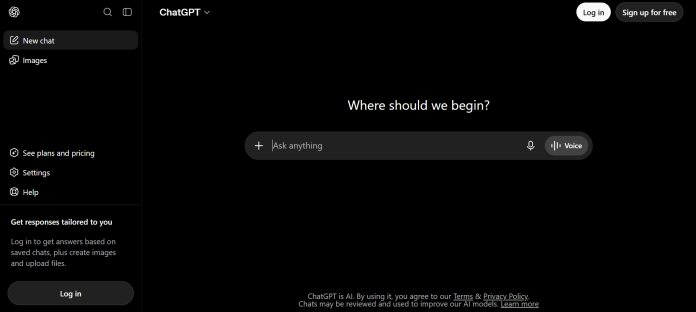
GPT Image 2 is OpenAI’s image generation model, built directly into ChatGPT’s chat interface rather than sold as a standalone product. Users generate and edit images by simply describing what they want inside an existing ChatGPT conversation, with the model handling prompt interpretation, text rendering, and iterative edits in the same thread. Access scales with ChatGPT’s own plan tiers: the Free plan offers limited, slower image generation with no dedicated allowance, Go at $5/month adds more image creation capacity, Plus at $20/month unlocks Image Generation with Thinking for more deliberate, higher-fidelity output, and Pro from $100/month provides unlimited and faster generation. Because it lives inside ChatGPT, there’s no separate account, interface, or credit system to learn, and every image benefits from the same conversational context as the rest of the chat. It suits beginners and casual creators who want simple, prompt-based image generation without leaving a chat interface or learning a dedicated design tool.
Key Features
- Built into ChatGPT chat — generate and edit images without leaving the conversation or learning a separate tool.
- Image Generation with Thinking — a more deliberate, higher-fidelity generation mode available on Plus and above.
- Iterative in-chat editing — refine an image by describing changes in follow-up messages, using the same conversational context.
- No separate account or credit system — access follows the ChatGPT plan a user already has.
- Scales with ChatGPT tier — Free, Go, Plus, and Pro each raise generation volume and speed.
- Text rendering in images — designed to interpret and render legible text within generated images.
- Unlimited and faster generation on Pro — the top ChatGPT tier removes generation limits entirely.
How It Works
A user types a description of the image they want directly into a ChatGPT conversation, and GPT Image 2 generates it inline, in the same thread as everything else being discussed. To refine the result, the user simply describes what to change in a follow-up message, rather than re-entering the full prompt or switching to a separate editing tool, since the model retains the conversational context. On Plus and Pro, Image Generation with Thinking gives the model more processing time and deliberation before producing an image, generally trading some speed for higher fidelity and better prompt adherence. Free users get access with slower generation and no dedicated monthly allowance, Go adds more image creation capacity for a small monthly fee, and Pro removes generation limits and speed constraints entirely. Because image generation is a feature of ChatGPT rather than a separate product, there’s no independent sign-up, billing, or interface: whatever ChatGPT plan a user is on determines what GPT Image 2 access they get.
Technical Architecture & Overview
- Core Engine: OpenAI’s GPT Image 2 model, integrated directly into the ChatGPT product rather than offered as a standalone app.
- Deployment: Web, iOS, and Android, wherever ChatGPT itself is available; no separate image-generation app exists.
- API Surface: A separate GPT Image 2 API is available for developers through OpenAI’s platform, billed independently of ChatGPT consumer plans.
- Known Limits: Generation speed and volume are gated by ChatGPT plan tier; Free and Go users experience slower generation and lower capacity than Plus or Pro.
Pros & Cons
| Pros | Cons |
|---|---|
| No separate account, interface, or credit system to learn; access follows the ChatGPT plan a user already has | Not available as a standalone product; using it requires a ChatGPT account and conversation |
| Iterative in-chat editing lets users refine an image with simple follow-up messages rather than re-prompting from scratch | Free-tier generation is slower with no dedicated monthly allowance, making it impractical for regular use |
| Image Generation with Thinking trades some speed for meaningfully higher fidelity on Plus and above | Unlimited, fast generation is reserved for the Pro plan at $100/month, a steep jump from Plus |
| Designed specifically for legible text rendering inside generated images | No dedicated design canvas or advanced editing tools beyond conversational, prompt-based generation |
| The $5/month Go tier gives a low-cost way to get meaningfully more image generation than Free | Model-specific controls (style presets, aspect ratio precision) are more limited than dedicated image-generation platforms |
Pricing
| Plan | Price |
|---|---|
| Free | $0/month (limited, slower generation) |
| Plus | $20/month (Image Generation with Thinking) |
| Pro | From $100/month (unlimited, faster generation) |
Platform Availability
Web | iOS | Android (inside ChatGPT)
Best For
Beginners | Casual creators | ChatGPT users wanting quick, prompt-based images
Frequently Asked Questions
Is GPT Image 2 a separate app from ChatGPT?
No. GPT Image 2 is built directly into ChatGPT’s chat interface, per OpenAI’s own product pages, rather than offered as a standalone app or website.
How much does GPT Image 2 cost?
Access follows ChatGPT’s own plans: Free (limited), Go at $5/month, Plus at $20/month, and Pro from $100/month, according to OpenAI’s official pricing page.
What is Image Generation with Thinking?
It’s a more deliberate generation mode available on Plus and above that trades some speed for higher image fidelity and better prompt adherence, per OpenAI’s official plan comparison.
Can I edit an image after generating it?
Yes. Users can describe changes in a follow-up chat message and GPT Image 2 revises the image using the same conversational context, rather than requiring a separate editing step.
Is there an API for GPT Image 2?
Yes. OpenAI offers a separate GPT Image 2 API for developers, billed independently of ChatGPT’s consumer subscription plans.
Similar Tools in This Directory
Also worth comparing: Nano Banana Pro, Google’s studio-quality image model | Adobe Firefly, credit-based multi-model image and video generator | Playground AI, browser-based image generation and design canvas | Midjourney, stylized, artistic AI image and video generator





