
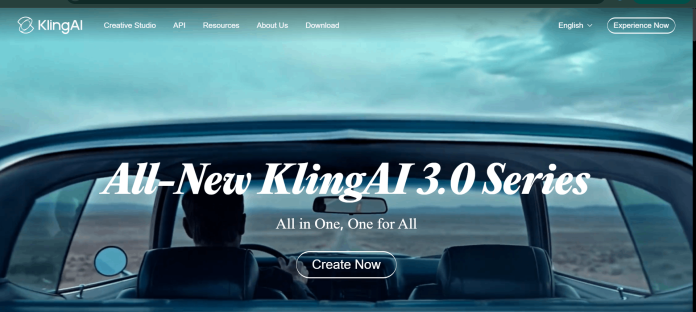
Description
Kling AI is a creative studio for turning text prompts and reference images into video, images, sound, and visual effects. Its current flagship, the Kling 3.0 model series, generates cinematic, multi-shot video up to 15 seconds long with native audio and lip-sync, locks a subject’s appearance across a scene from a single reference photo to avoid the “AI morphing” effect common on other tools, and exports natively in 4K on paid plans. The platform reports 60 million-plus users and more than 600 million AI videos generated to date, with a 4.7-star average App Store rating. Beyond the consumer web and mobile apps, Kling runs a separate Developer Platform with its own Video and Image APIs, priced through prepaid unit packages rather than the consumer subscription tiers, for teams building the technology into their own products.
Key Features
- Native 4K video — Kling’s newest release adds cinema-grade native 4K export to the Kling 3.0 series, on top of the standard 1080p tier.
- Character consistency lock — Upload a single photo, or a short video or multiple angles as reference, to hold a subject’s face and identity steady across head turns and scene changes.
- Native audio and lip-sync — Generates matched dialogue, ambient sound, and realistic lip movement in multiple languages, including assigning who speaks in multi-character scenes, with no separate audio tool needed.
- Up to 15-second multi-shot output — Native storyboard controls direct multiple shots and camera angles within one continuous generation instead of a single static clip.
- Full creative suite — Omni, Video Generation, Image Generation, Sound Generation, Effects, Digital Human, Restyle, and Text-to-Image tools inside one workspace.
- Cross-platform apps — Native apps for iOS, Android, macOS, and Windows, alongside the web app.
- Developer API — A separate Developer Platform offers Video and Image APIs with prepaid, unit-based pricing for building Kling’s models into other products.
How It Works
Users start from a text prompt or an uploaded reference image inside the Omni, Video Generation, or Image Generation tool, then refine motion intensity, lock character consistency from a single photo or multi-angle reference, and optionally add native audio and lip-sync before generating. Kling 3.0’s native storyboard controls let a single generation carry multiple shots and camera angles rather than one static take, with output extendable up to 15 seconds and exportable up to native 4K on paid plans. The same account and credit pool covers the video, image, sound, effects, and restyle tools inside the studio, and a separate Developer Platform exposes the same generation capabilities through an API billed on prepaid unit packages rather than the consumer credit system.
Technical Architecture & Overview
- Core Engine: Kling’s proprietary Kling 3.0 model series — VIDEO 3.0, VIDEO 3.0 Omni, IMAGE 3.0, IMAGE 3.0 Omni, and Element Library 3.0.
- Deployment: Web app at kling.ai, plus native iOS, Android, macOS (Apple Silicon and Intel), and Windows apps.
- API Surface: A separate Developer Platform (kling.ai/dev) offers Video and Image APIs on prepaid, unit-based pricing, documented separately from the consumer subscription plans.
- Known Limits: Free-tier generations carry a visible watermark and cap at 1080p; native 4K export requires a paid membership; single-generation length caps at 15 seconds even on Kling 3.0.
Pros & Cons
| Pros | Cons |
|---|---|
| Native 4K export and up to 15 seconds of multi-shot generation go beyond the single short clip most competing AI video tools produce. | Free-tier generations carry a visible watermark, so watermark-free output requires a paid membership. |
| Character consistency locks a subject’s identity from a single reference photo, avoiding the face-morphing effect common on other AI video tools. | A single generation still tops out at 15 seconds, even on the current Kling 3.0 model series. |
| Native audio and lip-sync generation is built in, so dialogue scenes don’t need a separate voice or sync tool. | Consumer credits and Developer API units run on two separate pricing systems, so budgeting across both isn’t straightforward. |
| A free tier and native apps for iOS, Android, macOS, and Windows make the tool accessible without a subscription commitment. | Native 4K export is gated behind paid membership tiers rather than available on the free plan. |
| A separate Developer Platform with prepaid API packages lets teams build Kling’s video and image generation directly into their own products. | Developer API packages are prepaid with a fixed 180-day validity and no rollover or extension. |
Pricing
| Plan | Price |
|---|---|
| Free | $0/month (watermarked, 1080p) |
| Standard | $6.60/month billed annually (660 credits/month) |
| Ultra | $119.17/month billed annually (26,000 credits/month) |
https://kling.ai/app/membership/membership-plan
API / Developer Pricing
Kling’s Video API sells prepaid unit packages under a Trial Plan and a 180-Day Plan. The 180-Day Standard Packages all include 20 concurrent generations with no rollover or extension:
| Package | Price |
|---|---|
| Standard Package 1 | $700 (5,000 units, $0.14/unit) |
| Standard Package 2 | $2,100 (15,000 units, $0.14/unit) |
| Standard Package 3 | $3,780 (30,000 units, $0.126/unit, 10% off) |
| Standard Package 4 | $5,670 (45,000 units, $0.126/unit, 10% off) |
Platform Availability
Web | iOS | Android | macOS (Apple Silicon and Intel) | Windows | API
Best For
Content creators and filmmakers needing character-consistent AI video | Social media creators wanting fast text-to-video and image-to-video | Developers integrating character-consistent, native-audio video generation into their own apps via the API
Similar Tools in This Directory
Also worth comparing: Sora AI, OpenAI’s text-to-video model now bundled into ChatGPT Plus and Pro | Runway, standalone video platform with its own Gen-4.5 model plus multi-model credit access | Google Veo 3.1, native-audio video bundled into Google AI subscription tiers and billed per second via the Gemini API
Visit Official Website
Frequently Asked Questions
Does Kling AI have a free plan?
Yes. Kling’s free tier generates video and images at up to 1080p, though free generations include a visible watermark; watermark-free output requires a paid membership, according to Kling AI’s official site.
How much does Kling AI cost?
Consumer membership plans start around $6.60/month billed annually (Standard tier) and scale up to the Ultra tier near $119/month, according to Kling AI’s official membership plan page. A separate Developer Platform prices its API through prepaid unit packages starting at $700 for 5,000 units, per Kling AI’s official API pricing page.
What is Kling 3.0?
Kling 3.0 is Kling AI’s current model series, including VIDEO 3.0, VIDEO 3.0 Omni, IMAGE 3.0, IMAGE 3.0 Omni, and Element Library 3.0, built for native audio generation, character consistency, and cinema-grade 4K video output, according to Kling AI’s official site.
How long can a Kling AI video be?
Kling supports up to 15 seconds of continuous, multi-shot video generation per output, according to Kling AI’s official feature page.
Does Kling AI generate audio and lip-sync?
Yes. Kling 3.0 includes native audio generation and realistic lip-sync in multiple languages, and can assign different voices to different characters within the same scene, according to Kling AI’s official site.





