
Description
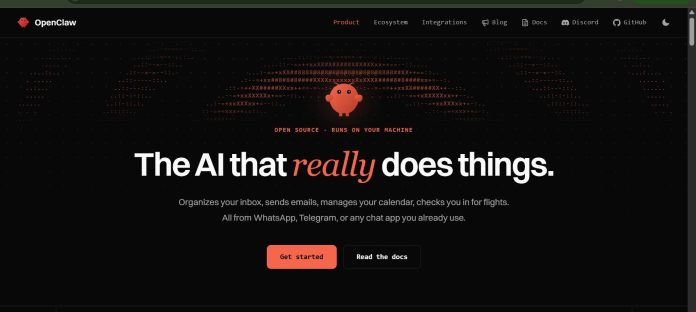
OpenClaw is a free, open-source, self-hosted AI personal assistant that runs on your own device or server and reaches you through the messaging apps you already use. Created by Peter Steinberger and now stewarded by the OpenClaw Foundation, it connects to any major AI model and gives that model real hands — reading and writing files, running shell commands, and controlling a browser — rather than just replying in a chat window.
Key Features
- Messaging-Native Interface: Talk to it from Telegram, WhatsApp, Discord, Slack, Signal, iMessage, and 20+ other channels.
- File and Shell Access: Reads and writes files, runs shell commands, and executes code in a sandbox or with full access.
- Browser Automation: Navigates websites, fills out forms, and extracts data automatically.
- AgentSkills: 100+ preconfigured skills, extensible with custom skills the AI can even build itself.
- Model-Agnostic: Works with OpenAI, Anthropic, Google, and self-hosted local models like Ollama and LM Studio.
- Proactive Operation: Runs 24/7, remembers conversation history, and can reach out to you rather than only waiting to be asked.
How It Works
A user installs OpenClaw on their own machine or server using the official onboarding wizard, connects an AI provider by dropping in an API key (or points it at a local model), and links messaging channels like Telegram or WhatsApp. From there, OpenClaw runs continuously in the background: it can read a message, act on it directly by editing a file or running a script, browse the web to complete a task, and report back through whichever channel the user messaged from. Because it keeps memory of past conversations, it can connect context across different requests and different channels into one coherent picture.
Technical Architecture & Overview
- Core Engine: A model-agnostic Gateway that connects LLM providers, tools, messaging channels, and companion apps in one process.
- Deployment: Self-hosted on macOS, Linux, or Windows; companion apps for macOS, iOS, and Android.
- API Surface: MIT-licensed and fully open source, with 200+ community contributors and support for OpenAI- and Anthropic-compatible endpoints.
- Known Limits: Designed for a single operator rather than a team; running it requires comfort with a terminal or a managed hosting option, and users supply their own AI provider costs.
Pros & Cons
| Pros | Cons |
|---|---|
| Completely free and open source, with no subscription fee for the software itself. | Self-hosting requires comfort with a terminal or server setup, unlike a polished consumer app. |
| Model-agnostic design lets users pick whichever AI provider fits their budget or privacy needs. | Users pay their own AI provider’s API costs separately, so total cost isn’t fixed. |
| Full file and shell access make it genuinely capable of finishing real tasks, not just describing them. | That same file and shell access means a misconfigured setup carries real security risk. |
| An enormous, fast-growing open-source community means frequent updates and a large plugin ecosystem. | As a fast-moving open-source project, features, names, and defaults can change quickly between releases. |
Pricing
| Plan | Price |
|---|---|
| OpenClaw software | Free (open source, MIT licensed) |
Platform Availability
macOS | Linux | Windows | iOS | Android | Telegram | WhatsApp | Discord | Slack
Best For
Developers and power users | People wanting a self-hosted, privacy-focused personal assistant
Similar Tools in This Directory
Also worth comparing: Hermes Agent, self-improving open-source AI agent with persistent memory | Manus AI, autonomous agent with its own virtual computer | Superhuman, AI-powered email client built for speed
Visit Official Website
Frequently Asked Questions
What is OpenClaw?
OpenClaw is a free, open-source, self-hosted AI personal assistant that connects AI models to your files, shell, browser, and messaging apps.
Is OpenClaw free?
Yes, the software itself is free and MIT licensed; users only pay for the API costs of whichever AI provider they choose to connect.
Was OpenClaw previously called something else?
Yes, it launched as Warelay, was renamed Clawdbot, then briefly Moltbot, before settling on the name OpenClaw.
Which messaging apps does OpenClaw work with?
Telegram and WebChat come built in, with official plugins adding Discord, Slack, WhatsApp, Signal, iMessage, Microsoft Teams, and 20+ other channels.
Do I need to know how to code to use OpenClaw?
No coding is required to use it day to day, but setting it up involves running an installer and connecting an AI provider, which is more technical than downloading a typical app.





