
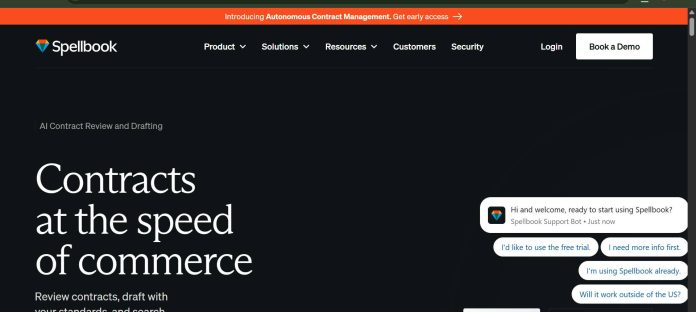
Description
Spellbook is an AI contract drafting and review add-in for Microsoft Word, built to speed up transactional legal work directly inside the document a lawyer is already writing in. It offers live clause suggestions, redlining, and risk identification as a lawyer drafts, plus a Review Mode for analyzing counterparty-drafted agreements. Its Compare to Market feature benchmarks specific clauses against a reported database of 2,300+ contract types, and Playbooks let firms encode their own review standards so Spellbook flags deviations automatically. Spellbook reports being used by over 2,600 legal teams. Pricing isn’t published; all plans (Law Firms, In-House Teams, and Academic) are custom-quoted, though a 7-day free trial is available with no credit card required. It suits transactional lawyers and in-house teams whose work centers on drafting and reviewing contracts inside Word, rather than litigation or broader legal research.
Key Features
- Live drafting assistance — AI-powered clause suggestions as a lawyer writes inside Word.
- Review Mode — upload a counterparty’s draft for automated risk analysis and flagging.
- Compare to Market — benchmarks specific clauses against a database of 2,300+ contract types.
- Playbooks — custom review workflows encoding a firm’s own negotiation standards.
- Redlining and comparison — AI-generated redlines and side-by-side draft comparison.
- Custom clause library — save and reuse a firm’s preferred contract language.
How It Works
Spellbook installs as a Microsoft Word add-in, so it works directly inside a document a lawyer is already drafting rather than in a separate app. While drafting, it can suggest clause language, flag missing or risky terms, and generate redlines in place. Review Mode flips the workflow for incoming documents: a lawyer uploads a counterparty’s draft and Spellbook analyzes it against configured Playbooks, flagging deviations from the firm’s preferred positions. Compare to Market pulls in benchmark data across thousands of contract types to show how a specific clause stacks up against typical market terms, useful during negotiation. Because pricing is custom-quoted rather than published, teams typically start with the 7-day free trial to test drafting and review workflows on real documents before a sales conversation determines the actual cost for their team size and feature needs.
Technical Architecture & Overview
- Core Engine: Not published; the specific underlying AI model isn’t named on Spellbook’s official site.
- Deployment: Microsoft Word add-in (Windows and Mac); no standalone web app for core drafting features.
- API Surface: No public developer API documented; functionality is delivered entirely through the Word add-in.
- Known Limits: Tied to Microsoft Word, so it doesn’t help with litigation work, broader legal research, or drafting outside Word; pricing requires a sales conversation with no published starting figure.
Pros & Cons
| Pros | Cons |
|---|---|
| Works directly inside Microsoft Word, fitting straight into an existing drafting workflow | No published pricing; every quote requires a sales conversation |
| 7-day free trial requires no credit card, a lower-friction start than most enterprise legal AI tools | Limited to Microsoft Word; doesn’t help with litigation or general legal research |
| Compare to Market benchmarks clauses against a large database of contract types | Third-party reporting suggests real-world pricing varies widely, making budgeting harder without a direct quote |
| Playbooks let firms encode their own standards, not just generic best practices | Best suited to transactional work; less useful for firms whose practice is mostly litigation |
Our Take
Spellbook’s Word-native design is its real differentiator in this category — a transactional lawyer doesn’t have to leave the document they’re already drafting in, which is a meaningfully lower-friction workflow than uploading files into a separate platform. Combined with a genuine no-credit-card 7-day trial, it’s the easiest tool here to actually test before committing to a quote.
Not ideal for: litigation-focused practices or firms needing broader legal research — Spellbook is purpose-built around drafting and reviewing contracts in Word, not case law research or courtroom preparation, so firms with mixed practice areas will likely need a second tool alongside it.
Pricing
Spellbook does not publish pricing on its official site. All three plans — Law Firms, In-House Teams, and Academic — are custom-quoted based on team size, with no flat starting figure listed publicly. A 7-day free trial is available with no credit card required, giving teams a way to test drafting and review features before a sales conversation.
Last verified: August 18, 2026
Platform Availability
Microsoft Word (Windows and Mac)
Best For
Transactional lawyers | In-house legal teams | Law firms drafting in Word | Academic legal programs
Frequently Asked Questions
Does Spellbook publish pricing?
No. Spellbook does not publish pricing on its official site; all plans are custom-quoted based on team size after a sales conversation.
Does Spellbook offer a free trial?
Yes. A 7-day free trial is available with no credit card required, letting teams test drafting and review features before committing.
Does Spellbook work outside Microsoft Word?
No. Spellbook is delivered entirely as a Microsoft Word add-in for Windows and Mac; there’s no standalone web app for its core drafting features.
What is Compare to Market in Spellbook?
A feature that benchmarks a specific contract clause against a reported database of 2,300+ contract types, useful for gauging whether negotiated terms are typical.
How does Spellbook differ from Harvey?
Spellbook is a Microsoft Word add-in focused specifically on contract drafting and review with a self-serve 7-day trial, while Harvey is a broader enterprise legal AI platform covering research, litigation, and drafting with no self-serve access at all.
Similar Tools in This Directory
Also in AI Legal Tools: Thomson Reuters CoCounsel, AI legal research and drafting | Harvey AI, enterprise legal AI for law firms | Luminance, AI contract review at scale | Ironclad, AI contract lifecycle management





