
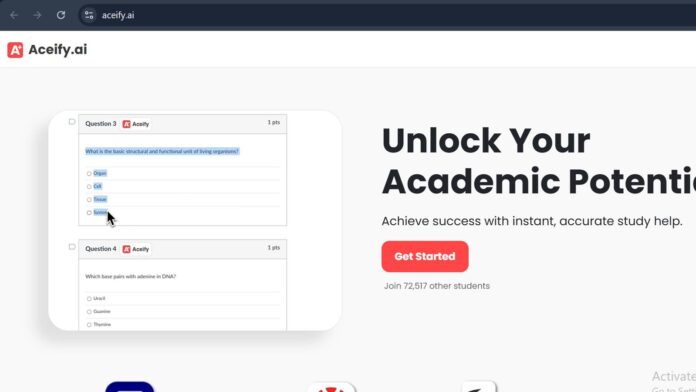
Description
Aceify AI is a Chrome extension that captures visual content from online quizzes and coursework — screenshots, graphs, diagrams — and returns an instant answer, including an AutoSelect feature that picks the correct option on multiple-choice quizzes automatically. It’s built for use inside LMS platforms like Canvas, Blackboard, Moodle, and McGraw Hill Smartbook, which places it closer to a live-assessment answer tool than a general study aid.
Key Features
- AutoSelect: Automatically selects the correct answer on multiple-choice quizzes and assessments.
- Snap & Solve: Captures a screenshot of a question, graph, or diagram for an instant AI-generated answer.
- Smart Search: Searches Aceify’s stored question-and-answer data for a fast match.
- LMS compatibility: Works inside Canvas, Blackboard, Moodle, and McGraw Hill Smartbook.
- Progress tracking: Logs quiz and assessment history for later review.
- Chrome-only: Runs exclusively as a Google Chrome browser extension.
How It Works
A student installs the Aceify Chrome extension and signs in while working inside their course’s online platform — Canvas, Blackboard, Moodle, or a Smartbook assignment. AutoSelect scans a multiple-choice quiz and highlights or selects the answer it calculates as correct, while Snap & Solve lets a student screenshot a graph, diagram, or open-ended question elsewhere on the page for an instant AI-generated answer, with the interaction logged for later review.
Technical Architecture & Overview
- Core Engine: AI-based visual content recognition and answer matching, drawing on a stored database of prior question-and-answer pairs plus live AI solving.
- Deployment: Google Chrome browser extension only.
- API Surface: None public — end-user browser tool.
- Known Limits: AutoSelect operating directly inside a live LMS quiz raises genuine academic-integrity questions distinct from a study aid used outside graded work — course honor codes and instructor policies vary, and a student is responsible for knowing theirs.
Pros & Cons
| Pros | Cons |
|---|---|
| Free plan covers core answer-selection and screenshot tools. | AutoSelect operating inside a live graded quiz sits in genuinely contested territory for academic-integrity policy, not just study help. |
| Works directly inside the LMS platforms — Canvas, Blackboard, Moodle — students already use for coursework. | Chrome-only, with no support for other browsers. |
| Snap & Solve handles graphs and diagrams, not just text-based questions. | Requires a constant internet connection with no offline mode. |
| Aceify+ at $9.99/month unlocks unlimited use. | The free plan’s feature set is limited compared to Aceify+. |
Platform Availability
Chrome (browser extension)
Best For
College and university students seeking fast answers inside Canvas, Blackboard, or Moodle-based coursework, subject to their institution’s academic integrity policy
Similar Tools in This Directory
Also worth comparing: Claude for Education, free university access with a Learning Mode tutor | NotebookLM, source-grounded AI research and study tool | Grammarly, AI writing feedback that discloses AI use
Visit Official Website
Frequently Asked Questions
Is Aceify AI free?
Yes, the free plan includes essential answer-selection and screenshot tools; Aceify+ at $9.99/month removes usage limits.
What does AutoSelect do?
It scans a multiple-choice quiz or assessment and automatically selects the answer Aceify calculates as correct.
Which platforms does Aceify AI work with?
It’s built for Canvas, Blackboard, Moodle, and McGraw Hill Smartbook, and runs only as a Google Chrome extension.
Does using Aceify AI on a graded quiz violate academic integrity policies?
It can, depending on the specific course and institution — a student should check their own school’s policy before using AutoSelect on graded work.
Can Aceify AI solve graphs and diagrams?
Yes, its Snap & Solve feature captures and answers visual content like graphs and diagrams, not just text questions.





