
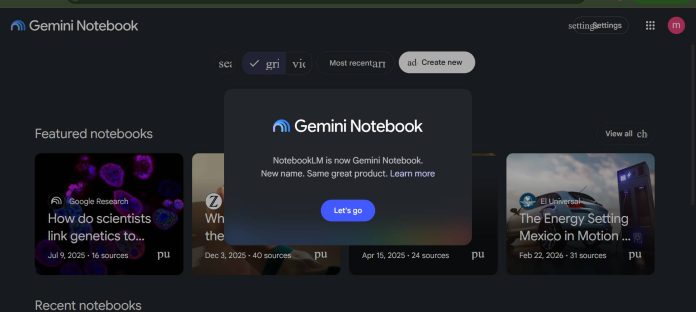
Description
NotebookLM is Google’s free, source-grounded research and study tool. Every answer is generated only from the documents a teacher or student uploads, and every claim comes with a citation back to the original source — a meaningfully different design from a general chatbot that can answer from anywhere.
Key Features
- Source-grounded answers: Responses come only from uploaded documents.
- Instant citations: Every answer links back to the exact source passage.
- Audio and Video Overviews: Turns sources into a podcast-style or video summary.
- Study tools: Generates flashcards, quizzes, and mind maps from the material.
- Large context window: Handles long documents and many sources per notebook.
- Free forever tier: 100 notebooks, 50 sources each, 50 chats a day.
How It Works
A teacher uploads a syllabus, readings, or lecture notes, or a student uploads their own class materials, and NotebookLM builds a notebook grounded only in those sources. Asking a question returns an answer with a citation pointing to the exact passage it came from, and the Studio panel can turn the same sources into an audio overview, flashcards, or a quiz — all still anchored to what was actually uploaded.
Technical Architecture & Overview
- Core Engine: Retrieval-augmented generation (RAG) built on Google’s Gemini 3, restricted to uploaded sources.
- Deployment: Browser and mobile app, tied to a Google account.
- API Surface: None public — end-user research tool.
- Known Limits: Paid tiers aren’t sold as a standalone NotebookLM subscription; they’re bundled into Google AI Plus, Pro, or Ultra plans.
Pros & Cons
| Pros | Cons |
|---|---|
| Genuinely free forever, with no credit card required. | It can only answer from what’s uploaded, so it’s not a general research or homework helper on its own. |
| Every answer is grounded in the user’s own sources, reducing the risk of a confidently wrong answer. | Files are processed on Google’s servers, which matters for confidential material. |
| Citations let a teacher or student verify a claim in seconds. | Paid tiers are bundled into broader Google AI plans rather than sold on their own. |
| Audio Overviews turn dense reading into something students can listen to. | Free-tier daily limits can feel tight during heavy exam-prep weeks. |
Pricing
| Plan | Price |
|---|---|
| Free | $0 |
| Google AI Plus (adds NotebookLM Plus limits) | $7.99/month |
Platform Availability
Web | iOS | Android
Best For
Teachers and students who want AI answers grounded only in their own readings or notes, with citations to verify every claim
Similar Tools in This Directory
Also worth comparing: MagicSchool AI, all-in-one AI platform for K-12 teachers | Diffit, AI reading-level differentiation for teachers | Brisk Teaching, AI feedback inside Google Docs | Curipod, live interactive lessons with AI feedback | Claude for Education, free university access with a Learning Mode tutor | Perplexity AI, cited-answer research engine | Otter.ai, live meeting and lecture transcription | Grammarly, AI writing feedback that discloses AI use
Visit Official Website
Frequently Asked Questions
Is NotebookLM free?
Yes. The free Standard tier has no credit card, no trial, and no expiry.
Does NotebookLM answer from the open internet?
No. It only answers from documents the user has uploaded into that notebook.
Can I buy NotebookLM on its own?
No. Paid tiers are bundled into Google AI Plus, Pro, or Ultra plans, not sold standalone.
What are Audio Overviews?
Podcast-style summaries NotebookLM generates from a notebook’s uploaded sources.
Does NotebookLM cite its sources?
Yes. Every answer includes a citation linking back to the exact passage it came from.





