
Description
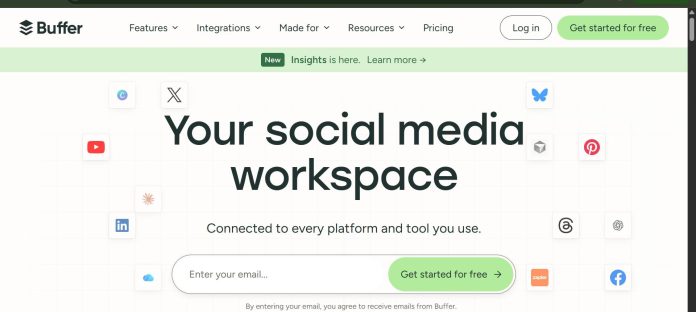
Buffer is a social media scheduling platform built around simplicity, letting solopreneurs, small teams, and creators publish and analyze content across 12+ networks including Instagram, Threads, Bluesky, and TikTok from one clean dashboard. Its AI Assistant generates post ideas, repurposes content across platforms, and rewrites captions for different tones, and it’s included even on the genuinely usable free plan. With 195,000+ monthly active users, Buffer has grown from a basic scheduler into a fuller suite with a landing page builder, analytics, and team collaboration, while staying known as one of the easiest tools in the category to actually use.
Key Features
- AI Assistant: Generates post ideas, repurposes content across platforms, and rewrites captions for different tones and audiences.
- Queue-based scheduling: Set time slots and Buffer fills them in order, an intuitive system once understood.
- 12+ platform support: Instagram, X, LinkedIn, Facebook, Pinterest, TikTok, Bluesky, Threads, and more.
- Landing page builder: Create a simple link-in-bio page directly within Buffer.
- Full analytics and engagement tools: Included on the Essentials plan and up, not gated behind a separate add-on.
- Standalone AI post generator: A free tool that works without even creating a Buffer account.
How It Works
A user connects up to 3 channels for free (or more on a paid plan) and sets up a posting queue with defined time slots; new posts simply drop into the next open slot rather than requiring a specific date and time to be picked manually. The AI Assistant can generate a post from scratch, repurpose one piece of content into formats suited for different platforms, or rewrite an existing caption in a different tone. Once published, Buffer’s analytics track engagement across every connected channel, and the built-in landing page builder turns a bio link into a simple, on-brand page without a separate tool. Team plans add unlimited collaborators and approval workflows for agencies and larger teams managing client accounts.
Technical Architecture & Overview
- Core Engine: An AI content assistant layered on top of a queue-based scheduling and publishing engine, with historical engagement data informing optimal posting times.
- Deployment: Web app plus well-designed iOS and Android apps for scheduling and managing posts on the go.
- API Surface: Per-channel pricing model that scales cleanly with actual usage rather than a flat team-wide fee.
- Known Limits: The free plan caps at a lifetime limit of 8 unique channel connections ever made; per-channel pricing can get expensive fast for anyone managing more than 5 accounts. No dedicated social listening or advanced analytics.
Pros & Cons
| Pros | Cons |
|---|---|
| One of the few tools in this category with a genuinely usable free plan, not just a trial. | Per-channel pricing gets expensive fast for anyone managing more than 5 accounts. |
| Consistently rated the easiest social scheduler to use, with a clean, minimal interface. | Lacks dedicated social listening and the deeper analytics found in enterprise competitors. |
| Was one of the first major schedulers to add Bluesky support. | Free plan has a lifetime cap of 8 unique channel connections, even if some are later disconnected. |
| Team plan includes unlimited team members at a flat per-channel rate, unlike per-seat competitors. | Fewer enterprise-grade governance and approval features than Hootsuite or Sprout Social. |
Pricing
| Plan | Price |
|---|---|
| Free | $0/month (3 channels, 10 posts/channel scheduled) |
| Essentials | $5/channel/month billed annually ($6 monthly) |
| Team | $10/channel/month billed annually ($12 monthly), unlimited members |
Platform Availability
Web | iOS | Android
Best For
Solopreneurs and creators wanting a genuinely free plan | Small teams wanting simple, per-channel pricing without a per-seat penalty
Similar Tools in This Directory
Also in Social Media Management: Hootsuite, enterprise social media management with AI | Sprout Social, social media management with deep analytics | Later, Instagram-first visual social media planner | Ocoya, AI social media content generation and scheduling
Visit Official Website
Frequently Asked Questions
Does Buffer have a free plan?
Yes, Buffer’s free plan supports 3 social channels and includes its AI Assistant, with a lifetime limit of 8 unique channel connections, according to Buffer’s official pricing page.
How much does Buffer cost?
Essentials runs $5/channel/month billed annually ($6 monthly), and Team runs $10/channel/month billed annually ($12 monthly) with unlimited team members included.
How many platforms does Buffer support?
Buffer supports 12+ networks including Instagram, X, LinkedIn, Facebook, Pinterest, TikTok, Bluesky, and Threads, according to Buffer’s official site.
Does Buffer’s AI Assistant cost extra?
No, the AI Assistant is included on every plan, including the free tier, and Buffer also offers a standalone free AI post generator that doesn’t require an account.
Does Buffer include a link-in-bio tool?
Yes, Buffer includes a landing page builder for creating a simple link-in-bio page directly within the platform.





