
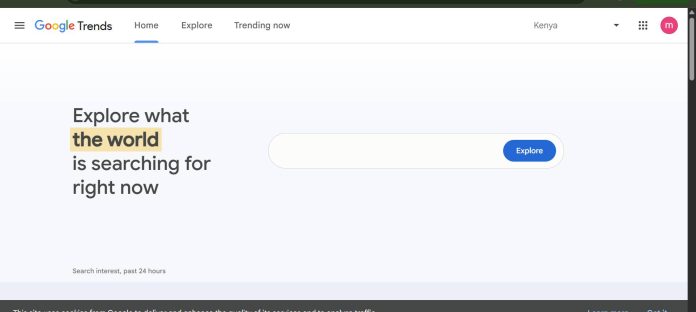
Description
Google Trends is Google’s free tool for exploring the relative popularity of search terms over time, across regions, and across related topics, drawing directly from Google’s own search data rather than a third-party estimate. Marketers use it to spot seasonal patterns, compare the relative interest between competing terms or brands, and validate whether a keyword or topic is actually rising or fading before building content or campaigns around it. Because it’s free and directly sourced from Google, it’s one of the most widely trusted starting points for search-demand research, even though its data is normalized and relative rather than showing absolute search volume.
Key Features
- Interest over time: A relative popularity score (0-100) for any search term across a chosen date range.
- Regional comparison: Breaks down interest by country, state, or metro area.
- Related queries and topics: Surfaces rising and top related searches connected to a term.
- Term-to-term comparison: Compare up to five search terms side by side on the same chart.
- Category and search-type filters: Narrow results to Web Search, Image Search, News Search, YouTube Search, or Shopping.
- Trending Now: A real-time feed of currently trending searches by country.
How It Works
A user enters a search term, topic, or brand name, and Google Trends returns a normalized interest score from 0 to 100 over a chosen time range, rather than raw search volume, since Google doesn’t publish exact numbers publicly. Up to five terms can be compared on the same chart, making it easy to see, for example, how interest in one product category compares to another over the same period. Results can be filtered by country, region, or city, by search type (web, image, news, YouTube, or Shopping), and by category, and related queries and topics show what else people search alongside the main term, flagged as either “rising” or “top” by volume. Because the tool is free with no account required for most features, it’s often the first stop before paying for a deeper keyword research or market intelligence platform.
Technical Architecture & Overview
- Core Engine: Draws directly from a sample of Google’s own search data, normalized into a relative 0-100 interest score rather than absolute volume.
- Deployment: Free, browser-based web tool at trends.google.com; no installation or account required for core features.
- API Surface: No official public API for programmatic access; data can be manually exported as CSV from the interface.
- Known Limits: Shows relative, not absolute, search volume; very low-volume terms may return insufficient data; historical data granularity narrows for very long date ranges.
Pros & Cons
| Pros | Cons |
|---|---|
| Completely free, with data sourced directly from Google’s own search index. | Shows relative interest (0-100), not actual search volume numbers. |
| No account or sign-up required to use the core comparison and regional tools. | No official public API, limiting automated or programmatic use. |
| Regional and category filters make it easy to spot geographic or seasonal patterns. | Very low-search-volume terms often return insufficient data to be useful. |
| Real-time Trending Now feed surfaces breaking search interest as it happens. | Best used alongside a dedicated keyword research tool for actual volume numbers. |
Our Take
Google Trends is genuinely useful for exactly one question: is interest in this term rising, falling, or seasonal, relative to itself or another term. It answers that well and for free. What it can’t do is tell you how many people are actually searching — the 0-100 scale is relative, not a volume number — so treat it as a directional signal to validate a hunch, not as a replacement for a keyword tool that reports real search volume.
Not ideal for: deciding whether a keyword is worth targeting based on actual traffic potential — pair it with a tool that reports real search volume (like a dedicated keyword research platform) before committing budget to a term.
Platform Availability
Web
Best For
Marketers validating seasonal or rising search interest before a campaign | Anyone wanting a free, quick comparison of relative search interest between terms
Similar Tools in This Directory
Also in AI Marketing Tools: Perplexity AI, AI answer engine with research tiers | SparkToro, audience research tool | SurveyMonkey, AI survey and market research platform | Crayon, AI competitive intelligence platform | Klue, competitive enablement platform | Brandwatch, enterprise social listening and consumer intelligence | Talkwalker, AI social listening and consumer intelligence | Similarweb, digital intelligence and traffic analytics
Visit Official Website
Frequently Asked Questions
Is Google Trends free?
Yes, Google Trends is completely free with no account required for its core features.
Does Google Trends show exact search volume?
No, it shows a normalized interest score from 0 to 100 relative to the peak popularity of the term in the chosen time range and region, not the actual number of searches.
How many search terms can I compare at once?
Up to five terms can be compared on the same chart in Google Trends.
Does Google Trends have an API?
No official public API exists for Google Trends; data can be manually exported as a CSV file from the web interface.
What is Trending Now on Google Trends?
Trending Now is a real-time feed showing currently trending searches by country, letting users see what’s gaining search interest as it happens.
Should I use Google Trends instead of a keyword research tool?
No, they answer different questions. Google Trends shows relative interest direction over time; a dedicated keyword research tool shows estimated actual search volume. Use Trends to validate direction, and a keyword tool to size real traffic potential.





