
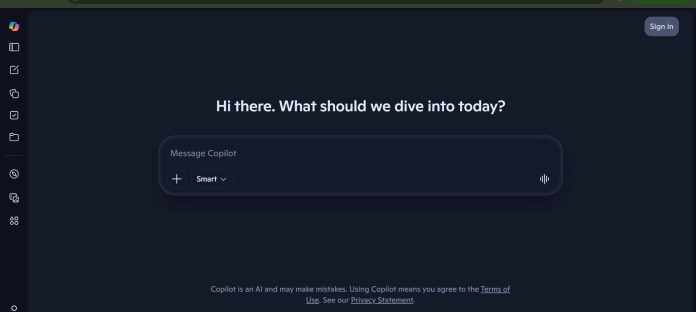
Description
Microsoft Copilot is Microsoft’s AI assistant, free to use at copilot.microsoft.com for general chat, with deeper integration into Word, Excel, PowerPoint, and Outlook available through a personal Microsoft 365 Premium subscription or, for organizations, the separate Microsoft 365 Copilot business add-on grounded on a company’s own emails and files.
Key Features
- Free chat at copilot.microsoft.com: General-purpose AI chat and image generation, no subscription required.
- Microsoft 365 Premium: Adds Copilot inside Word, Excel, PowerPoint, and Outlook for personal use, plus 1TB of storage.
- Microsoft 365 Copilot (business): Grounds Copilot on an organization’s own emails, files, meetings, and Teams chats.
- Copilot Studio: Platform for building custom AI agents, included with Microsoft 365 Copilot licenses.
- Microsoft Defender integration: Copilot-assisted threat protection for subscribers.
- Cross-app presence: Works inside Teams, Outlook, Word, Excel, PowerPoint, and OneNote.
How It Works
Anyone can chat with Copilot for free at copilot.microsoft.com for general questions, writing help, and image generation. A personal Microsoft 365 Premium subscription adds Copilot directly inside Word, Excel, PowerPoint, and Outlook for an individual’s own files, while organizations deploy the separate Microsoft 365 Copilot business add-on, which grounds its answers in a company’s actual emails, documents, and Teams conversations rather than general knowledge alone.
Technical Architecture & Overview
- Core Engine: Microsoft’s AI models integrated across the free consumer chat and the Microsoft 365 product suite.
- Deployment: Web, Windows, Mac, iOS, Android, and embedded inside Microsoft 365 apps.
- API Surface: Copilot Studio provides a platform for building and publishing custom agents, billed separately from standard Copilot licenses.
- Known Limits: The free chat and Microsoft 365 Premium’s Copilot only see an individual’s own files; only the separate Microsoft 365 Copilot business add-on is grounded on organizational data.
Pros & Cons
| Pros | Cons |
|---|---|
| Free chat at copilot.microsoft.com requires no subscription at all. | Deep integration into Word, Excel, and Outlook requires a paid Microsoft 365 plan. |
| Microsoft 365 Premium bundles Copilot with 1TB of storage and the full Office apps. | Business-grade, company-data-grounded Copilot is a separate, pricier add-on from the personal plan. |
| Microsoft 365 Copilot for business grounds answers in a company’s actual emails and files, not just general knowledge. | At $30/user/month, the business add-on is a meaningful cost on top of an existing Microsoft 365 license. |
| Copilot Studio lets organizations build custom agents on top of their existing Copilot license. | External-facing Copilot Studio agents are billed separately via Copilot Credits, adding another line item. |
Pricing
| Plan | Price |
|---|---|
| Free (copilot.microsoft.com) | $0 |
| Microsoft 365 Premium (personal) | ~$19.99/month |
| Microsoft 365 Copilot (business add-on) | $30/user/month |
https://www.microsoft.com/en-us/microsoft-365-copilot/pricing/individuals
Platform Availability
Web | Windows | Mac | iOS | Android | Microsoft 365 apps
Best For
Individuals wanting a free AI chat assistant, and organizations wanting AI grounded in their own company data across Word, Excel, and Outlook
Similar Tools in This Directory
Also worth comparing: Notion AI, workspace agent for tasks, docs, and data | ClickUp, all-in-one work management with a paid AI layer | monday.com, board-based work management with AI credits
Visit Official Website
Frequently Asked Questions
Is Microsoft Copilot free?
Yes, general chat at copilot.microsoft.com is free with no subscription required.
What does Microsoft 365 Premium add?
Copilot integrated directly inside Word, Excel, PowerPoint, and Outlook, plus 1TB of storage, for personal use.
How much does Microsoft 365 Copilot cost for a business?
$30 per user per month, as an add-on to a qualifying Microsoft 365 business plan.
Does the free version of Copilot see a company’s internal files?
No, only the separate Microsoft 365 Copilot business add-on is grounded on an organization’s own emails, files, and Teams chats.
Can organizations build custom AI agents with Copilot?
Yes, through Copilot Studio, included with Microsoft 365 Copilot licenses and also available as a separate credit-based purchase.





