
Description
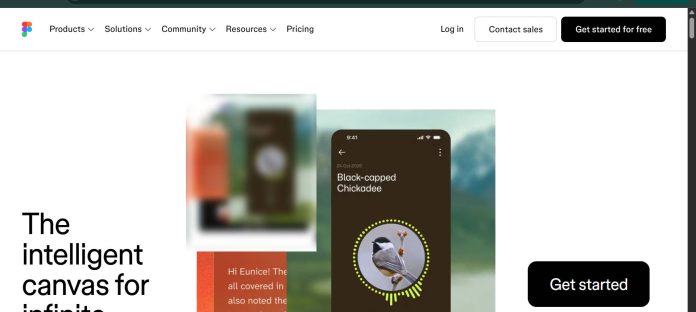
Figma is a collaborative design platform built around a suite of connected products: Figma Design for interface design and prototyping, Dev Mode for translating designs into code, FigJam as a digital whiteboard, Figma Slides for presentations, Figma Draw for advanced vector illustration, Figma Sites for publishing responsive websites, Figma Buzz for on-brand marketing assets at scale, and Figma Make for prompting complete, code-backed apps into existence. Figma AI runs across all of these on a shared credit system, covering first-draft generation, asset search, prototype interactions, and layer organization. Everything lives in the browser with real-time multiplayer editing, backed by desktop apps for macOS and Windows.
Key Features
- Figma Make — prompts a complete, code-backed app or prototype from a description, editable visually or in code.
- Figma AI — first-draft generation, asset search, auto-interactions, and layer naming, on a credit system shared across products.
- Dev Mode — translates finished designs into inspectable, production-ready code for developers.
- Figma Sites and Buzz — publish responsive websites and produce on-brand marketing assets at scale without a designer for every asset.
- FigJam and Figma Slides — a digital whiteboard and a presentation tool built for real-time collaboration.
- Real-time multiplayer editing — multiple people work in the same file simultaneously, reacting to a working prototype rather than a static screenshot.
How It Works
A user opens Figma Design to build interfaces and prototypes from scratch, or opens Figma Make and describes a screen, state, or flow in plain language to generate a working starting point that’s both visually editable and backed by real code. Figma AI features run throughout the product on a shared credit pool: quick actions can switch themes, adjust spacing, or generate content variations while keeping designs consistent, and AI can also search across a team’s files for existing assets or automatically add interactions to turn a static design into a clickable prototype. Once a design is ready, Dev Mode gives developers an inspectable, code-accurate handoff, while Figma Sites and Figma Buzz let a finished design become a live website or a batch of on-brand marketing assets without rebuilding from scratch. FigJam and Figma Slides extend the same real-time multiplayer canvas to whiteboarding and presentations.
Technical Architecture & Overview
- Core Engine: Figma’s own design engine plus Figma AI, using a mix of off-the-shelf and commissioned AI models across products.
- Deployment: Browser-based, with desktop apps for macOS and Windows and mobile prototype viewing via Figma Mirror.
- API Surface: Developer APIs, embeds, and Model Context Protocol (MCP) support for connecting Figma to external AI tools.
- Known Limits: AI features run on a shared credit pool that varies by plan; Figma Make’s local-codebase workflow is listed as coming soon.
Pros & Cons
| Pros | Cons |
|---|---|
| Figma Make generates a code-backed, visually editable app or prototype directly from a description. | AI credits are shared across every Figma product, so heavy use in one tool affects the whole account’s balance. |
| Dev Mode gives developers a code-accurate handoff without leaving the design file. | Full seats cost noticeably more than Dev or Collab seats, which limits access to certain roles. |
| Real-time multiplayer editing lets a whole team react to a working prototype instead of static screens. | Figma Make’s AI-generated designs have previously drawn scrutiny for resembling existing apps too closely. |
| Figma Sites and Buzz extend a design directly into a live website or bulk on-brand assets. | The full breadth of connected products (Design, Make, Draw, Sites, Buzz, Slides) carries a learning curve. |
| MCP support connects Figma to external AI tools and coding agents. | Organization and Enterprise pricing scale significantly above the Professional tier. |
Pricing
| Plan | Price |
|---|---|
| Starter | Free, limited access to Figma products |
| Professional | $16/mo full seat billed annually (+3,000 AI credits/mo) |
| Organization | $55/mo full seat billed annually (+3,500 AI credits/mo) |
Platform Availability
Web | Mac | Windows | Mobile (Mirror) | API
Best For
Product design teams needing collaborative interface design and prototyping | Developers wanting a code-accurate handoff from finished designs | Teams building apps and prototypes directly from prompts via Figma Make
Similar Tools in This Directory
Also worth comparing: Google Stitch, a free AI-native UI design tool built on Gemini | Kittl, an AI-first design platform with templates and a token-based generation system | Magnific, a unified AI creative suite combining a stock library with multi-model generation | Canva, a browser-based design platform with Magic Studio AI tools
Visit Official Website
Frequently Asked Questions
Does Figma have a free plan?
Yes. The Starter plan gives free, limited access to Figma’s products, according to Figma’s official pricing page.
How much does Figma cost?
A Professional full seat runs $16/month billed annually, scaling up to $55/month on Organization and $90/month on Enterprise, with lower-cost Dev and Collab seat types available on every paid tier, according to Figma’s official pricing page.
What is Figma Make?
Figma Make is Figma’s AI tool for generating a complete, code-backed app or prototype from a text description, editable both visually and in code, according to Figma’s official site.
How do Figma AI credits work?
AI features across Figma Design, Make, and other products draw from a shared credit pool, with the number of included credits scaling by plan, according to Figma’s official Help Center.
Does Figma have an API?
Yes. Figma offers developer APIs, embeds, and Model Context Protocol (MCP) support for connecting it to external tools, according to Figma’s official developer documentation.





