
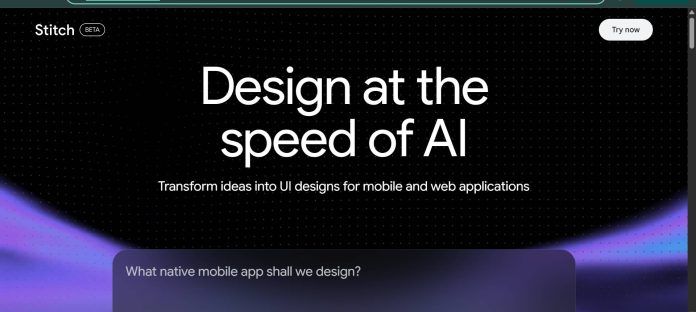
Description
Google Stitch is a free AI-native UI design tool from Google Labs, built on Gemini, that turns natural language, sketches, or existing screens into complete interface designs. Rather than starting from a blank wireframe, a user can describe a business objective or the feeling they want users to have, and Stitch generates layouts, components, and interactions on an infinite canvas. Voice capabilities let a user speak directly to the canvas for real-time critiques and updates, and finished screens can be “stitched” together into a clickable interactive prototype. Designs export to Figma or as clean HTML/CSS, and Stitch integrates with Firebase Studio for handing a design off to development.
Key Features
- Text, sketch, and image input — generates a UI from a written prompt, a hand-drawn sketch, or a reference screenshot.
- Interactive prototyping — “stitches” generated screens together into a clickable prototype with click targets and page transitions.
- Voice-driven editing — speak directly to the canvas for real-time design critiques and live updates.
- Theme management — adjusts colors, typography, corner radius, and light/dark mode across a design.
- Dual Gemini modes — a faster mode for quick iteration and a higher-quality mode for more detailed screens.
- Export to Figma or code — hands off a finished design as Figma files or clean HTML/CSS, with Firebase Studio integration.
How It Works
A user signs in with a Google account and either types a prompt describing an app or business goal, uploads a sketch or reference screenshot, or brings in an existing design as context, and Stitch generates a set of UI screens on its infinite canvas. Annotate lets a user mark up a generated screen with visual feedback that the AI then implements directly, and theme controls adjust colors, typography, and corner radius across every screen at once. Once individual screens exist, they can be “stitched” together into an interactive prototype with working click targets and transitions, so a reviewer can click through the flow instead of viewing static images. Finished work exports to Figma for further refinement or as HTML/CSS code, with a path into Firebase Studio for teams building the product further.
Technical Architecture & Overview
- Core Engine: Google’s Gemini models, with a faster mode for quick generation and a higher-quality mode for more detailed screens.
- Deployment: Browser-based web app at stitch.withgoogle.com, part of Google Labs.
- API Surface: No public developer API; integrates with Firebase Studio for design-to-development handoff.
- Known Limits: Generations are capped monthly by mode, and as an experimental Google Labs product, pricing or quotas may change as the tool matures.
Pros & Cons
| Pros | Cons |
|---|---|
| Stitch is free to use as a Google Labs product, with no subscription required. | As an experimental Labs product, Google may adjust pricing or generation limits as it matures. |
| Voice-driven editing lets a user critique and update a design by speaking to the canvas. | Generation quotas are capped monthly and split across two different quality modes. |
| Interactive prototyping stitches static screens into a clickable flow without extra tools. | Output quality still trails a fully hand-crafted design and often needs manual refinement. |
| Exporting to Figma keeps a generated design compatible with an existing design workflow. | Uploaded sketches are converted to text descriptions internally rather than used as literal layout references. |
| Firebase Studio integration gives a direct path from design to a working build. | No public API is available for teams wanting to automate generation outside the web app. |
Pricing
| Plan | Price |
|---|---|
| Free | $0/month (Google Labs, monthly generation limits apply) |
Platform Availability
Web
Best For
Product teams wanting fast concept-to-prototype UI exploration | Designers wanting voice-driven, conversational design iteration | Teams already using Firebase Studio for development handoff
Similar Tools in This Directory
Also worth comparing: Figma, a collaborative design platform with AI-powered prototyping tools | Kittl, an AI-first design platform with templates and a token-based generation system | Magnific, a unified AI creative suite combining a stock library with multi-model generation | Canva, a browser-based design platform with Magic Studio AI tools
Visit Official Website
Frequently Asked Questions
Is Google Stitch free?
Yes. Stitch is free to use as a Google Labs product, with monthly generation limits by mode, according to Google’s official Stitch site.
What AI model powers Google Stitch?
Stitch runs on Google’s Gemini models, with a faster mode for quick iteration and a higher-quality mode for more detailed screens, according to Google’s official documentation.
Can Google Stitch export to Figma?
Yes. Finished designs can be exported to Figma for further editing, or as clean HTML/CSS code, according to Google’s official site.
Does Google Stitch support voice input?
Yes. Users can speak directly to the canvas for real-time design critiques and live updates as they work, according to Google’s official Stitch announcement.
Can Google Stitch create interactive prototypes?
Yes. Generated screens can be stitched together into a clickable prototype with working transitions between screens, according to Google’s official site.





