
Description
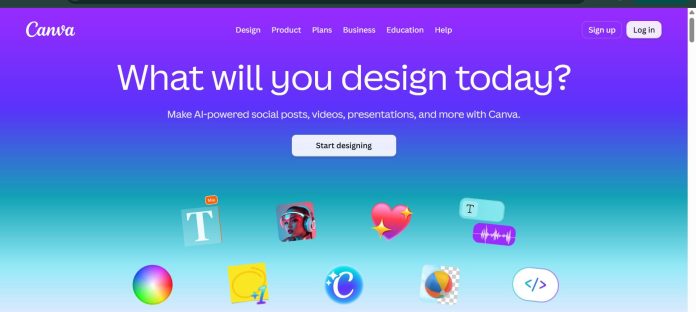
Canva is a browser-based design platform where AI features are consolidated under Magic Studio, a suite that turns a prompt into a fully editable layout, generates on-brand images, edits photos, and translates or resizes a design across formats. Magic Design generates matched layouts from a text prompt and, on newer versions, pulls in a team’s Brand Kit colors and fonts automatically. Dream Lab, built on the Leonardo.AI Phoenix model Canva acquired, generates commercially licensed AI images, while Magic Edit, Magic Eraser, and Magic Expand cover everyday photo editing. Canva Sheets and Magic Charts turn spreadsheet data into personalized design variants or data visualizations, and the platform’s interface and translation tools work across 100-plus languages.
Key Features
- Magic Design — generates a fully editable, brand-matched layout from a text prompt.
- Dream Lab — generates commercially licensed AI images for marketing and business use.
- Magic Edit, Eraser, and Expand — replaces, removes, or extends parts of an image using AI.
- Magic Switch — converts a design into different formats and translates it into 100-plus languages while preserving layout.
- Canva Sheets and Magic Charts — turns spreadsheet data into personalized design variants or automated charts.
- Magic Animate — applies motion effects to a static design for short social media content.
How It Works
A user types a short description of what they need into Magic Design, and Canva generates a set of editable layouts pulling in a connected Brand Kit’s colors and fonts where one exists. Photos can be adjusted with Magic Edit, Magic Eraser, or Magic Expand by selecting a region and describing the change, while Dream Lab generates new images from a text prompt for use in the design. A finished design can be pushed through Magic Switch to instantly resize for another platform or translate into another language without rebuilding the layout by hand. For data-driven work, a user uploads a spreadsheet through Canva Sheets, and Canva generates one design variant per row, or turns the data directly into a chart with Magic Charts.
Technical Architecture & Overview
- Core Engine: Multiple AI models power different tools, including Dream Lab (built on the acquired Leonardo.AI Phoenix model) and third-party models available as apps in Canva’s App Store.
- Deployment: Browser-based web app; desktop and mobile apps are also available.
- API Surface: A Connect API and App SDK exist for building integrations and apps on top of Canva.
- Known Limits: AI image generation output resolution is suited to web and social use rather than print by default; commercial usage of AI-generated content requires a paid plan.
Pros & Cons
| Pros | Cons |
|---|---|
| Magic Design, Dream Lab, and photo editing tools all live in one editor without switching apps. | AI-generated images default to a resolution suited for web and social rather than print. |
| Magic Switch resizes and translates a finished design into 100-plus languages while preserving layout. | Commercial use of AI-generated content is restricted to paid plans. |
| Canva Sheets and Magic Charts turn raw spreadsheet data into design variants or charts automatically. | AI image generation is less specialized than tools built solely around image generation. |
| The Free plan gives real access to design tools rather than a short trial. | Some newer AI features, like Magic Layers, roll out gradually and aren’t available in every country at launch. |
| The interface and translation tools work across 100-plus languages. | Heavier AI features consume a monthly credit allowance that can run out on high-volume use. |
Pricing
| Plan | Price |
|---|---|
| Free | KSh 0/month for one person |
| Pro | KSh 850/month for one person |
| Business | KSh 1,150/month per person |
Platform Availability
Web | Desktop | iOS | Android
Best For
Non-designers wanting fast, brand-consistent social and marketing content | Businesses needing data-driven design variants at scale via Canva Sheets | Teams needing a single tool for design, image generation, and photo editing
Similar Tools in This Directory
Also worth comparing: Kittl, an AI-first design platform with templates and a token-based generation system | Figma, a collaborative design platform with AI-powered prototyping tools | Magnific, a unified AI creative suite combining a stock library with multi-model generation | Google Stitch, a free AI-native UI design tool built on Gemini
Visit Official Website
Frequently Asked Questions
Does Canva have a free plan?
Yes. Canva’s Free plan is available at no cost for one person, according to Canva’s official pricing page.
What is Canva’s Magic Studio?
Magic Studio is Canva’s suite of AI tools, including Magic Design, Dream Lab, Magic Write, Canva Sheets, and Magic Charts, built into the Canva editor, according to Canva’s official site.
What is Dream Lab?
Dream Lab is Canva’s text-to-image generation tool, built on the Leonardo.AI Phoenix model Canva acquired, producing commercially licensed images for marketing and business use, according to Canva’s official site.
Can Canva translate designs into other languages?
Yes. Magic Switch translates a design into 100-plus languages while preserving the original layout, according to Canva’s official site.
Can Canva generate designs from spreadsheet data?
Yes. Canva Sheets links a CSV or Excel file to design fields and generates a variant for each row, and Magic Charts turns the same data into a chart, according to Canva’s official site.





