
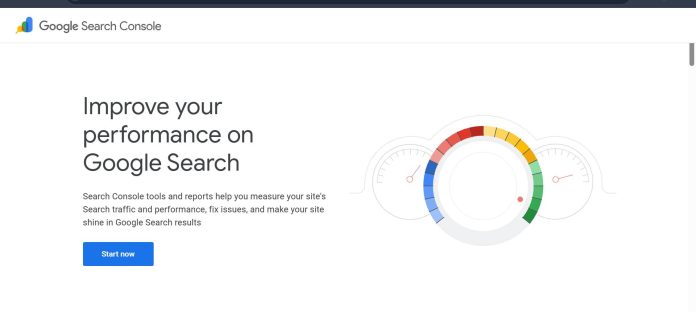
Description
Google Search Console is Google’s free web service for monitoring, maintaining, and troubleshooting a site’s presence in Google Search results. It reports on search performance across traditional listings, AI Overviews, and AI Mode, showing clicks, impressions, average position, and click-through rate broken down by query, page, country, and device. The Index Coverage report shows which pages Google has indexed or attempted to index and flags errors or warnings blocking indexing, while the Sitemaps report lets a site owner submit and monitor a sitemap directly. Additional tools cover Core Web Vitals, manual action penalties, rich result eligibility, and URL Inspection for checking a specific page’s index status. A Search Console API exposes the same performance data, sitemap management, and URL inspection programmatically for teams that want to pull data into their own dashboards or connect it to other SEO tools. It suits any website owner, SEO, or developer who needs first-party data on how Google actually sees and ranks their site.
Key Features
- Performance report — clicks, impressions, CTR, and average position broken down by query, page, country, and device.
- Index Coverage report — shows which pages Google has indexed or attempted to index, with error and warning detail.
- URL Inspection — checks a specific page’s live index status and crawlability.
- Sitemaps report — submit and monitor a sitemap’s processing status directly with Google.
- Core Web Vitals report — site-wide user experience metrics tied to search ranking signals.
- Manual Actions report — flags if Google has applied a manual penalty to the site.
- Search Console API — programmatic access to performance data, sitemaps, sites, and URL inspection.
How It Works
Getting started requires verifying ownership of a domain or URL prefix property using a Google account, through DNS records, an HTML file, or a connected Google Analytics or Tag Manager account. Once verified, the Overview page summarizes recent search performance, indexing status, and any notifications about the property. The Performance report is the main analytics view, letting a user filter by date range, query, page, country, or device, and toggle clicks, impressions, CTR, and position on the same chart to spot correlations. Submitting a sitemap through the Sitemaps report can speed up how quickly Google discovers new pages, and URL Inspection lets a user check a single page’s index status on demand. Owners can grant other users access with either full or restricted permissions, and everything visible in the interface is also queryable through the Search Console API for teams that want to build their own reporting on top of the same data.
Technical Architecture & Overview
- Core Engine: Not an AI model; Google’s own search index and crawling infrastructure, reporting data specific to a verified property’s presence in Google Search, AI Overviews, and AI Mode.
- Deployment: Web-based dashboard at search.google.com/search-console, accessible with any Google account; no desktop or mobile app beyond the responsive web interface.
- API Surface: Search Console API (REST, JSON) covering Search Analytics, Sitemaps, Sites, and URL Inspection; a separate Indexing API exists but is officially supported only for pages with JobPosting or BroadcastEvent structured data.
- Known Limits: Performance report data typically has a 2 to 3 day reporting delay; API access requires the appropriate owner or user permission level on the property being queried.
Pros & Cons
| Pros | Cons |
|---|---|
| Entirely free, with no paid tiers, subscriptions, or usage-based fees of any kind | Performance data is not real-time; recent days typically show as preliminary before finalizing |
| First-party data directly from Google, rather than a third-party estimate or crawl-based approximation | Historical Performance data is limited to a defined rolling window rather than unlimited history |
| Reports now cover AI Overviews and AI Mode performance alongside traditional search listings | No competitor or backlink data; Search Console only reports on the verified owner’s own property |
| Search Console API lets teams pull the same data into custom dashboards or other tools | The Indexing API is officially supported only for pages with JobPosting or BroadcastEvent structured data, not general page indexing |
| Works with any website platform, as long as domain or URL ownership can be verified | Requires proving domain or URL ownership before any data becomes visible, which can be a barrier for agencies without direct DNS access |
Pricing
| Plan | Price |
|---|---|
| Google Search Console | Free (no paid tiers, subscriptions, or usage-based fees) |
Platform Availability
Web | API
Best For
Website owners | SEOs | Developers | Content teams monitoring first-party search data
Frequently Asked Questions
Is Google Search Console free to use?
Yes. Google Search Console has no paid tiers, subscriptions, or usage-based fees. It is provided at no cost to anyone who can verify ownership of a domain or URL.
Do I need Google Analytics to use Search Console?
No. Per Google’s own documentation, Search Console and Google Analytics are completely independent tools; they can be connected in GA4 for richer reporting, but neither requires the other to function.
How current is the data in Search Console’s Performance report?
Data is not real-time. The Performance chart includes preliminary Search data for very recent days before it finalizes, per Google’s official Search Console help documentation.
How does Google Search Console differ from tools like SE Ranking or Ahrefs?
Search Console reports only on a verified owner’s own property using Google’s first-party index data at no cost, while SE Ranking and Ahrefs are paid platforms that add competitor research, backlink databases, and rank tracking across many domains at once.
Can I access Search Console data programmatically?
Yes. The Search Console API provides REST-based access to Search Analytics, Sitemaps, Sites, and URL Inspection data, requiring the appropriate owner or user permission on the property, according to Google’s official developer documentation.
Similar Tools in This Directory
Also in this category: Ahrefs, backlink and keyword data with Brand Radar | Semrush One, all-in-one SEO and AI-visibility suite | SE Ranking, flat-rate SEO and AI prompt tracking | Surfer SEO, real-time content scoring | Peec AI, dedicated AI-visibility tracker





