
Description
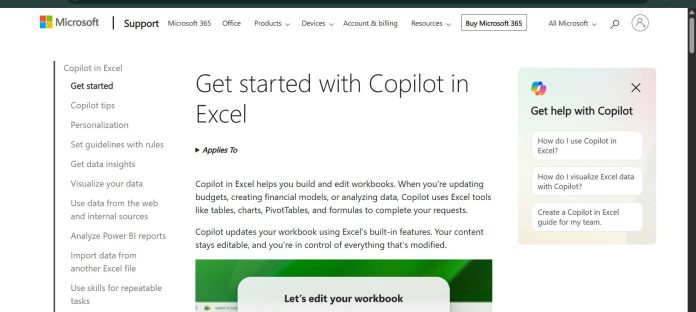
Copilot in Excel is Microsoft’s AI feature built into Excel that edits worksheets, generates formulas and data, and explains data directly inside a spreadsheet based on natural language prompts. It offers three modes: edit, which makes direct changes to a workbook; plan, which proposes a step-by-step approach before acting; and chat, which analyzes data and answers questions without modifying the file. Copilot in Excel supports Claude models from Anthropic and GPT models from OpenAI, and commercial subscribers can switch between them per session. Recent additions include Skills for packaging repeatable analysis workflows, Personalization for standing formatting preferences, and generally available agentic capabilities that let Copilot take multi-step actions like reshaping data, merging sheets, and building reports. Copilot in Excel is not sold on its own; it comes bundled into Microsoft 365 Personal, Family, and Premium subscriptions for individuals, and Microsoft 365 Copilot or Business plans with the Copilot add-on for organizations.
Key Features
- Edit, plan, and chat modes — choose direct editing, a reviewable plan, or read-only chat analysis.
- Formula and data generation — generate data, apply formulas across sheets, and summarize results from a prompt.
- Model switcher — commercial subscribers can switch between Claude (Anthropic) and GPT (OpenAI) models per session.
- Skills — package repeatable analysis, modeling, or reporting workflows as reusable instructions.
- Agentic multi-step actions — reshape data, merge sheets, and build multi-element reports in one request.
- Personalization — set standing formatting and style preferences applied consistently across workbooks.
- COPILOT function — embed AI directly into a cell formula for classification and text tasks (Frontier/Insiders program).
How It Works
Copilot in Excel opens by default in edit mode, where it can add or rename worksheets, insert and modify cell values, apply conditional formatting, and manage workbook layout based on a typed prompt. Plan mode instead produces a step-by-step approach for a requested task, letting the user review and confirm it before Copilot starts editing. Chat mode keeps Copilot’s responses contained to the chat panel, analyzing workbook data without changing it. Commercial users can pick a specific AI model, Claude from Anthropic or GPT from OpenAI, for the active session, with enterprise admins needing to enable Anthropic as a sub-processor first. Teams can save common workflows as Skills to reuse instead of retyping the same prompts, and Copilot’s suggested edits stay fully editable so users remain in control of what changes.
Technical Architecture & Overview
- Core Engine: Supports Claude models from Anthropic and GPT models from OpenAI, switchable per session for commercial subscribers; model choice resets to default when Excel closes.
- Deployment: Built into Excel for Web, Windows, and Mac as part of Microsoft 365; no standalone installation.
- API Surface: The COPILOT worksheet function embeds AI directly into formulas (Frontier/Insiders program only); broader agentic actions run through the in-app Copilot chat and plan interfaces rather than a public developer API.
- Known Limits: Requires a qualifying Microsoft 365 Copilot license or Personal/Family/Premium subscription; the model switcher and Claude access require a commercial Microsoft 365 Copilot or Premium subscription, with enterprise admin approval for Anthropic.
Pros & Cons
| Pros | Cons |
|---|---|
| Supports both Claude (Anthropic) and GPT (OpenAI) models with a per-session switcher for commercial subscribers | Not available as a standalone purchase; requires a qualifying Microsoft 365 subscription or Copilot add-on |
| Three distinct modes (edit, plan, chat) give users control over how much Copilot changes without asking first | Consumer Personal and Family plans limit AI features to the subscription owner, even on shared plans |
| Skills let teams standardize repeatable analysis and reporting workflows instead of rewriting prompts | Enterprise use of Claude models requires an admin to explicitly enable Anthropic as a sub-processor first |
| Now generally available with agentic, multi-step actions across Word, Excel, and PowerPoint | The COPILOT worksheet function is currently limited to the Frontier and Microsoft 365 Insider programs |
| Bundled into consumer Microsoft 365 plans starting at Personal, not sold as a separate subscription | Microsoft’s own guidance cautions against relying on Copilot outputs for legal, regulatory, or compliance-critical tasks without review |
Pricing
| Plan | Price |
|---|---|
| Microsoft 365 Personal | $9.99/month or $99.99/year (1 person; Copilot in Word, Excel, PowerPoint, Outlook) |
| Microsoft 365 Family | $12.99/month or $129.99/year (up to 6 people; AI features for subscription owner only) |
| Microsoft 365 Premium | $19.99/month or $199.99/year (adds AI agents and extensive Copilot usage) |
https://www.microsoft.com/en-us/microsoft-365/excel/ai-for-excel
Platform Availability
Excel for Web | Windows | Mac | Mobile
Best For
Individual users | Financial professionals | Business analysts | Microsoft 365 subscribers
Frequently Asked Questions
Is Copilot in Excel a separate product I can buy on its own?
No. It’s included in Microsoft 365 Personal, Family, and Premium subscriptions for individuals, or bundled with Microsoft 365 Copilot and Business plans for organizations, per Microsoft’s official pricing pages.
Which AI models power Copilot in Excel?
Copilot in Excel supports Claude models from Anthropic and GPT models from OpenAI. Commercial Microsoft 365 Copilot or Premium subscribers can switch between them per session, according to Microsoft’s official FAQ.
What is the difference between edit, plan, and chat mode?
Edit mode makes direct changes to a workbook, plan mode proposes a step-by-step approach for review before acting, and chat mode analyzes workbook data and answers questions without making any changes, per Microsoft’s support documentation.
How does Copilot in Excel differ from Snowflake Cortex AI?
Copilot in Excel works inside individual spreadsheets with natural language editing and formula generation, while Snowflake Cortex AI runs SQL-callable AI functions directly inside an enterprise data warehouse rather than a desktop spreadsheet app.
Can enterprise users choose Claude instead of GPT models in Copilot?
Yes, but an organization’s admin must first enable Anthropic as a Microsoft sub-processor before users can select Claude models in the model switcher, according to Microsoft’s official Copilot in Excel FAQ.
Similar Tools in This Directory
Also in AI Data Tools: dbForge AI Assistant, schema-aware SQL across four database IDEs | Chat2DB, Text2SQL across 30+ databases | DBeaver, universal database tool | DataGrip AI Assistant, JetBrains’ cross-database IDE | Snowflake Cortex AI, AI built into the data cloud





