
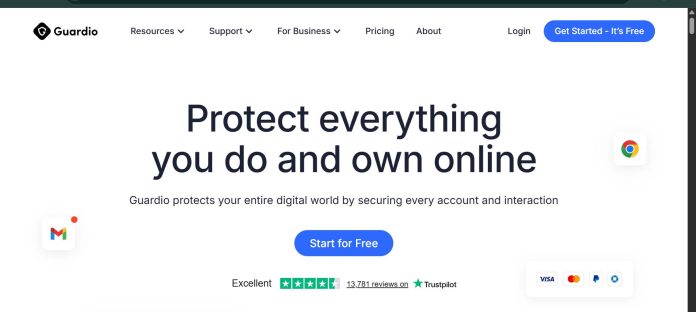
Description
Guardio is a browser-based security extension built for people who want protection from scams and phishing without configuring antivirus software or managing device-level security settings. It runs as a Chrome or Microsoft Edge extension, scanning web pages in real time to block phishing sites, fake AI-generated scam pages, and malicious downloads before they load. Beyond the browser, Guardio monitors connected email accounts for phishing and data breaches, and its mobile app extends protection to phones and tablets. Paid plans add identity monitoring for up to 5 email addresses, real-time security alerts, and access to Guardio’s 24/7 support team, with a separate VIP tier adding one-on-one calls with a security specialist. Guardio does not scan for on-device malware the way a traditional antivirus does; its protection is centered on browser activity, email, and identity exposure rather than full endpoint security. It suits individuals, couples, and families without dedicated IT support who want straightforward protection against today’s most common online scams.
Key Features
- Real-time browsing protection — blocks phishing sites, scam pages, and malicious downloads as you browse.
- Email monitoring — scans connected email accounts for phishing attempts and data breach exposure.
- Identity monitoring — tracks exposure for up to 5 email addresses on paid plans.
- Cross-device coverage — browser extension for desktop, plus a mobile app for phones and tablets.
- Extension monitoring — flags malicious or risky browser extensions already installed.
- AI-based scam detection — uses machine learning to catch fake AI-generated scam sites and messages.
- VIP support tier — adds one-on-one calls with a dedicated security specialist.
How It Works
Guardio installs as a browser extension from the Chrome Web Store or Microsoft Edge Add-ons store, then runs a quick security checkup to scan for existing risks. From there, it works quietly in the background, scanning pages as they load and blocking known and suspected scam sites, phishing attempts, and malicious downloads before they reach the user. Connecting an email account lets Guardio monitor it for phishing messages and check whether the address has appeared in a known data breach. The mobile app extends the same monitoring to phones and tablets, alerting users to risks across their connected accounts. When a paid plan is canceled, coverage continues until the end of the billing cycle before reverting to the free Basic plan, which keeps only manual scanning and fake website alerts.
Technical Architecture & Overview
- Core Engine: Combines rule-based filtering with machine learning models trained to recognize phishing patterns, fake AI-generated scam pages, and malicious extension behavior, per Guardio’s own technology page.
- Deployment: Browser extension (Chrome, Microsoft Edge) plus native iOS and Android mobile apps; no traditional desktop antivirus client.
- API Surface: No public developer API documented; Guardio is a consumer product managed through its own dashboard and mobile app rather than a platform for integration.
- Known Limits: Does not scan for on-device malware the way traditional antivirus software does; protection is centered on browser, email, and identity exposure rather than full endpoint or file-system scanning.
Pros & Cons
| Pros | Cons |
|---|---|
| Simple setup aimed at non-technical users, with no complex configuration required | Not a full antivirus; does not include on-device malware scanning |
| Covers browser activity, email phishing, and identity exposure in one subscription | Protection is limited to Chrome and Microsoft Edge on desktop, not other browsers |
| Free Basic plan available before committing to a paid tier | Free Basic plan is limited to manual scans and fake website alerts only |
| Mobile apps extend the same monitoring to phones and tablets | Annual pricing is noticeably cheaper per month than monthly billing, so short-term users pay a premium |
| VIP tier offers direct, one-on-one access to a security specialist | Business-specific security needs are handled through a separate “For Teams” product rather than the consumer plans |
Pricing
| Plan | Price |
|---|---|
| Free | Free (manual scan, fake website alerts only) |
| Individual | $9.99/month billed yearly ($14.99/month billed monthly) |
| Family (5 members) | $4.67/member/month billed yearly ($7.00/member/month billed monthly) |
Pricing verified on July 27, 2026: https://guard.io/plans
Platform Availability
Chrome | Microsoft Edge | iOS | Android
Best For
Non-technical individuals | Families | Solo professionals
Frequently Asked Questions
Is Guardio free to use?
Yes. Guardio offers a free Basic plan with manual security scans and fake website alerts, though real-time protection and identity monitoring require a paid Individual, Duo, or Family plan.
Does Guardio replace a traditional antivirus?
No. Guardio focuses on browser activity, email phishing, and identity monitoring rather than scanning files on the device itself, so it is often used alongside, not instead of, a traditional antivirus.
What is the difference between Guardio’s Individual, Duo, and Family plans?
The plans differ only by how many people are covered: Individual protects one person, Duo covers two, and Family covers up to five, with everyone getting the same features under any paid plan.
Does Guardio work on mobile devices?
Yes. Guardio offers native apps for iOS and Android that extend account and identity monitoring to phones and tablets, alongside the desktop browser extension.
How does Guardio differ from a business-focused platform like Microsoft Defender for Business?
Guardio is a consumer product focused on individual and family browser, email, and identity protection, while Microsoft Defender for Business is built for organizations, covering device-level endpoint protection across a company’s fleet with centralized management.
Similar Tools in This Directory
Also in AI Cybersecurity Tools: Microsoft Defender for Business, Microsoft 365-integrated endpoint protection | Malwarebytes ThreatDown, behavioral threat detection for small teams | Norton Small Business, bundled AI scam detection and VPN | CrowdStrike Falcon, enterprise endpoint detection and response | SentinelOne, AI-native enterprise endpoint protection





