
Description
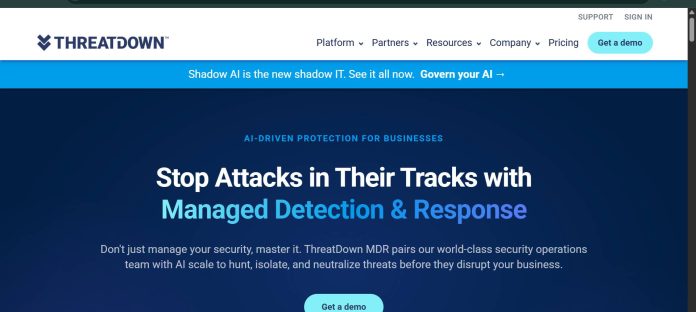
ThreatDown, Malwarebytes’ business security platform (formerly sold as Malwarebytes for Business), bundles endpoint protection, detection and response, and managed services into four tiers: Core, Advanced, Elite, and Ultimate. Every tier includes AI-powered next-gen antivirus, incident response, device control, vulnerability assessment, and Ransomware Rollback, which can restore files up to seven days after an attack. Higher tiers add endpoint detection and response (EDR), managed detection and response (MDR) with a 24/7 human analyst team, and MDR Plus, which adds malware removal, root cause analysis, and dark web exposure monitoring under a published SLA. ThreatDown AI turns security data into plain-language recommendations that administrators review before acting, while add-ons cover identity threat detection (ITDR), DNS filtering, email security, server protection, and mobile security. Management runs through the Nebula console for direct customers or OneView for MSPs managing multiple client environments. It suits small and mid-market organizations that want a single vendor covering everything from basic antivirus up through fully managed 24/7 threat response.
Key Features
- Next-gen AV — AI-powered protection that stops known and unknown threats before execution.
- Ransomware Rollback — restores encrypted or modified files up to 7 days after an attack.
- Endpoint Detection & Response (EDR) — investigates and addresses suspicious endpoint activity, from the Advanced tier upward.
- Managed Detection & Response (MDR) — 24x7x365 human-led threat monitoring and response, from the Elite tier upward.
- ThreatDown AI — turns security telemetry into plain-language recommended actions for admin approval.
- Identity Threat Detection & Response (ITDR) — monitors for compromised credentials and lateral movement (add-on or included on Ultimate).
- Nebula and OneView consoles — single-tenant management for direct customers, or centralized multi-client management for MSPs.
How It Works
Organizations choose one of four ThreatDown bundles based on how much of the security workload they want to manage themselves versus hand off to Malwarebytes. Core covers baseline AI-powered antivirus, incident response, and vulnerability scanning. Advanced adds full EDR with built-in Ransomware Rollback for self-managed threat response. Elite introduces MDR, where ThreatDown’s own analysts monitor, investigate, and respond to threats around the clock instead of an in-house team doing it. Ultimate bundles MDR Plus, ITDR, and premium support together for organizations that want the broadest coverage across both devices and identities. All tiers deploy through a lightweight endpoint agent managed from the Nebula console, or through OneView for managed service providers overseeing multiple customer environments at once. Add-ons for DNS filtering, email security, server protection, and mobile security can extend any tier’s coverage.
Technical Architecture & Overview
- Core Engine: AI-powered next-gen antivirus and behavioral detection engine, combined with ThreatDown AI for generating plain-language remediation guidance that admins approve before execution.
- Deployment: Lightweight endpoint agent across Windows, macOS, Linux, ChromeOS, iOS, and Android; managed through the cloud-based Nebula console (direct customers) or OneView (MSPs).
- API Surface: Not documented as a standalone public developer API on the pricing or product pages; integration runs primarily through the Nebula/OneView console and MSP-facing tooling.
- Known Limits: EDR is not included on the base Core tier; MDR (human-monitored response) requires Elite or Ultimate. ITDR is an add-on on Core and Advanced, and included by default only from Elite upward.
Pros & Cons
| Pros | Cons |
|---|---|
| Ransomware Rollback is included on every tier, even the base Core plan, restoring files up to 7 days after an attack | Exact subscription pricing is not listed as a static figure on the public pricing page; rates depend on device count and contract length |
| Elite and Ultimate include genuine 24x7x365 MDR with human analysts, not just automated alerts | EDR is not included on the entry-level Core tier; it requires moving up to Advanced |
| ThreatDown AI translates raw security telemetry into plain-language recommended actions | MDR (human-monitored detection and response) is reserved for the Elite and Ultimate tiers |
| Covers Windows, macOS, Linux, ChromeOS, iOS, and Android under one platform | ITDR is only included by default on Ultimate; it’s an add-on on the three lower tiers |
| Separate OneView console purpose-built for MSPs managing multiple customer environments | No permanent free plan; only a free trial is available before committing to a paid tier |
Pricing
| Plan | Price |
|---|---|
| Core (Next-Gen AV) | See official pricing page for current rate |
| Advanced (EDR) | See official pricing page for current rate |
| Elite (MDR) | See official pricing page for current rate |
Platform Availability
Windows | macOS | Linux | ChromeOS | iOS | Android
Best For
Small and mid-market businesses | IT teams without a dedicated SOC | Managed service providers
Frequently Asked Questions
Does ThreatDown include a free plan?
No. ThreatDown does not offer a permanent free tier, though a free trial is available to test the product before committing to a paid tier, per the company’s own product pages.
What is the difference between EDR and MDR on ThreatDown?
EDR (included from the Advanced tier) gives an organization the tools to detect and respond to threats themselves, while MDR (included from Elite upward) adds ThreatDown’s own analyst team monitoring, investigating, and responding to threats 24x7x365 on the customer’s behalf.
Is ThreatDown the same as Malwarebytes for Business?
Yes. ThreatDown is Malwarebytes’ current name for its business security platform; searching for “Malwarebytes for Business” leads directly to the ThreatDown site, per Malwarebytes’ own product documentation.
What is Ransomware Rollback?
Ransomware Rollback is a ThreatDown feature, included on every tier, that can restore files that were encrypted, deleted, or modified during an attack, up to 7 days after it occurred.
How does ThreatDown differ from Microsoft Defender for Business?
ThreatDown offers a tiered path from self-managed antivirus up through fully managed 24/7 MDR with human analysts, while Microsoft Defender for Business is entirely self-managed software with no included human-monitored response service at any tier.
Similar Tools in This Directory
Also in AI Cybersecurity Tools: Guardio, browser-based scam and phishing protection | Microsoft Defender for Business, Microsoft 365-integrated endpoint protection | Norton Small Business, bundled AI scam detection and VPN | CrowdStrike Falcon, enterprise endpoint detection and response | SentinelOne, AI-native enterprise endpoint protection





