
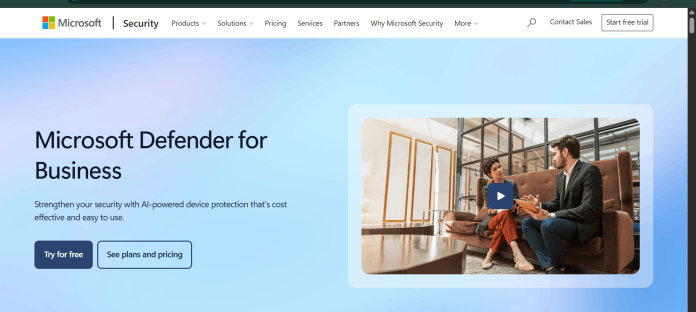
Description
Microsoft Defender for Business is Microsoft’s endpoint security solution built for organizations with up to 300 employees, based on the same underlying technology as Microsoft Defender for Endpoint. It protects Windows, macOS, iOS, and Android devices with next-generation antivirus, endpoint detection and response, attack surface reduction, and automated investigation and remediation, using AI models to generate high-confidence threat signals. Automatic attack disruption can contain compromised users and devices mid-attack, specifically targeting in-progress, human-operated ransomware. It’s available as a standalone subscription or bundled into Microsoft 365 Business Premium, with a separate add-on license for protecting Windows and Linux servers. Management runs through the centralized Microsoft Defender portal, with a setup wizard designed to simplify onboarding for organizations without dedicated security staff. Defender for Business is entirely self-managed software; it does not include a human analyst reviewing alerts on the customer’s behalf. It suits small and medium businesses, particularly those already using Microsoft 365, that want enterprise-grade endpoint protection without a separate security vendor.
Key Features
- Next-generation antivirus — real-time protection against malware, ransomware, and other file-based threats.
- Endpoint detection and response — uses AI models to generate high-confidence alerts on real-time threats.
- Automatic attack disruption — contains compromised users and devices during an in-progress ransomware attack.
- Attack surface reduction — network protection, firewall, and rules that shrink potential attack surfaces.
- Automated investigation and response — investigates and responds to most threats around the clock with minimal manual work.
- Cross-platform support — covers Windows, macOS, iOS, and Android devices under one license.
- Centralized management — single Microsoft Defender portal for reporting, policy, and configuration across devices.
How It Works
Defender for Business is deployed either as a standalone subscription or as part of Microsoft 365 Business Premium, with a setup wizard guiding initial configuration. Each licensed user covers up to five devices across Windows, macOS, iOS, and Android, with no minimum device requirement. Once onboarded, the antivirus engine and endpoint detection and response components run continuously, using AI models to flag suspicious behavior and generate alerts. When automatic attack disruption identifies signs of an in-progress, human-operated ransomware attack, it can automatically contain the affected users and devices to limit damage before a human responds. Automated investigation and response then works through most standard alerts without requiring manual triage. Administrators monitor everything from the centralized Microsoft Defender portal, which also produces monthly security summary reports covering threats detected and prevented.
Technical Architecture & Overview
- Core Engine: Built on the same technology as Microsoft Defender for Endpoint, including Defender for Endpoint Plan 1 features plus select Plan 2 capabilities and small-business-specific tooling, per Microsoft’s own documentation.
- Deployment: Cloud-managed through the Microsoft Defender portal; agents installed on Windows, macOS, iOS, and Android devices, plus an optional add-on for Windows and Linux servers.
- API Surface: Integrates with the broader Microsoft Defender and Microsoft 365 ecosystem (Entra ID, Intune, Defender for Office 365); a dedicated public API is documented for Microsoft Defender for Endpoint more broadly.
- Known Limits: Designed for organizations up to 300 users; larger deployments require Microsoft Defender for Endpoint Plan 1 or Plan 2 instead. Entirely self-managed, with no included human analyst reviewing alerts.
Pros & Cons
| Pros | Cons |
|---|---|
| AI-driven endpoint detection and automatic attack disruption for in-progress ransomware, built into the base product | Entirely self-managed; there’s no included human analyst reviewing alerts, a real gap for teams without any IT staff |
| Available as a low-cost standalone license or bundled into Microsoft 365 Business Premium | Capped at 300 users; larger organizations must move to Microsoft Defender for Endpoint Plan 1 or Plan 2 |
| Covers up to 5 devices per user across Windows, macOS, iOS, and Android with no minimum device count | Server protection requires a separate add-on license rather than being included by default |
| Setup wizard simplifies onboarding for organizations without dedicated security staff | Full security stack (identity, device management, email protection) requires Business Premium, not the standalone Defender license alone |
| Server protection available as an add-on, extending the same management experience to Windows and Linux servers | Some advanced features are shared with Defender for Endpoint Plan 2 only partially, per Microsoft’s own comparison |
Pricing
| Plan | Price |
|---|---|
| Defender for Business (standalone) | $3.00/user/month billed yearly |
| Microsoft 365 Business Premium (includes Defender for Business) | $22.00/user/month billed yearly ($26.40/month billed monthly) |
| Defender for Business servers (add-on) | $3.00/server instance/month |
https://www.microsoft.com/en-us/security/pricing/small-medium-business
Platform Availability
Windows | macOS | iOS | Android
Best For
Small and medium businesses | IT administrators | Organizations already on Microsoft 365
Frequently Asked Questions
Is there a free trial for Microsoft Defender for Business?
Yes. Microsoft offers a free 30-day trial of the standalone Defender for Business subscription, with a credit card required and automatic conversion to a paid subscription after the trial ends, per Microsoft’s official pricing page.
How many devices does one Defender for Business license cover?
One license covers up to 5 devices per user, with no minimum device requirement, across Windows, macOS, iOS, and Android, according to Microsoft’s official FAQ.
What is the difference between Microsoft Defender Antivirus and Defender for Business?
Defender Antivirus provides built-in next-generation protection on Windows devices, while Defender for Business extends that with threat and vulnerability management, attack surface reduction, endpoint detection and response, and automated investigation and remediation, per Microsoft’s own FAQ.
Does Defender for Business include a human analyst reviewing alerts?
No. Defender for Business is a self-managed EDR (endpoint detection and response) product; it does not include a human analyst monitoring or triaging alerts the way a managed detection and response (MDR) service does.
How does Microsoft Defender for Business differ from Guardio?
Defender for Business is a full endpoint security product covering device-level antivirus, detection, and response for organizations, while Guardio is a consumer-focused browser extension centered on phishing, scam, and identity protection rather than full device security.
Similar Tools in This Directory
Also in AI Cybersecurity Tools: Guardio, browser-based scam and phishing protection | Malwarebytes ThreatDown, behavioral threat detection for small teams | Norton Small Business, bundled AI scam detection and VPN | CrowdStrike Falcon, enterprise endpoint detection and response | SentinelOne, AI-native enterprise endpoint protection





