
Description
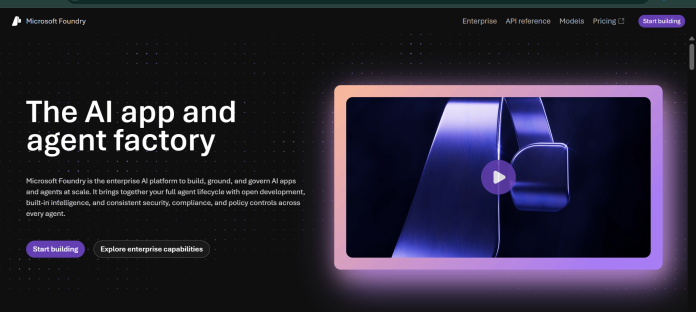
Microsoft Foundry, renamed from Azure AI Foundry in January 2026, is Microsoft’s unified platform for building, deploying, and managing AI applications and agents on Azure. It brings together a model catalog of more than 11,000 foundation, reasoning, and multimodal models from providers including OpenAI, Meta, Mistral AI, Cohere, DeepSeek, and Microsoft’s own models, alongside Foundry Agent Service for building and orchestrating AI agents, Foundry Tools for prebuilt vision, speech, and language capabilities, and Foundry IQ for retrieval and knowledge grounding. The platform is free to browse and explore, including the model catalog, though building agents requires an Azure subscription and individual features are billed at their normal Azure rates. Developers work through the Foundry portal, Foundry SDKs in Python, C#, JavaScript, and Java, the Azure Developer CLI, or Visual Studio Code. It suits organizations already on Azure that want model access, agent orchestration, and governance in one management plane.
Key Features
- Foundry Models — access 11,000+ models from Microsoft and partners including OpenAI, Meta, Mistral AI, Cohere, and DeepSeek.
- Foundry Agent Service — build, orchestrate, and host AI agents with tool calls and observability included.
- Foundry Tools — prebuilt capabilities for vision, speech, language, and document processing.
- Foundry IQ — retrieval and knowledge grounding for agents, evolved from Azure AI Search.
- Guardrails and content safety controls — configure filters across user input, model output, and tool calls.
- Multiple deployment types — choose global, data zone, or regional hosting for latency and compliance needs.
- Foundry SDKs and Foundry Local — build with Python, C#, JavaScript, and Java, or run supported models locally.
How It Works
Anyone can browse the Foundry model catalog without signing in, but building and deploying agents requires an Azure subscription. Inside a Foundry project, developers select a model, choose a deployment type such as global, data zone, or regional, and configure guardrails for content safety. Foundry Agent Service lets teams define agent instructions, connect tools, and test conversations in a chat interface, with support for multi-agent patterns like group chat. Development can also happen through Foundry SDKs in Python, C#, JavaScript, or Java, the Azure Developer CLI, the Foundry MCP Server, or directly inside Visual Studio Code. Usage, tracing, and evaluation results appear in the same Foundry portal for monitoring. Organizations can also purchase Agent Commit Units upfront through the Microsoft Agent pre-purchase plan to save on Foundry and Copilot Credit usage across included Microsoft services.
Technical Architecture & Overview
- Core Engine: Not one proprietary model. The catalog spans 11,000+ models from Microsoft and partners, including OpenAI, Meta, Mistral AI, Cohere, and DeepSeek.
- Deployment: Cloud-hosted on Azure; supports global (cross-region), data zone, and regional deployment types. Agent workloads run in managed container infrastructure with virtual network integration for isolated scenarios.
- API Surface: REST APIs, Foundry SDKs (Python, C#, JavaScript, Java), Azure Developer CLI, and a Foundry MCP Server for coding agents.
- Known Limits: Model availability, deployment types, and features like Agents or evaluations vary by Azure region; quota and rate limits apply per model and deployment. EU Data Zone and Regional deployment pricing outside the US is set to increase on September 1, 2026 for models launched on or after that date, per Microsoft’s own announcement.
Pros & Cons
| Pros | Cons |
|---|---|
| Model catalog spans 11,000+ models from Microsoft and partners including OpenAI, Meta, Mistral AI, Cohere, and DeepSeek | No flat subscription price; billing spans dozens of models, tools, and compute types |
| Platform itself is free to explore; no Azure account required to browse the model catalog | Requires an Azure subscription to build or deploy agents beyond browsing the catalog |
| Built-in Guardrails, content safety controls, and multi-agent orchestration | Exact per-model token rates require the Azure pricing calculator rather than a static price list |
| Multiple deployment types (global, data zone, regional) for latency and data residency needs | EU Data Zone and Regional deployment pricing outside the US is scheduled to increase on September 1, 2026 for newer models |
| Foundry SDKs available for Python, C#, JavaScript, and Java, plus a local run option (Foundry Local) | Feature availability, including Agents and evaluations, varies by Azure region |
Pricing
| Item | Price |
|---|---|
| Microsoft Foundry platform access | $0 (free to explore the model catalog; no Azure account required to browse) |
| Foundry Models (Azure OpenAI, DeepSeek, Grok, Llama, Mistral AI, Cohere, and others) | Pay-as-you-go, billed per token; exact rates vary by model, provider, and Azure region |
| Managed Compute (dedicated GPU deployment: A100, H100, H200, MI300) | Billed per compute hour; rate depends on GPU family and region |
https://azure.microsoft.com/en-us/pricing/details/microsoft-foundry/
Platform Availability
Web (Azure Portal / Foundry Portal) | API | Visual Studio Code
Best For
Enterprises on Azure | Developers building agents | ML teams | Data scientists | IT administrators
Frequently Asked Questions
Is Microsoft Foundry the same product as Azure AI Foundry?
Yes. Microsoft renamed Azure AI Foundry to Microsoft Foundry effective January 1, 2026, with existing functionality and deployments carried over under the new name, per Microsoft’s own product page.
Is there a cost to use Microsoft Foundry?
The platform itself is free to browse and explore, including the model catalog, and no Azure account is required for that. Building or deploying agents requires an Azure subscription, and individual features are billed at their normal Azure rates.
How many models are available in the Foundry model catalog?
Microsoft states the catalog includes more than 11,000 models, spanning foundation, reasoning, multimodal, industry-specific, and domain-specific models from Microsoft and partner providers.
How does Microsoft Foundry compare to Amazon Bedrock?
Both give access to models from multiple providers in one console with no direct charge for the interface itself. Microsoft Foundry organizes access through Foundry Models, Agent Service, and Tools, while Bedrock organizes the same idea through its model catalog, Agents, and Flows.
What deployment types does Microsoft Foundry support for hosting models?
Microsoft Foundry supports global (cross-region), data zone (within a defined boundary), and regional (single region) deployment types, letting teams balance latency, throughput, and data residency requirements.
Similar Tools in This Directory
Also in this category: Amazon Bedrock, AWS’s multi-provider model catalog and no-code app builder | Gemini Enterprise Agent Platform, Google’s agent-building platform for business





