
Description
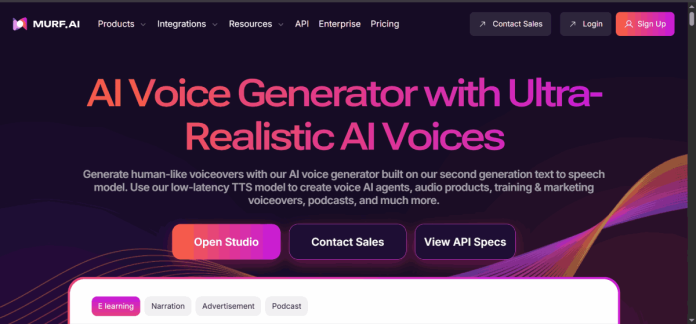
Murf AI is a browser-based voiceover studio built around a timeline editor, letting users type or paste a script and generate speech from a library of 200-plus voices across 20-plus languages. Emphasis, pronunciation, and pacing can be adjusted line by line inside the editor, and a real-time voice changer converts a recorded microphone take into any voice in the library. Murf also dubs existing video into other languages while preserving the original speaker’s voice, and connects directly to Canva and PowerPoint so voiceovers can be added without leaving those tools. A separate API product, Murf Falcon, gives developers programmatic access to the same voices.
Key Features
- Timeline voiceover editor — adjusts emphasis, pronunciation, and pacing line by line inside the browser.
- 200+ voices, 20+ languages — a broad stock library with commercial usage rights on paid plans.
- Real-time voice changer — converts a live microphone take into any voice in the library.
- Video dubbing — translates existing video into other languages while keeping the original speaker’s voice.
- Canva and PowerPoint integration — adds Murf voiceovers directly inside those tools.
- API access — a separate developer API, Murf Falcon, is available for programmatic use.
How It Works
A user types or pastes a script into Murf’s timeline editor, selects a voice, and adjusts pronunciation, pacing, and emphasis on individual words or phrases before generating the audio. The same editor accepts video for dubbing, translating spoken content into another language while keeping the original voice’s tone. A real-time voice changer runs separately, converting a live microphone feed into a chosen voice for calls or recordings. Teams using Canva or PowerPoint can generate a Murf voiceover without exporting a script elsewhere, and developers can reach the same voice models directly through Murf’s API.
Technical Architecture & Overview
- Core Engine: Murf’s proprietary text-to-speech and voice-changing models.
- Deployment: Browser-based web app at murf.ai; Canva and PowerPoint integrations; no desktop app.
- API Surface: A separate developer product, Murf Falcon, billed independently from the Studio subscription plans.
- Known Limits: Voice generation time is capped by plan, from 10 minutes on Free to a fixed annual allowance on Creator and Business.
Pros & Cons
| Pros | Cons |
|---|---|
| The timeline editor allows word-by-word control over pronunciation, pacing, and emphasis. | The free plan excludes downloads and commercial usage rights, limiting it to evaluation only. |
| Direct Canva and PowerPoint integration removes a step most competitors require through export and re-upload. | Voice cloning and API access are not available below the Business and Enterprise tiers. |
| Video dubbing keeps the original speaker’s voice while translating the spoken content. | Voice generation time is measured per year on paid plans, which can be less intuitive to track than a monthly cap. |
| A real-time voice changer is included alongside the standard text-to-speech tools. | Enterprise pricing is not published and requires a sales conversation. |
| Murf Falcon gives developers a separate API for building Murf’s voices into other products. | The full voice library and generation allowance both scale sharply between Creator and Business. |
Pricing
| Plan | Price |
|---|---|
| Free | $0/month (10 min voice generation, no downloads) |
| Creator | $19/month billed annually (24 hrs voice generation/year) |
| Business | $66/month billed annually (96 hrs voice generation/year) |
API access is available through Murf Falcon, a separate developer product.
Platform Availability
Web | Canva | PowerPoint
Best For
Freelancers and solo creators producing regular voiceovers for video or e-learning | Teams needing Canva or PowerPoint-native voiceovers without extra export steps | Developers building voice into their own apps via the Murf Falcon API
Similar Tools in This Directory
Also worth comparing: LOVO AI, a text-to-speech and video platform built around the Genny studio | Play.ht, a flat-rate text-to-speech platform with a large multilingual voice library | ElevenLabs, a voice generator known for realism and a separate developer API | Voicemod, a real-time voice changer for gaming and streaming rather than pre-recorded voiceovers | Speechify AI, a text-to-speech and voice agent API with a shared usage balance | Deepgram, a developer-focused speech-to-text and voice AI API with real-time transcription
Visit Official Website
Frequently Asked Questions
Does Murf AI have a free plan?
Yes, but it’s evaluation-only. Murf’s Free plan gives 10 minutes of voice generation with no downloads and no commercial usage rights, according to Murf’s official site.
How much does Murf AI cost?
Paid plans start at $19/month billed annually on the Creator tier and $66/month billed annually on Business, with custom Enterprise pricing above that, according to Murf’s official pricing information.
Does Murf AI offer an API?
Yes. Murf Falcon is a separate developer API, billed independently from the Studio subscription plans, according to Murf’s official site.
Can Murf AI dub video into other languages?
Yes. Murf’s dubbing tool translates spoken content into another language while preserving the original speaker’s voice, according to Murf’s official site.
Does Murf AI integrate with Canva?
Yes. Murf connects directly to Canva and PowerPoint, so voiceovers can be added without exporting a script to a separate tool, according to Murf’s official site.





