
Description
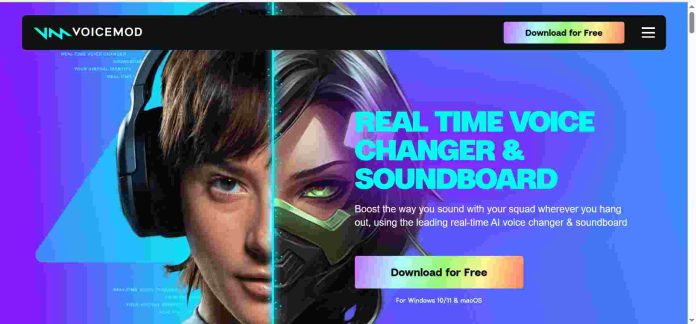
Voicemod is a real-time voice changer that sits between a microphone and any app, applying an AI voice filter live as a person speaks rather than generating pre-recorded audio like a text-to-speech tool. It works inside Discord, OBS, Zoom, and most games, and pairs the voice changer with a soundboard for triggering sound effects during a stream. The free version rotates through a limited set of voices each day; Voicemod PRO unlocks the full library of 200-plus voices and 40-plus effects, plus VoiceLab, a tool for building a custom voice from scratch. Voicemod is built for live, real-time use rather than producing finished voiceover files.
Key Features
- Real-time voice changing — applies an AI voice filter to a live microphone feed with no rendering delay.
- 200+ voices, 40+ effects — the full library unlocks on Voicemod PRO.
- Soundboard — triggers sound effects and clips during a stream or call from the same app.
- VoiceLab — builds a custom voice from adjustable parameters rather than a stock preset.
- Broad app compatibility — works inside Discord, OBS, Zoom, Twitch, and most games without a plugin.
- Stream Deck integration — triggers voices and sounds from a physical macro keypad.
How It Works
Voicemod installs as a virtual audio device, sitting between a physical microphone and whatever app is receiving the audio, whether that’s Discord, a game, or streaming software like OBS. A chosen voice filter processes the microphone signal live, so the person on the other end of a call or stream hears the transformed voice as it’s spoken rather than a pre-generated file. The soundboard runs alongside the voice changer, letting a streamer trigger sound effects with a keypress or a Stream Deck button. VoiceLab, available on PRO, lets a user build and save a custom voice from adjustable parameters instead of picking from the preset library.
Technical Architecture & Overview
- Core Engine: Voicemod’s proprietary real-time voice-changing engine, trained with English-speaking voice actors.
- Deployment: Desktop app for Windows and Mac; a separate mobile app for iOS and Android.
- API Surface: No public developer API; Voicemod is a consumer application, not a platform for building on top of.
- Known Limits: Best results are in English; other languages are supported with reduced accuracy, according to Voicemod’s own help center.
Pros & Cons
| Pros | Cons |
|---|---|
| Voice changes apply live to a microphone feed, with no wait for rendering like a text-to-speech tool. | The free version rotates through a limited daily selection rather than giving full library access. |
| It works inside Discord, OBS, Zoom, and most games without needing a plugin for each one. | Voicemod only reliably supports English; other languages carry reduced accuracy by the company’s own admission. |
| A lifetime license is available as a one-time purchase instead of a recurring subscription. | There’s no developer API, so it can’t be built into another product or service. |
| VoiceLab lets PRO users build a custom voice instead of picking only from presets. | It changes a live voice rather than generating narration from text, so it doesn’t replace a TTS tool. |
| The soundboard and Stream Deck integration are built in rather than requiring a separate app. | Third-party resellers list licenses at prices that don’t always match the official app store pricing. |
Pricing
| Plan | Price |
|---|---|
| Free | $0/month (limited daily voice rotation, one soundboard) |
| PRO | $10/month (full voice library, VoiceLab, unlimited soundboards) |
| Lifetime | One-time payment (all PRO features, no recurring subscription) |
Voicemod is a consumer app rather than a developer platform, so no API access is offered.
Platform Availability
Windows | Mac | iOS | Android
Best For
Streamers and content creators wanting a real-time voice changer with a built-in soundboard | Discord and gaming communities using custom voices during calls | Anyone who prefers a one-time lifetime purchase over a recurring subscription
Similar Tools in This Directory
Also worth comparing: LOVO AI, a text-to-speech and video platform built around the Genny studio | Murf AI, a studio-focused voice generator with Canva and PowerPoint integrations | Play.ht, a flat-rate text-to-speech platform with a large multilingual voice library | ElevenLabs, a voice generator known for realism and a separate developer API | Speechify AI, a text-to-speech and voice agent API with a shared usage balance | Deepgram, a developer-focused speech-to-text and voice AI API with real-time transcription
Visit Official Website
Frequently Asked Questions
Does Voicemod have a free plan?
Yes. The free version includes a limited daily rotation of voice changers and one soundboard, according to Voicemod’s official help center.
How much does Voicemod PRO cost?
Voicemod PRO runs about $10/month on the standard monthly plan, with quarterly, annual, and one-time lifetime options also available, according to Voicemod’s official site.
Does Voicemod work with Discord and OBS?
Yes. Voicemod works as a virtual audio device inside Discord, OBS, Zoom, Twitch, and most games without a separate plugin, according to Voicemod’s official site.
Is Voicemod a text-to-speech tool?
No. Voicemod changes a live microphone feed in real time rather than generating narration from written text, according to Voicemod’s official site.
Does Voicemod have a developer API?
No. Voicemod is a consumer application without a public developer API, according to Voicemod’s official documentation.





