
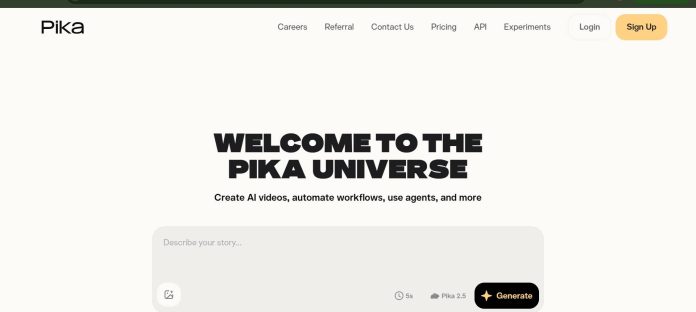
Description
Pika is an AI video generator from Pika Labs that turns text prompts or still images into short video clips, currently on its Pika 2.5 model. It’s built around a set of named creative tools rather than a single generic generator: Pikascenes and Pikaframes handle scene and keyframe control, Pikadditions inserts new objects or elements into a shot, Pikaswaps and Pikatwists transform what’s already in a video, and Pikaffects applies playful, surreal transformations like inflating, melting, or exploding a subject. Output resolution and access to the full effects library scale by plan, and the platform is available on the web and as an iOS app.
Key Features
- Text-to-video and image-to-video — generates a short clip from a written prompt or a still image.
- Pikaffects — surreal transformations like inflating, squishing, melting, or exploding a subject in the video.
- Pikadditions — inserts new objects or characters into an existing shot.
- Pikaswaps and Pikatwists — swaps or transforms elements already present in a video.
- Pikascenes — combines multiple reference elements into one coherent generated scene.
- Pika 2.5 — the current generation model, with resolution and effects access scaling by plan.
How It Works
A user enters a text prompt or uploads a still image, and Pika 2.5 generates a short video clip from it, drawing from a monthly pool of video credits. Beyond basic generation, named tools handle specific transformations: Pikadditions inserts a new object into an existing shot, Pikaswaps and Pikatwists alter something already in the frame, Pikascenes composites multiple reference elements into one scene, and Pikaffects applies a surreal physical transformation like melting or exploding to a subject the AI identifies automatically. On the free plan, output is capped at 480p and Pikaffects only works on image-to-video generations; paid plans unlock full resolution and the complete effects library, with higher tiers adding faster generation speed.
Technical Architecture & Overview
- Core Engine: Pika Labs’ proprietary Pika 2.5 video generation model.
- Deployment: Web app at pika.art and an iOS app.
- API Surface: No first-party public API confirmed on the official site as of this writing.
- Known Limits: Free-tier output caps at 480p; Pikaffects on Free works only on image-to-video generations, not text-to-video.
Pros & Cons
| Pros | Cons |
|---|---|
| Named tools like Pikaffects and Pikadditions cover specific creative transformations most generic generators don’t offer. | The free plan caps output at 480p with no watermark-free downloads. |
| The free plan includes 80 monthly video credits with no credit card required. | Pikaffects on the free plan only works on image-to-video, not text-to-video. |
| Pikascenes composites multiple reference elements into one coherent scene. | Faster generation speed is reserved for paid plans. |
| Both web and iOS access make it usable on desktop or mobile. | No first-party public API was confirmed on the official site. |
| Higher tiers scale credits significantly for heavier, more frequent generation. | The highest tier, Fancy, costs substantially more than the entry paid plan. |
Pricing
| Plan | Price |
|---|---|
| Basic | $0/month (80 credits, 480p only) |
| Standard | $10/month (700 credits, all resolutions) |
| Pro | $35/month (2,300 credits, faster generation) |
Platform Availability
Web | iOS
Best For
Social and short-form creators wanting fast, stylized video clips | Creators wanting playful physical transformations via Pikaffects | Marketers and artists needing quick text or image-to-video generation
Similar Tools in This Directory
Also worth comparing: 3D AI Studio, a multi-model text and image to 3D platform with Flow pipelines | Meshy AI, a text and image to 3D model generator with auto-rigging and a developer API | Hyper3D, a native 3D generative AI model with enterprise SSO and team collaboration
Visit Official Website
Frequently Asked Questions
Does Pika AI have a free plan?
Yes. Pika’s Basic plan gives 80 monthly video credits at $0, capped at 480p resolution, according to Pika’s official pricing page.
How much does Pika AI cost?
Paid plans start at $10/month on Standard and go up to $95/month on Fancy, with a Pro tier at $35/month in between, according to Pika’s official pricing page.
What is Pikaffects?
Pikaffects applies surreal physical transformations, such as inflating, melting, or exploding a subject the AI identifies in the video, according to Pika’s official site.
Can Pika AI insert new objects into an existing video?
Yes. Pikadditions inserts new objects or characters into an existing shot, according to Pika’s official site.
Is Pika AI available on mobile?
Yes. Pika is available on the web and as an iOS app, according to Pika’s official site.





