
Description
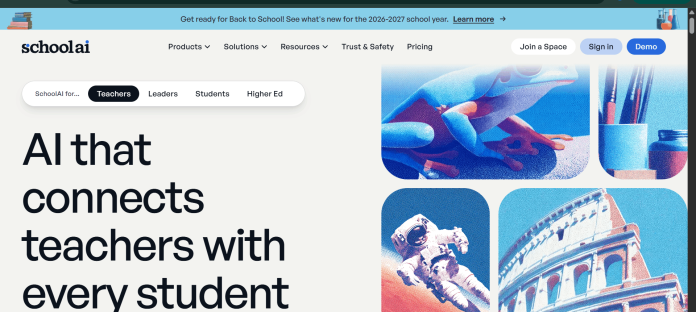
SchoolAI is a teacher-controlled platform for putting AI in front of students safely. Teachers build or remix “Spaces” — bounded AI chat environments with a defined topic, tone, and guardrails — and can watch every student conversation with the AI in real time. It’s the supervised alternative to handing a child open-ended access to a general chatbot.
Key Features
- Spaces: Teacher-defined AI chat environments scoped to a specific topic or activity — tutoring, quizzes, role-play, bellringers, exit tickets, and more.
- Real-time monitoring: Teachers see every student-AI conversation live and get alerts for safety concerns like bullying, abuse, or neglect.
- Dot, the student-facing AI assistant: Guides students through a Space, adapting vocabulary and difficulty to where each student is.
- 200,000+ premade Spaces: A searchable library of teacher-created Spaces by subject and grade level, ready to launch or remix.
- Teacher productivity tools: Lesson plans, rubrics, and assessments generated in minutes.
- Compliance: FERPA, FIPPA, and COPPA compliant, SOC 2 and 1EdTech certified, with agreements that student data isn’t used to train outside AI models.
How It Works
A teacher creates a Space by defining its role, task, and instructions — either from scratch or by remixing one of 200,000+ existing Spaces in the Discover library. Students join via a link or code and chat with Dot, the AI assistant, inside the boundaries the teacher set; Dot adjusts difficulty and reteaches concepts based on how each student is doing. The teacher watches every conversation in real time on a dashboard and is flagged immediately if a student raises a safety concern.
Technical Architecture & Overview
- Core Engine: Teacher-authored prompts and guardrails layered over third-party AI models, with agreements that student data isn’t used for model training.
- Deployment: Web-based; shareable via link, code, or Google Classroom.
- API Surface: None public — end-user education platform.
- Known Limits: The free tier caps student sign-ins per Space at up to 75 per day; a more powerful AI model and unlimited interactions require a paid plan.
Pros & Cons
| Pros | Cons |
|---|---|
| Always free for teachers to build and run Spaces. | Free-tier Spaces are capped at up to 75 student sign-ins per day. |
| Genuine real-time oversight — every student conversation is visible to the teacher, not just logged afterward. | The more capable AI model and unlimited student interactions require a paid Pro/district plan. |
| Automatic built-in safety alerts for concerns like bullying or abuse. | Effectiveness depends heavily on how carefully the teacher writes each Space’s instructions. |
| 200,000+ ready-made Spaces mean a teacher doesn’t have to build from a blank page. | District-level rollout is needed for features like SIS-powered rostering and school-wide analytics. |
Platform Availability
Web | Google Classroom (integration)
Best For
Teachers who want supervised, guardrailed AI conversations for students rather than open access to a general chatbot | Parents who want reassurance that a school’s AI use is monitored
Similar Tools in This Directory
Also worth comparing: Khanmigo, AI Socratic tutor for math and reading | Microsoft Reading Coach, free AI reading fluency app | Read Along by Google, free AI reading-practice app | Photomath, AI math solver that shows every step
Visit Official Website
Frequently Asked Questions
Is SchoolAI free for teachers?
Yes. The core platform is always free for teachers, including access to over 200,000 premade Spaces.
Can students talk to SchoolAI without any limits?
No. Teachers set the topic and guardrails for every Space in advance, and the free tier caps daily student sign-ins.
Can a teacher see what students are saying to the AI?
Yes. Teachers can watch every student-AI conversation in real time and receive alerts for safety concerns.
Is SchoolAI compliant with student data privacy laws?
Yes. It’s FERPA, FIPPA, and COPPA compliant, and SOC 2 and 1EdTech certified.
What is a Space in SchoolAI?
A teacher-defined AI chat environment scoped to a specific topic or activity, such as a tutoring session, quiz, or role-play exercise.





