
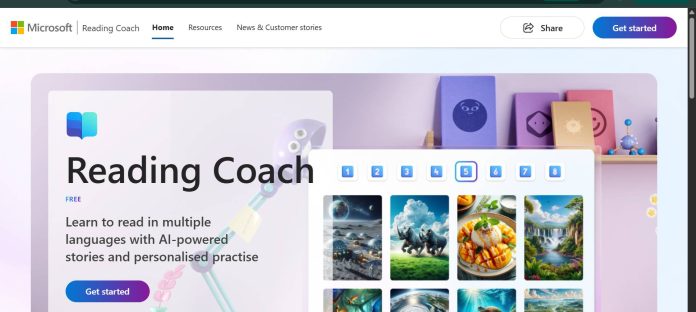
Description
Microsoft Reading Coach is a free, AI-powered reading fluency tool built into Microsoft Education’s Learning Accelerators. As a student reads a passage aloud, the app listens in real time, flags the specific words or sounds they stumble on, and has them try again — instead of simply marking the attempt right or wrong. It’s designed for emerging and struggling readers, with built-in support for learners with dyslexia through Immersive Reader, and it works equally well for a teacher assigning it in class or a parent using it at home.
Key Features
- Real-time fluency feedback: Listens as the student reads aloud and scores pronunciation, syllabification, and accuracy on the spot.
- AI-generated stories: Students choose a character, setting, and reading level to generate a unique, age-appropriate story each time.
- ReadWorks passage library: Built-in access to Lexile-leveled fiction and non-fiction texts from the nonprofit ReadWorks.
- Challenge-word coaching: Detects the exact words a student struggles with and gives targeted practice on those words.
- Teacher progress dashboard: Educators track words-per-minute, accuracy, and completion per student over time.
- 81-language support: Reading practice available in 81 languages, with content-safety filtering on AI-generated stories.
- Immersive Reader built in: Accessibility support for dyslexia and other reading differences.
How It Works
A student opens Reading Coach on the web, in Windows, or on a school-issued device and picks one of three modes: generate an original AI story, read a leveled ReadWorks passage, or paste in their own text. As they read aloud, speech-to-text AI analyzes fluency in real time, flagging words they mispronounce or hesitate on, then offers targeted practice on exactly those words before they continue. Teachers with a school Microsoft account can assign passages, set time-based reading goals, and review each student’s accuracy and speed afterward, while a parent can do the same informally with a free personal account at home.
Technical Architecture & Overview
- Core Engine: Speech-to-text fluency detection paired with generative AI for story creation, filtered through Azure AI Content Safety.
- Deployment: Web app, Windows app, and integration inside Microsoft 365 Learning Accelerators.
- API Surface: None public — it’s an end-user education tool, not a developer platform.
- Known Limits: Educator dashboards and class-level monitoring require a Microsoft Entra ID (school) account in the same tenant; the free personal-account version doesn’t include teacher-side tracking.
Pros & Cons
| Pros | Cons |
|---|---|
| Completely free with no paid tier, unlike most competing reading-fluency apps. | Teacher monitoring and class dashboards require a school Microsoft 365 account, not the free personal version. |
| Gives specific, real-time correction instead of just marking an answer right or wrong. | AI-generated stories can occasionally lack cultural or representational nuance. |
| Works both at school with a district account and at home with a personal Microsoft account. | Focused narrowly on reading fluency rather than broader comprehension strategy instruction. |
| Includes built-in accessibility support for dyslexia through Immersive Reader. | Progress data and custom passage sharing are gated behind an educator account, limiting solo home tracking. |
Platform Availability
Web | Windows | iPad | Surface | Chromebook
Best For
K-6 students building reading fluency | Teachers monitoring literacy progress across a class | Parents supporting reading practice at home
Similar Tools in This Directory
Also worth comparing: Read Along by Google, free AI reading-practice app | Khanmigo, AI Socratic tutor for math and reading | Photomath, AI math solver that shows every step | SchoolAI, teacher-supervised AI Spaces for guided student conversations | Diffit, AI reading-level differentiation for teachers | MagicSchool AI, all-in-one AI platform for K-12 teachers | ClassDojo, free classroom communication with AI tools for parents
Visit Official Website
Frequently Asked Questions
Is Microsoft Reading Coach really free?
Yes. Reading Coach is free for both classroom and home use, with no paid tier.
What age group is Microsoft Reading Coach designed for?
It’s built for emerging and struggling readers, most commonly used from kindergarten through upper elementary/junior school.
Does Microsoft Reading Coach give students the answer when they get stuck?
No. It flags the specific word or sound the student struggled with and has them try again, rather than supplying it.
Can parents use Reading Coach at home?
Yes. It’s available with a free personal Microsoft account and doesn’t require a school account for basic use.
Does Reading Coach work for students with dyslexia?
Yes. It includes Immersive Reader support built for learners with dyslexia and other reading differences.





