
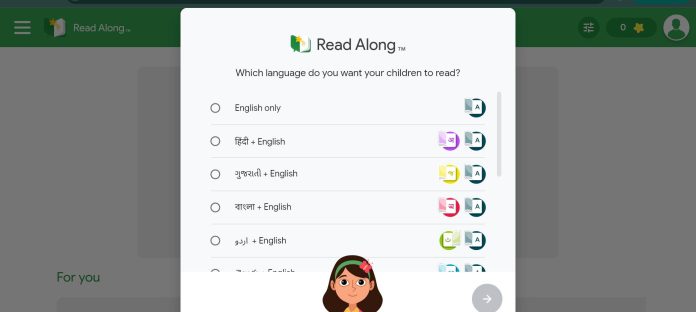
Description
Read Along by Google (formerly Bolo) is a free, standalone reading-practice app that listens to a child read a story aloud and steps in only where they get stuck. It requires no login, collects no personal information, and processes voice data on-device for most languages — one of the most privacy-conscious tools in this category. It’s now also built directly into Google Classroom, giving teachers a shared insights dashboard without a separate app.
Key Features
- Reading buddy (Diya): Listens as a child reads aloud, offers help when they struggle, and rewards progress with stars.
- Zero data collection: No name, age, email, or location required; voice data for most languages is processed on-device and never sent to Google.
- Offline after download: Works with no internet connection once installed.
- Google Classroom integration: Teachers create reading activities directly in Classroom, with an insights dashboard on struggled words.
- Story creation with Gemini: Educators can generate differentiated reading activities by phonics skill, topic, and level.
- Multi-language library: Stories in English, Spanish, Hindi, Portuguese, Bangla, Urdu, Telugu, Marathi, Tamil, and more.
- Word-tap pronunciation: Students tap any word to hear it read aloud.
How It Works
A child opens Read Along, either as a standalone Android app or through an activity a teacher assigned in Google Classroom, and picks a story. As they read aloud, the app listens in real time and steps in only when the reader hesitates or mispronounces a word; tapping any word also reads it aloud on request. Progress shows up as stars and badges in the standalone app, or on a teacher-facing insights dashboard inside Classroom that flags which words a student struggled with most, giving a parent or teacher the same window into reading progress either way.
Technical Architecture & Overview
- Core Engine: On-device speech recognition and text-to-speech for most languages; a few languages (e.g. Indonesian, Malay, Thai) require an internet connection.
- Deployment: Standalone Android/Android TV app, plus native integration inside Google Classroom for Workspace for Education users.
- API Surface: None public — end-user app, not a developer platform.
- Known Limits: Advanced analytics and BigQuery export require Google Workspace for Education Plus or the Teaching & Learning add-on.
Pros & Cons
| Pros | Cons |
|---|---|
| Genuinely free with no ads, no in-app purchases, and no account required. | The standalone app is Android and Android TV only — no iOS version. |
| The strongest privacy story in this category — no personal data collected, most processing happens on-device. | Teacher-facing analytics and BigQuery export are locked behind paid Google Workspace tiers. |
| Now integrated directly into Google Classroom, so students don’t need a separate app. | Story library and language depth are narrower than some paid competitors. |
| Works fully offline once downloaded, useful where internet access is inconsistent. | A handful of languages require an internet connection, breaking the offline promise for those users. |
Platform Availability
Android | Android TV | Google Classroom (integration)
Best For
K-6 students practicing reading aloud independently | Teachers using Google Classroom for literacy activities | Parents wanting the most private option for a young reader
Similar Tools in This Directory
Also worth comparing: Microsoft Reading Coach, free AI reading fluency app | Khanmigo, AI Socratic tutor for math and reading | Photomath, AI math solver that shows every step | SchoolAI, teacher-supervised AI Spaces for guided student conversations | Diffit, AI reading-level differentiation for teachers | MagicSchool AI, all-in-one AI platform for K-12 teachers | ClassDojo, free classroom communication with AI tools for parents
Visit Official Website
Frequently Asked Questions
Is Read Along by Google really free?
Yes. The standalone app is completely free with no ads or in-app purchases.
Does Read Along require an account or login?
No. The standalone app can be used with no name, age, email, or account required.
Does Read Along by Google work without internet?
Yes, for most languages. Once downloaded, it works fully offline with on-device voice processing.
Can teachers use Read Along inside Google Classroom?
Yes. It’s built directly into Google Classroom for Workspace for Education users, with a teacher insights dashboard.
What age group is Read Along designed for?
It’s designed for children with some basic alphabet knowledge, generally early elementary and junior school readers.





