
Description
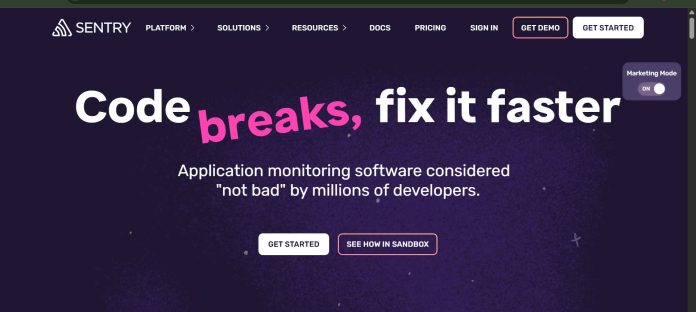
Sentry is a developer-first application monitoring platform that combines real-time error tracking, distributed tracing, session replay, and code profiling into a single dashboard for finding and understanding software issues before they hit users. Its AI layer, Seer, goes a step further than logging a bug: Seer’s Autofix feature scans an incoming issue using Sentry’s own context, stack traces, breadcrumbs, traces, and profiles, then proposes a root cause and can draft an actual pull request with a fix and accompanying tests. A newer Seer Agent lets a developer ask natural-language questions about what’s happening across their whole observability stack, directly in Sentry or from Slack. Sentry supports SDKs across most major web, mobile, and backend languages and frameworks, and the Developer tier is free for a single user, covering core error monitoring and tracing. It suits development and DevOps teams that want error monitoring, performance observability, and AI-assisted debugging in one platform instead of stitching together several separate tools.
Key Features
- Error and exception monitoring — captures errors in real time with full stack traces, breadcrumbs, and surrounding context.
- Seer AI debugging agent — Autofix analyzes an issue’s root cause and can draft a pull request with a proposed fix.
- Distributed tracing — follows a request across services to pinpoint latency and performance bottlenecks.
- Session Replay — reconstructs the real user session that led up to an error for faster diagnosis.
- Profiling — identifies slow functions and code-level performance issues in production.
- Cron monitoring — tracks scheduled jobs and flags missed or failed runs.
- Broad SDK coverage — official SDKs for JavaScript, Python, Ruby, PHP, Java, .NET, Go, Android, iOS, and more.
How It Works
A team installs Sentry’s SDK for its language or framework, and errors, traces, and performance data start streaming into a shared dashboard, where similar events are automatically grouped into a single issue with full context attached. Connecting a GitHub repository unlocks Seer: it reads the codebase alongside an issue’s stack trace and telemetry, proposes a root cause through Autofix, and can open a pull request with a fix and tests for a developer to review. Alerts can route through email or Slack, where a “Fix with Seer” button on an incoming alert kicks off the Autofix investigation directly. For open-ended questions, Seer Agent lets a developer query the whole observability stack in natural language rather than manually digging through dashboards. Teams on paid plans can also build custom dashboards and route Seer’s Autofix output to an external coding agent, such as Cursor, for further debugging.
Technical Architecture & Overview
- Core Engine: Sentry’s own telemetry and tracing pipeline paired with Seer, an AI agent for root-cause analysis and fix generation; the specific underlying LLM isn’t publicly documented.
- Deployment: Cloud-hosted SaaS by default, with a self-hosted, open-source version available for teams that need on-premises control.
- API Surface: SDKs for most major languages and frameworks; integrates with GitHub, Slack, and CI/CD pipelines, plus a coding-agent integration (e.g. Cursor) that hands off Seer’s Autofix output.
- Known Limits: Per Sentry’s own documentation, Seer is billed as a separate add-on — any repository where Seer generates 2 or more pull requests in a month is billed as “Seer-enabled,” on top of the base plan price.
Pros & Cons
| Pros | Cons |
|---|---|
| Developer tier is genuinely free at $0/month for a single user, confirmed on Sentry’s own pricing page | Seer is billed separately as an active-contributor add-on once a repo generates 2+ Seer pull requests a month, per Sentry’s own docs |
| Combines error monitoring, tracing, session replay, and profiling in one dashboard instead of several separate tools | Developer tier is capped at one user, so any small team needs to upgrade right away |
| Seer’s Autofix can scan an issue and draft an actual pull request with a fix, not just flag the bug | Enterprise pricing is fully custom, with no published starting figure |
| Broad SDK coverage spans web, mobile, and backend languages and frameworks | Business plan’s unlimited dashboards and metric monitors are a real cost jump from Team |
| Team plan adds unlimited users and 20 custom dashboards at a moderate starting price | Full Seer capability requires connecting a GitHub repository, which not every team is ready to do |
Pricing
| Plan | Price |
|---|---|
| Developer | $0/month (1 user, error monitoring and tracing, email alerts) |
| Team | $26/month, billed annually (unlimited users, third-party integrations, 20 custom dashboards, Seer AI debugging; monthly billing also available) |
| Business | $80/month, billed annually (unlimited custom dashboards, unlimited metric monitors with anomaly detection; monthly billing also available) |
| Enterprise | Custom (technical account manager, dedicated support) |
Platform Availability
Web (SaaS) | Self-hosted | JavaScript | Python | Ruby | PHP | Java | .NET | Go | Android | iOS | React Native | Flutter | Unity | Unreal
Best For
Development teams | DevOps and SRE teams | Engineering leaders wanting AI-assisted debugging
Frequently Asked Questions
Is Sentry free to use?
Yes. The Developer tier is free at $0/month, covering error monitoring and tracing for a single user, confirmed on Sentry’s official pricing page.
What is Seer in Sentry?
Seer is Sentry’s AI debugging agent. It combines Autofix, which analyzes an issue’s root cause and can draft a pull request with a fix, and Seer Agent, which answers natural-language questions across a team’s whole observability stack.
Does using Seer cost extra?
Yes. Per Sentry’s own documentation, Seer is billed as a separate add-on once a connected repository generates 2 or more Seer pull requests in a month, on top of the base plan price.
Which languages and frameworks does Sentry support?
Sentry provides official SDKs for most major web, mobile, and backend languages and frameworks, including JavaScript, Python, Ruby, PHP, Java, .NET, Go, Android, iOS, React Native, Flutter, and Unity.
How does Sentry differ from KushoAI or Eidolon AI?
Sentry monitors and helps debug applications that are already running in production, while KushoAI focuses on generating and maintaining test suites before release, and Eidolon AI focuses on deploying AI agents as their own microservices.
Similar Tools in This Directory
Also in AI Developer Tools: KushoAI, self-healing API test generation | Vibe Kanban, orchestrate multiple coding agents | Eidolon AI, deploy agents as Kubernetes microservices





