
Description
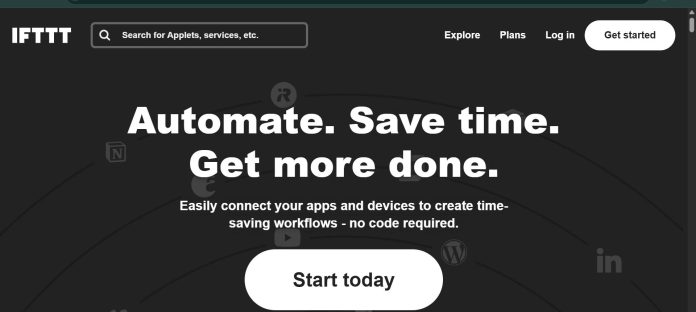
IFTTT (If This Then That) is a consumer-focused automation platform built around simple, single-trigger, single-action automations called Applets, connecting smart home devices, apps, and web services. A user picks a trigger service and event, such as a smart plug turning on or a new email arriving, and links it to an action in another connected service, running with minimal configuration compared to multi-step workflow tools. IFTTT covers three plans: a genuinely free tier for individuals just getting started with automation, Pro for smart home and personal productivity users who want more Applets and faster execution speed, and Pro+ aimed at small business owners who need broader possibilities across more connected accounts. Applet speed, the delay between a trigger firing and IFTTT running the linked action, improves on paid tiers. It suits individuals and smart home enthusiasts who want quick, simple automations between everyday apps and devices rather than complex multi-step business workflows.
Key Features
- Applets — simple, single trigger-to-action automations connecting apps, devices, and services.
- Smart home integration — connects smart plugs, thermostats, lights, and other IoT devices alongside software apps.
- Fastest Applet speeds — reduced delay between a trigger firing and the linked action running (Pro and above).
- Multi-step Applets — chain more than one action off a single trigger on paid plans.
- Webhooks and API access — trigger or receive automation events from custom code.
- Applet templates — pre-built automations for common smart home and productivity use cases.
- Query and filter code — add conditional logic to an Applet on higher tiers.
How It Works
Building an Applet starts with choosing a “this” trigger service and event, like a smart light turning on or a new post appearing in an RSS feed, then linking it to a “that” action in a different connected service, such as sending a notification or logging the event to a spreadsheet. Free-tier users can run a limited number of Applets, each with a single trigger and a single action; Pro and Pro+ unlock a larger Applet allowance, faster execution speed, and the ability to chain multiple actions off one trigger. Because IFTTT is built around simplicity rather than deep multi-app orchestration, most Applets take seconds to set up from a pre-built template or a few clicks of custom configuration, without needing the visual canvas or node-based logic that business-oriented automation tools use. Higher tiers also unlock filter code, letting an Applet apply conditional logic, like only sending a notification if a specific condition is met, rather than firing on every trigger event.
Technical Architecture & Overview
- Core Engine: Not AI-model-based; IFTTT is a trigger-action automation engine rather than an LLM-powered workflow builder.
- Deployment: Cloud-based web platform with iOS and Android apps; no self-hosted option.
- API Surface: Webhooks for triggering or receiving automation events from custom code; developer platform for publishing new services and triggers.
- Known Limits: Free plan caps the number of active Applets and runs on standard (slower) execution speed; multi-step Applets and filter code require a paid Pro or Pro+ plan.
Pros & Cons
| Pros | Cons |
|---|---|
| Genuinely free tier available forever, not just a time-limited trial | Built around simple single-trigger Applets, not suited to complex multi-step business workflows |
| Pro is inexpensive at $2.99/month, among the cheapest paid automation tiers available | Free plan’s Applet count and execution speed are noticeably limited compared to paid tiers |
| Strong smart home device support alongside typical software app integrations | No AI-powered nodes or generative automation building, unlike newer AI-native automation tools |
| Yearly billing saves 40% compared to paying monthly on both paid tiers | Less suited to enterprise or team-based automation than tools built specifically for business workflows |
| Pro+ is aimed specifically at small business owners, filling a gap between personal and enterprise tiers | Multi-step Applets and conditional filter code are locked behind paid plans |
Our Take
IFTTT doesn’t really compete with the rest of this category — it’s built for individuals and smart-home setups, not business workflows, and that’s a deliberate scope choice rather than a limitation. A genuinely free forever tier and $2.99/month Pro make it the cheapest way to link a smart plug to a notification or an RSS feed to a spreadsheet, with none of the setup overhead of a node-based tool.
Not ideal for: any real business process — the single-trigger Applet model has a low ceiling, and a team that outgrows it will hit that ceiling fast. This is the tool for a personal automation, not a company one.
Pricing
| Plan | Price |
|---|---|
| Free | $0.00/forever (get started with automation) |
| Pro | $2.99/month billed annually ($35.88/year; 20 Applets, fastest Applet speeds) |
| Pro+ | $8.99/month billed annually ($107.88/year; for small business owners) |
Last verified: August 17, 2026
Platform Availability
Web | iOS | Android
Best For
Individuals | Smart home enthusiasts | Personal productivity | Small business owners
Frequently Asked Questions
Similar Tools in This Directory
Also in AI Automation Tools: Zapier, 8,000+ app automation | Make, visual scenario-based automation | n8n, self-hosted node-based automation | Power Automate, Microsoft cloud flows and desktop RPA | Bardeen, browser-based automation | Workato, enterprise integration automation | Gumloop, AI workflow automation | Airtable AI, no-code database with AI agents





