
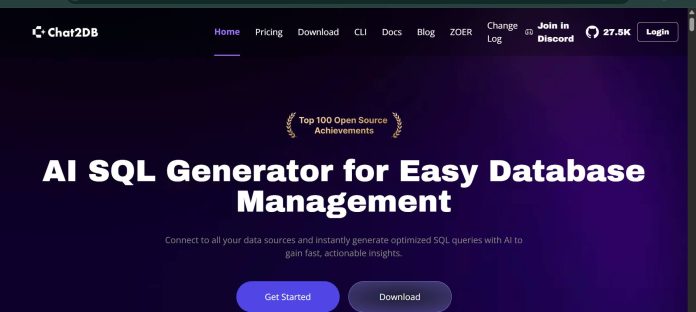
Description
Chat2DB is an open-source, AI-powered SQL client and database management tool that converts natural language into SQL queries across more than 30 database engines, including MySQL, PostgreSQL, Oracle, SQL Server, MongoDB, Snowflake, and BigQuery. Its Text2SQL feature generates queries from plain-language questions, SQL Copilot offers inline suggestions and one-click error fixes, and an AI-generated BI dashboard turns query results into charts without separate reporting software. Chat2DB processes queries locally and only shares table structure with the connected AI model rather than uploading full datasets, which matters for privacy-conscious teams. The Community edition is free and open source under an Apache 2.0 license, requiring users to bring their own AI model configuration, while paid Pro and Enterprise tiers add hosted AI services, team collaboration, SSO, and private deployment. It suits teams running multiple different database engines who want one AI-assisted client instead of separate tools per database.
Key Features
- Text2SQL — converts natural language questions into SQL queries across 30+ supported databases.
- SQL Copilot — inline AI suggestions, query regeneration, and one-click error fixes in the SQL editor.
- AI-generated BI Dashboard — turns query results into auto-generated charts and reports.
- Table Copilot — creates database tables from natural language descriptions.
- Data and schema migration — structure synchronization and data transfer across supported databases.
- Local data processing — queries run locally, and only table structure, not full data, is sent to the connected AI model.
- Open-source Community edition — free, Apache 2.0 licensed, works with a user-supplied AI model.
How It Works
Chat2DB installs as a desktop client (Community or Local edition) or runs as a hosted SaaS product (Pro or Enterprise). After connecting a database, users can type natural language requests into the AI Copilot panel to generate SQL, or press “/” inside the SQL editor to invoke AI directly in a query. Generated SQL can be run immediately to view results, or edited further in the console. If a query fails, clicking “fix in chat” returns a corrected version. Table Copilot lets users describe a table in plain language and have Chat2DB build it, while the AI Dashboard turns natural language chart requests into visualizations from a connected data source. The Community edition requires configuring your own AI model and API key; Pro and Enterprise include hosted AI access by default.
Technical Architecture & Overview
- Core Engine: Not one proprietary model; Chat2DB Community lets users bring their own AI model (10+ LLMs supported), while hosted Pro and Enterprise tiers include AI access by default.
- Deployment: Desktop client (Windows, macOS, Linux) for Community and Local editions; cloud-hosted SaaS for Pro and Enterprise; also distributed as an open-source CLI with MCP support.
- API Surface: Chat2DB provides AI services through APIs for integration into other applications, per its official site; the Community edition is Apache 2.0 licensed and available on GitHub.
- Known Limits: The Local edition’s offline activation disables AI functions entirely, since AI features require an internet connection; the Community edition has no team accounts or user authorization boundaries.
Pros & Cons
| Pros | Cons |
|---|---|
| Supports 30+ database engines in one client, more than most single-database AI tools | Newer entrant with a smaller independent review base than JetBrains or Devart’s tools |
| Queries process locally and only table structure is shared with the AI model, not full datasets | Local edition’s offline activation disables AI features entirely |
| Open-source Community edition under Apache 2.0, free with no time limit | Community edition requires configuring your own AI model and API key rather than working out of the box |
| 30-day free trial for the Pro plan with no payment information required | Enterprise features like SSO, private deployment, and model fine-tuning require a sales conversation |
| Provides AI services through APIs for teams that want to embed Chat2DB into their own applications | No team accounts or user authorization boundaries in the Community edition |
Pricing
| Plan | Price |
|---|---|
| Community | Free (open source, Apache 2.0; requires your own AI model configuration) |
| Local | Free trial, then a permanent license for offline use |
| Pro | 30-day free trial, no payment info required |
Platform Availability
Windows | macOS | Linux | Web | CLI
Best For
Multi-database teams | Data analysts | Non-technical business users | Development teams
Frequently Asked Questions
Is Chat2DB free to use?
Yes, the Community edition is free and open source under an Apache 2.0 license, though it requires configuring your own AI model. Paid Pro and Enterprise tiers include hosted AI access.
How many databases does Chat2DB support?
Chat2DB supports more than 30 database engines, including MySQL, PostgreSQL, Oracle, SQL Server, MongoDB, Snowflake, BigQuery, and Redis, according to its official supported databases list.
Does Chat2DB upload my data to an AI model?
No. Per Chat2DB’s official site, queries are processed locally and only table structure, not full data, is shared with the connected AI model.
What is the difference between the Local and Pro plans?
The Local plan supports offline use with AI access only when connected to the internet, while the Pro plan includes hosted AI-enhanced tools, unlimited database types, and advanced data management by default, per Chat2DB’s official FAQ.
How does Chat2DB compare to DBeaver?
Both are multi-database AI clients, but Chat2DB processes queries locally and shares only schema data with its AI model by design, while DBeaver’s Community edition covers a wide range of engines with AI features unlocked at a separate paid tier.
Similar Tools in This Directory
Also in AI Data Tools: dbForge AI Assistant, schema-aware SQL across four database IDEs | DataGrip AI Assistant, JetBrains’ cross-database IDE | DBeaver, universal database tool | Microsoft Excel Copilot, spreadsheet AI assistant | Snowflake Cortex AI, AI built into the data cloud





