
Description
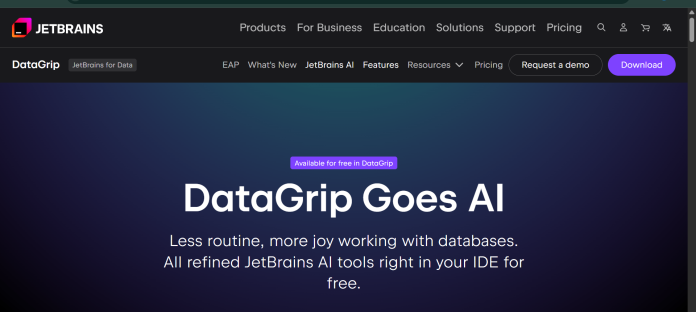
DataGrip AI Assistant is JetBrains’ AI-powered feature set built into the DataGrip database IDE, adding schema-aware SQL generation, error explanations, and query optimization directly inside the editor. It uses the JetBrains AI service to connect to large language models, and because it has access to a database’s actual schema, execution plans, and table statistics, it can reference real structure rather than guessing at table and column names. Developers can chat with AI Assistant about a project or database, switch to agent mode for more complex tasks like refactoring or generating tests, and attach a schema directly to a chat to improve the accuracy of generated queries and error explanations. DataGrip itself became free for non-commercial use in October 2025, while AI Assistant is licensed separately through JetBrains AI subscription tiers, billed in AI Credits. It suits database administrators and developers already using DataGrip who want AI help that understands their actual schema and query plans rather than generic SQL suggestions.
Key Features
- Schema-aware SQL generation — attach a database schema to chat for queries grounded in real table structure.
- Query explanation and fixes — explain SQL execution errors and suggest fixes directly from the error message.
- Execution plan analysis — analyze EXPLAIN PLAN output and suggest concrete optimizations.
- AI Chat with agent mode — chat about a project or database, or switch to agent mode for multi-step tasks.
- Code completion — autocomplete single lines or entire blocks following your coding style.
- DDL comparison — compare and explain differences between database object definitions.
- Bring-your-own-model — use JetBrains AI credits or connect your own AI subscriptions and API keys.
How It Works
AI Assistant installs as a plugin inside DataGrip and requires a JetBrains AI Service license, activated through a JetBrains Account, though a limited free trial is available first. Inside DataGrip, users open the AI Assistant tool window and attach a database schema to give the LLM context about their actual tables and columns. From there, they can ask questions in AI Chat, request SQL generation from natural language, or click Explain with AI or Fix with AI directly on a query execution error. Switching to agent mode lets AI Assistant perform more complex, multi-step actions like refactoring code or generating tests. Usage draws from a monthly AI Credit quota tied to the subscription tier, measured in tokens rather than a fixed request count.
Technical Architecture & Overview
- Core Engine: Not one proprietary model; the JetBrains AI service connects to LLMs from providers including OpenAI, Google, and Anthropic, selectable in chat.
- Deployment: Plugin-based inside DataGrip and most other JetBrains IDEs, running on Windows, macOS, and Linux.
- API Surface: JetBrains AI service (cloud-based), plus bring-your-own-key (BYOK) support for connecting a personal API key or third-party model instead of the JetBrains-hosted service.
- Known Limits: AI service usage is restricted to allowed territories set by underlying model providers, excluding Mainland China from the AI Free and AI Ultimate tiers; quota resets every 30 days and is consumed by token usage rather than a flat message count.
Pros & Cons
| Pros | Cons |
|---|---|
| DataGrip itself is free for non-commercial use as of October 2025, per JetBrains’ own announcement | Commercial use of DataGrip still requires a paid license; the free tier is non-commercial only |
| Schema-aware: references actual table structure, statistics, and execution plans rather than generic SQL suggestions | AI Assistant is licensed separately from DataGrip itself, so cost planning requires understanding two subscriptions |
| Can explain and fix SQL execution errors directly from the error message | AI Free tier includes only 3 AI Credits per 30 days, with no ability to top up |
| Supports bring-your-own-key, so teams can use their own model subscriptions instead of JetBrains AI credits | AI service is restricted to allowed territories set by underlying model providers, excluding Mainland China from some tiers |
| Works across nearly all JetBrains IDEs, not just DataGrip, for teams using multiple JetBrains tools | Less useful for non-technical business users, since it’s built for an IDE rather than a standalone chat interface |
Pricing
| Plan | Price |
|---|---|
| AI Free | $0/month (3 AI Credits per 30 days, no top-up) |
| AI Pro (Individual) | $10/month (10 AI Credits per 30 days, top-up available) |
| AI Ultimate (Individual) | $30/month (35 AI Credits per 30 days, top-up available) |
Platform Availability
Windows | macOS | Linux (DataGrip IDE plugin)
Best For
Database administrators | SQL developers | Data engineers | JetBrains IDE users
Frequently Asked Questions
Is DataGrip free to use?
Yes, for non-commercial use. JetBrains made DataGrip free for non-commercial purposes like learning, hobby projects, and open-source work starting October 2025; commercial use still requires a paid license.
Is AI Assistant included with DataGrip for free?
Not fully. AI Assistant requires a separate JetBrains AI subscription (AI Free, Pro, or Ultimate), billed in AI Credits, though a limited AI Free tier and trial credits are available.
What makes DataGrip’s AI Assistant different from a general-purpose AI chatbot for SQL?
AI Assistant can attach a database’s actual schema, table statistics, and execution plans to a chat, so its SQL generation and error explanations are grounded in your real database structure rather than generic patterns.
How does DataGrip AI Assistant compare to Chat2DB?
DataGrip AI Assistant runs inside the JetBrains IDE and requires a separate JetBrains AI subscription, while Chat2DB is a standalone AI database client that supports 30+ database engines through one built-in copilot.
How much does an AI Credit cost in JetBrains AI?
Each AI Credit equals $1 USD, and the number of credits included in a plan matches its subscription price, with a small bonus on the AI Ultimate tier, according to JetBrains’ official documentation.
Similar Tools in This Directory
Also in AI Data Tools: dbForge AI Assistant, schema-aware SQL across four database IDEs | Chat2DB, Text2SQL across 30+ databases | DBeaver, universal database tool | Microsoft Excel Copilot, spreadsheet AI assistant | Snowflake Cortex AI, AI built into the data cloud





