
Description
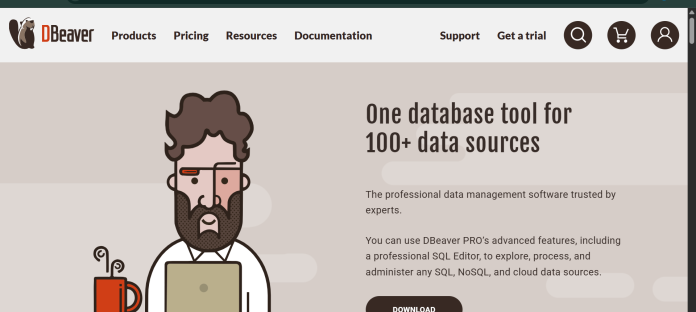
DBeaver is a universal database management tool built on the Eclipse platform that connects to more than 100 database and NoSQL engines, including MongoDB, Cassandra, and ClickHouse, through JDBC and native drivers. The free Community edition is open source under the Apache License and covers a wide range of engines with no trial period or expiring feature gates, though it excludes NoSQL support, the Visual Query Builder, and AI features. Paid Lite, Enterprise, and Ultimate editions unlock an AI assistant alongside NoSQL support, SSO, DBA dashboards, Git integration, and cloud-native support for AWS, GCP, and Azure sources. DBeaver runs as a desktop application on Windows, macOS, and Linux, and companies including Amazon, Apple, and Netflix are listed among its users. It suits developers and teams who want the widest possible database coverage, particularly those working with non-relational engines, and are comfortable trading some AI polish for breadth and a genuinely free starting point.
Key Features
- Broadest database coverage — connects to 100+ database and NoSQL engines through JDBC and native drivers.
- AI Assistant — available from the Lite edition upward, for SQL generation and assistance.
- Visual Query Builder — build and edit queries visually, available on paid editions.
- DBA tools and dashboards — task scheduler and administrative tooling on Enterprise and above.
- Cloud Explorer — native AWS, GCP, and Azure support on the Ultimate edition.
- Git integration — version control for database scripts and schema changes.
- Free Community edition — Apache-licensed, with no trial period or expiring feature gates.
How It Works
DBeaver installs as a desktop application and connects to a database through JDBC or a native driver, with connection settings for hosts, credentials, SSH tunnels, and SOCKS proxies. The Community edition covers core SQL editing, a visual data grid, and mock data generation at no cost. Upgrading to a paid edition unlocks the AI Assistant panel, where users can generate and troubleshoot SQL with AI help, alongside NoSQL database support and the Visual Query Builder for constructing queries without writing SQL by hand. Enterprise and Ultimate editions add DBA-focused tools like task scheduling, dashboards, and Git-based version control for database changes, plus a Cloud Explorer for browsing AWS, GCP, and Azure data sources directly inside the app.
Technical Architecture & Overview
- Core Engine: DBeaver’s AI Assistant connects to third-party LLM providers; the specific default model is configured per license rather than a single named in-house model.
- Deployment: Desktop application built on the Eclipse platform, running on Windows, macOS, and Linux; a separate CloudBeaver product offers browser-based access.
- API Surface: JDBC and native database drivers for connections; no public developer API for the AI Assistant documented alongside core pricing.
- Known Limits: Community edition excludes NoSQL support, the Visual Query Builder, enterprise authentication (SSO), and the AI Assistant entirely, per DBeaver’s own edition comparison; these require a paid Lite, Enterprise, or Ultimate license.
Pros & Cons
| Pros | Cons |
|---|---|
| Free Community edition covers a very wide range of database engines, including non-relational ones like MongoDB, Cassandra, and ClickHouse | AI experience is generally described as less polished than dedicated AI-first tools like DataGrip at a similar depth of use |
| No trial period or expiring feature gates on the Community edition, which is Apache licensed for commercial use | Community edition has no AI assistant, no NoSQL support, and no Visual Query Builder |
| AI features unlock at the entry-level paid tier, a lower cost point than some competing IDEs | Ultimate has no monthly option; it’s billed annually only |
| Cloud Explorer on the Ultimate edition adds native AWS, GCP, and Azure support inside the same app | Paid tiers are billed per user per year, so multi-seat teams face a meaningfully higher total cost than the free tier |
| Used by large organizations including Amazon, Apple, and Netflix, per DBeaver’s own customer references | Enterprise-grade authentication (SSO) is not available on the Community edition |
Pricing
| Plan | Price |
|---|---|
| Community | Free (Apache licensed; no NoSQL, Visual Query Builder, or AI Assistant) |
| Lite | $113/year ($12/month); adds NoSQL, Visual Query Builder, AI Assistant, and SSO |
| Enterprise | $255/year ($26/month); adds DBA tools, dashboards, and Git integration |
Platform Availability
Windows | macOS | Linux
Best For
Solo developers | Budget-conscious teams | Multi-database engineers | NoSQL and SQL teams
Frequently Asked Questions
Does DBeaver’s free Community edition include AI features?
No. Per DBeaver’s own edition comparison, the Community edition excludes the AI Assistant, NoSQL support, and the Visual Query Builder; these unlock starting with the paid Lite edition.
What database engines does DBeaver support?
DBeaver connects to more than 100 database and NoSQL engines, including MongoDB, Cassandra, and ClickHouse, through JDBC and native drivers, according to DBeaver’s own product documentation.
Is there a free trial for DBeaver’s paid editions?
Yes. DBeaver offers a 14-day trial license with full access to the Lite, Enterprise, or Ultimate edition, which can be requested once per new product version, per DBeaver’s official license documentation.
How does DBeaver compare to Chat2DB?
DBeaver’s Community edition is free but excludes AI entirely, while Chat2DB’s free Community edition includes AI features as long as users configure their own model; DBeaver’s AI Assistant instead requires a paid Lite edition or higher.
What does DBeaver’s Ultimate edition add over Enterprise?
Ultimate adds Cloud Explorer with native AWS, GCP, and Azure support and cloud storage access, on top of everything included in the Enterprise edition, according to DBeaver’s official edition comparison.
Similar Tools in This Directory
Also in AI Data Tools: dbForge AI Assistant, schema-aware SQL across four database IDEs | Chat2DB, Text2SQL across 30+ databases | DataGrip AI Assistant, JetBrains’ cross-database IDE | Microsoft Excel Copilot, spreadsheet AI assistant | Snowflake Cortex AI, AI built into the data cloud





