
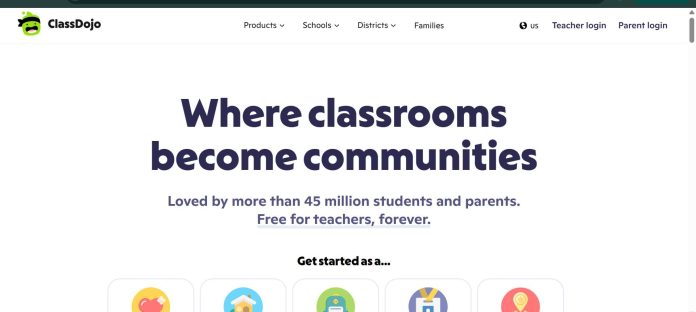
Description
ClassDojo is a free classroom-communication app that keeps parents genuinely in the loop — real-time messaging, behavior tracking, and daily updates, translated automatically into 190+ languages. Its 2026 Parent AI Tools add a Homework Helper built for the parent to use, not the child, making it one of the few tools in this category explicitly designed around the parent’s role rather than the student’s.
Key Features
- Real-time messaging: Direct or group messaging between teachers and families, with instant translation into 190+ languages.
- Behavior and points tracking: Teachers give feedback tied to class values; students and families see it in real time.
- Class Story and Portfolios: Photos, updates, and student work shared with families as they happen.
- Parent AI Tools (Homework Helper, Family Sidekick): AI features a parent uses directly — for example, uploading a photo of a worksheet to get guidance on helping their child — explicitly not intended for the child to use.
- Attendance and classroom utilities: Timers, group makers, noise meters, and discussion tools built into the same app.
- District-wide tools: SMS alerts, auditability, and compliance features for school leaders (paid, district level).
How It Works
A teacher sets up a free class and sends real-time updates, points, and messages to families, who can respond and see student progress without checking a separate portal. Where ClassDojo goes further than most classroom-communication apps is on the parent side: a parent can open the app’s Homework Helper and upload a photo of their child’s worksheet or question to get guidance on how to help at home — a feature built for the adult, not routed through the child’s own account.
Technical Architecture & Overview
- Core Engine: Messaging and behavior-tracking platform for the free core product; AI-powered image/question analysis for the Parent AI Tools.
- Deployment: Web app, iOS, and Android.
- API Surface: None public — end-user communication platform.
- Known Limits: Core teacher and family features are always free; AI-powered Parent AI Tools and other Plus features are billed on a variable plan — check current pricing in the app before subscribing.
Pros & Cons
| Pros | Cons |
|---|---|
| Core classroom communication is permanently free for teachers, families, and students, confirmed directly by ClassDojo’s own Help Center. | ClassDojo Plus pricing varies by plan and region rather than a single fixed figure, so families need to check current pricing in the app. |
| Real-time translation into 190+ languages makes it genuinely usable for non-English-speaking families. | Some reviewers describe the free tier as feeling limited once a family wants deeper progress reports or activity content. |
| The Homework Helper is one of the only AI tools in this category built specifically for the parent’s use, not the child’s. | It’s a communication and behavior tool, not a lesson-planning or content-generation tool for teachers. |
| Behavior and points tracking give families visibility into daily classroom conduct, not just term-end reports. | Points-based behavior tracking can feel reductive for older students, per some teacher reviews. |
Platform Availability
Web | iOS | Android
Best For
Teachers and parents who want real-time classroom communication | Parents who want an AI homework-help tool built specifically for them, not their child
Similar Tools in This Directory
Also worth comparing: Microsoft Reading Coach, free AI reading fluency app | Read Along by Google, free AI reading-practice app | Diffit, AI reading-level differentiation for teachers | MagicSchool AI, all-in-one AI platform for K-12 teachers | Brisk Teaching, AI feedback inside Google Docs | NotebookLM, source-grounded AI research and study tool | Curipod, live interactive lessons with AI feedback
Visit Official Website
Frequently Asked Questions
Is ClassDojo free for teachers?
Yes. ClassDojo’s own Help Center states teachers and schools will never be prompted to pay — all core classroom features are 100% free.
What is ClassDojo Plus?
An optional, paid subscription for families that unlocks extras like Homework Helper, Magic Books, Memories, and detailed progress reports.
Is the Homework Helper meant for students to use directly?
No. It’s built for the parent to use to get guidance on helping their child, not for the child to use themselves.
Does ClassDojo support non-English-speaking families?
Yes. Messages are automatically translated into more than 190 languages.
What does ClassDojo cost for a school or district?
Core use is free; district-wide tools with SMS alerts and compliance features are a separate paid offering for school leaders.





