
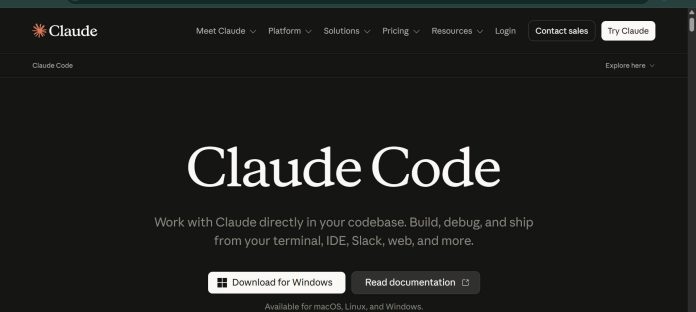
Description
Claude Code is Anthropic’s agentic coding tool that reads a codebase, edits files, runs commands, and integrates with development tools directly from the terminal. It plans an approach for a requested feature or bug fix, writes changes across multiple files, and verifies the result by running tests or commands. Claude Code is not sold as a separate product; it is included in all paid Claude plans and draws from the same usage pool as regular Claude chat. It runs across the terminal, a VS Code extension, a JetBrains plugin, a standalone desktop app, and the web, with CLAUDE.md files, settings, and MCP server connections carrying over between surfaces. Developers use it to automate tests, fix bugs, create commits and pull requests, and connect external tools like Jira or Slack through the Model Context Protocol. It suits individual programmers and engineering teams already using Claude who want an AI coding agent built into their existing workflow.
Key Features
- Agentic coding in the terminal — reads your codebase, edits files, runs commands, and verifies changes.
- Multiple surfaces — terminal, VS Code, JetBrains, desktop app, and web, all sharing the same CLAUDE.md files and settings.
- CLAUDE.md and auto memory — persistent project instructions plus automatically saved learnings across sessions.
- MCP integration — connects to external tools like Google Drive, Jira, and Slack through the Model Context Protocol.
- Sub-agents and Agent SDK — run multiple agents in parallel or build fully custom agents with the Agent SDK.
- Routines and scheduled tasks — run Claude Code on a schedule for recurring work like PR reviews or dependency audits.
- GitHub and GitLab integration — automate code review and issue triage directly in CI/CD.
How It Works
Claude Code installs through a native installer, Homebrew, WinGet, or a Linux package manager, then runs from any project directory with the claude command. Most surfaces require a Claude subscription or an Anthropic Console account. Inside a project, Claude Code reads the codebase, plans an approach for a requested feature or fix, edits files across multiple locations, and runs commands to verify the result. A CLAUDE.md file in the project root sets persistent coding standards and context that Claude reads at the start of every session, while auto memory saves learnings like build commands as it works. The same engine and settings carry across the terminal, VS Code, JetBrains, the desktop app, and the web, so a session can move between devices.
Technical Architecture & Overview
- Core Engine: Runs on Anthropic’s Claude models, including Sonnet 5, Opus 5, Haiku 4.5, and Fable 5; model choice depends on plan and task.
- Deployment: Local CLI, IDE extension, or desktop app, plus cloud-hosted sessions through Claude Code on the web and Anthropic-managed Routines for scheduled tasks.
- API Surface: The
claudeCLI (including a-pflag for scripting), an Agent SDK for custom agents, MCP for external tool connections, and GitHub Actions / GitLab CI/CD integration. - Known Limits: Context window is 200k on Pro, Max, and Team plans; Enterprise reaches 500k on the default model. Usage resets on a rolling 5-hour session window, with additional weekly caps on paid plans.
Pros & Cons
| Pros | Cons |
|---|---|
| Included in all paid Claude plans (Pro, Max, Team, Enterprise) at no extra standalone cost | Not sold as a standalone product; requires a paid Claude plan or Anthropic Console account |
| Runs across terminal, VS Code, JetBrains, desktop app, and web with shared settings and CLAUDE.md files | Free plan does not include Claude Code |
| Native MCP integration for connecting external tools like Google Drive, Jira, and Slack | Usage draws from the same pool as regular Claude chat, so heavy coding sessions share limits with other use |
| Supports parallel sub-agents and a dedicated Agent SDK for custom agent workflows | Context window is 200k on Pro, Max, and Team plans; only Enterprise’s default model reaches 500k |
| GitHub Actions and GitLab CI/CD integration for automated code review | Max plan’s 20x usage tier price is not published as a fixed figure alongside the 5x tier |
Pricing
| Plan | Price |
|---|---|
| Free | $0/month (Claude Code not included) |
| Pro | $17/month billed annually ($20/month billed monthly); includes Claude Code |
| Max | From $100/month (5x usage) |
Platform Availability
Terminal (macOS, Linux, Windows) | VS Code | JetBrains | Desktop (macOS, Windows) | Web | API
Best For
Developers | Engineering teams | DevOps and CI automation | Enterprises | Individual programmers
Frequently Asked Questions
Is Claude Code a separate paid product?
No. Per Anthropic’s official pricing page, Claude Code is included in all paid Claude plans (Pro, Max, Team, and Enterprise) and shares the same usage pool as regular Claude chat. It is not sold as a standalone subscription.
Can I use Claude Code on the free plan?
No. The Free plan does not include Claude Code. It requires at least the Pro plan, a Team or Enterprise seat, or a pay-as-you-go Anthropic Console account.
What is the difference between Max 5x and Max 20x?
Both are usage tiers of the Max plan, giving five times or twenty times more usage per five-hour session than Pro respectively. Max starts from $100 per month for the 5x tier, per Anthropic’s pricing page.
How does Claude Code compare to GitHub Copilot?
Claude Code operates primarily as a terminal-based agentic tool that edits files and runs commands directly, while GitHub Copilot centers on inline code completions inside supported editors, with agent features added more recently. Both integrate with major IDEs.
Can Claude Code connect to external tools like Jira or Slack?
Yes. Claude Code supports the Model Context Protocol (MCP), an open standard that lets it read design docs in Google Drive, update Jira tickets, or pull data from Slack, according to Anthropic’s official documentation.
Similar Tools in This Directory
Also in this category: GitHub Copilot, editor-native AI pair programmer | Kimi Code, Moonshot’s terminal coding agent with subagents and swarm mode | OpenAI Codex, ChatGPT-bundled multi-agent coding tool | Cursor, AI-native code editor with cloud agents | Sweep, AI coding built specifically for JetBrains





