
Description
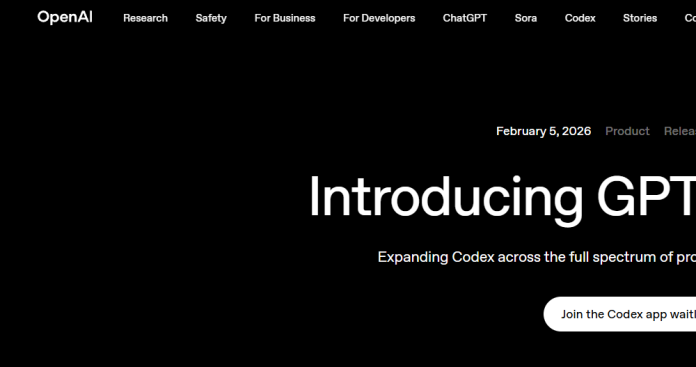
OpenAI Codex is an agentic coding tool available inside ChatGPT that completes engineering tasks like pull requests, refactors, code reviews, and automations across parallel workflows. It uses OpenAI’s frontier coding models, including GPT-5.6 and GPT-5.3-Codex for code review, and runs the same underlying agent across ChatGPT, a macOS and Windows desktop app, an IDE extension, and the Codex CLI. Cloud tasks use built-in worktrees so multiple agents can work on different parts of a project in parallel, and Skills let teams teach Codex their coding standards so it needs less supervision over time. Codex does not have a standalone price; it is bundled into Free, Go, Plus, and Pro ChatGPT plans, with usage metered in credits tied to token consumption once a plan’s included limits are reached. As of June 24, 2026, Codex seats are no longer offered to new ChatGPT Business workspaces, though Business workspaces that already had a Codex seat before that date keep access. It suits individual developers and engineering teams already using ChatGPT who want an AI agent embedded in their existing coding workflow.
Key Features
- Multi-agent cloud tasks — run agents in parallel across projects using built-in worktrees and cloud environments.
- Codex CLI — composable command-line agent (@openai/codex) for local and scripted workflows.
- Codex IDE extension — inline diffs and task management inside supported code editors.
- Codex desktop app — standalone macOS and Windows app for reviewing and running Codex tasks.
- Skills — teach Codex team-specific coding standards and workflows it applies consistently.
- Automated code review — uses GPT-5.3-Codex to catch bugs and flag issues on pull requests.
- Scheduled and background work — automate recurring tasks like issue triage, CI monitoring, and alert response.
How It Works
Codex runs from a ChatGPT account, so most access starts by signing in on the web, desktop app, CLI, or IDE extension. Users assign a task in plain language, and Codex works asynchronously, returning a diff, terminal logs, and citations for review rather than requiring constant supervision. Cloud tasks use isolated worktrees so several agents can work on different parts of a codebase at once. Teams can connect tools like GitHub, Slack, and Figma through plugins, and use Skills to encode coding standards Codex applies on future tasks. Usage draws from a shared credit pool tied to the ChatGPT plan in use, with local tasks, cloud tasks, and code reviews each metered separately within a rolling five-hour window. On ChatGPT Business, standard seats still include Codex access for workspaces that had it before June 24, 2026, though new Business workspaces no longer get Codex bundled in.
Technical Architecture & Overview
- Core Engine: Powered by OpenAI’s GPT-5.6 model family (Sol, Terra, Luna) for general tasks, with GPT-5.3-Codex specifically used for automated code review, per OpenAI’s help center rate card.
- Deployment: Cloud-hosted agent accessible through ChatGPT on the web, a macOS/Windows desktop app, a CLI, and IDE extensions; cloud tasks run in isolated worktrees on OpenAI’s infrastructure.
- API Surface: Codex CLI (@openai/codex), developer docs at developers.openai.com/codex, and a separate OpenAI API key path billed at standard per-token API rates outside the ChatGPT plan pool.
- Known Limits: Usage limits are metered per five-hour window and vary by plan and model. As of June 24, 2026, Codex seats are no longer available to new ChatGPT Business workspaces or workspaces that had not added one before that date.
Pros & Cons
| Pros | Cons |
|---|---|
| Bundled into Free, Go, Plus, and Pro ChatGPT plans, with no separate Codex subscription required | No standalone price; a paid ChatGPT plan or separate API key billing is required for sustained use |
| Runs across ChatGPT web, a desktop app, CLI, and IDE extensions with a shared agent and account | Usage limits reset on a rolling five-hour window and vary by plan and model, which can be hard to predict for heavy users |
| Multi-agent cloud tasks with built-in worktrees for parallel work across a codebase | Free and Go plans offer only limited trial access to Codex |
| Skills let teams encode coding standards Codex applies automatically on future tasks | New ChatGPT Business workspaces can no longer add Codex seats as of June 24, 2026 |
| Automated code review using GPT-5.3-Codex to catch issues on pull requests | Billing shifted from per-message to token-based credit pricing in April 2026, which can change real costs on the same plan |
Pricing
| Plan | Price |
|---|---|
| Free | $0/month (limited trial access to Codex) |
| Plus | $20/month (expanded Codex usage; desktop app access) |
| Business | $20/user/month billed annually ($25/month billed monthly, minimum 2 users); Codex seats no longer available to new workspaces since June 24, 2026 |
Platform Availability
Web | macOS | Windows | CLI | VS Code | iOS
Best For
Software engineers | Engineering teams | DevOps and CI automation | Technical teams | Enterprises
Frequently Asked Questions
Does Codex have its own price?
No. Codex is bundled into Free, Go, Plus, and Pro ChatGPT plans rather than sold separately. Your ChatGPT plan determines how much Codex usage you get before hitting credit-based limits, per OpenAI’s official Codex pricing page.
Is Codex still available on ChatGPT Business?
Only for existing workspaces. As of June 24, 2026, Codex seats are no longer available to new ChatGPT Business workspaces or to workspaces that had not added one before that date, according to OpenAI’s official Help Center.
What model powers Codex code review?
Code review specifically uses GPT-5.3-Codex, according to OpenAI’s Codex rate card, while general coding tasks draw on the GPT-5.6 model family (Sol, Terra, and Luna) depending on plan and speed setting.
Can I use Codex without a ChatGPT subscription?
Yes. With an OpenAI API key, Codex CLI usage bills at standard per-token API rates instead of drawing from a ChatGPT plan’s credit pool. This path suits local workflows, CI/CD jobs, and shared automation environments.
How does OpenAI Codex differ from Claude Code?
Codex is bundled into ChatGPT plans and runs multi-agent cloud tasks with built-in worktrees, while Claude Code is bundled into Claude plans and centers on a terminal-first agent that also runs in IDEs and a desktop app. Both offer a separate API-key billing path.
Similar Tools in This Directory
Also in this category: Claude Code, Anthropic’s terminal-first agentic coding tool | GitHub Copilot, editor-native AI pair programmer | Kimi Code, Moonshot’s terminal coding agent with subagents and swarm mode | Cursor, AI-native code editor with cloud agents | Sweep, AI coding built specifically for JetBrains





