
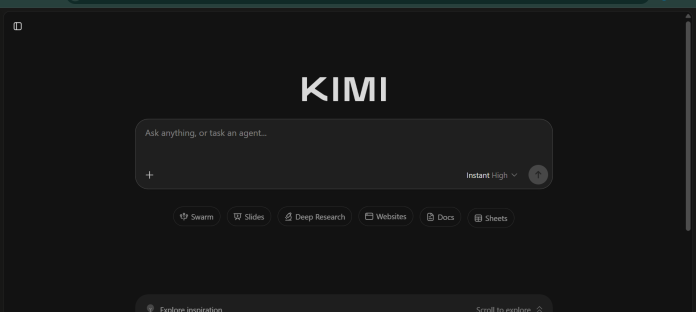
Description
Kimi Code is Moonshot AI’s agentic coding tool for the terminal and IDE, built around the Kimi K2.7 Code and K3 models. It reads a codebase, writes and edits files, executes shell commands, searches code, fetches web content, and can spawn subagents to handle parts of a task in parallel. Goal mode lets it work autonomously toward an objective across multiple turns, while Swarm mode runs several agents on the same task in parallel with live progress tracking. Every Kimi membership tier, including the free Adagio plan, includes Kimi K2.7 Code as the baseline model; Moderato and above can additionally select the newer Kimi K3 model, with the full 1M-token context window and a faster HighSpeed variant reserved for Allegretto and above. Kimi Code speaks both OpenAI-compatible and Anthropic-compatible protocols, so it can also power other agent tools like Claude Code, OpenCode, and Codex through configuration. It’s available through an official CLI, a VS Code extension, and Agent Client Protocol integration for editors like Zed and JetBrains. It suits developers who want a lower-cost, agentic coding assistant that can run standalone or plug into their existing tools.
Key Features
- Kimi K2.7 Code and K3 models — K2.7 Code included on every tier; K3 available from Moderato, with full 1M-token context on Allegretto and above.
- Subagents — dispatch built-in coder, explore, and plan subagents in isolated contexts.
- Goal mode — start an autonomous objective that Kimi Code works toward across multiple turns.
- Swarm mode — run multiple agents on the same task in parallel with live progress tracking.
- Standard and HighSpeed tiers — HighSpeed delivers roughly 5 to 6 times the output speed on the same model, from Allegretto up.
- Editor integration via ACP — drive a session from Zed, JetBrains, or any Agent Client Protocol client.
- Cross-tool compatibility — power other agents like Claude Code, OpenCode, and Codex through Kimi’s API.
How It Works
Kimi Code installs as a CLI or VS Code extension, then connects to a Kimi account with a single /login command rather than a manually managed API key. Inside a terminal session, developers can ask for direct edits, dispatch subagents for exploration and planning, or start Goal mode with a defined objective that Kimi Code pursues across multiple turns until it’s done or hits a decision point. Typing /model switches between Kimi K2.7 Code and, on Moderato and above, Kimi K3, though switching models invalidates the existing context cache and increases token consumption right after the switch. Swarm mode runs several agents on the same objective at once, with rate-limit-aware retries. Long-running commands can be pushed to the background and tracked in a tasks panel. Because Kimi Code speaks OpenAI-compatible and Anthropic-compatible protocols, developers can also point existing tools like Claude Code or Codex at Kimi’s endpoint instead of using the official CLI.
Technical Architecture & Overview
- Core Engine: Kimi K2.7 Code (model ID kimi-for-coding, 262,144-token context) on every membership tier; Kimi K3 (model IDs k3 and k3-256k) available from Moderato, with the full 1,048,576-token context window unlocked on Allegretto and above, per Moonshot’s official Kimi Code documentation.
- Deployment: Local CLI and VS Code extension, plus Agent Client Protocol (ACP) support for editors like Zed and JetBrains; works on macOS, Linux, and Windows.
- API Surface: OpenAI-compatible and Anthropic-compatible API endpoints, documented on the Moonshot Open Platform, letting third-party tools like Claude Code and OpenCode connect to Kimi’s models.
- Known Limits: HighSpeed mode requires an Allegretto plan or above; K3 always reasons and cannot fully disable thinking, only reduce its effort level. Devices inactive for over 30 days are automatically unbound for security.
Pros & Cons
| Pros | Cons |
|---|---|
| Every membership tier, including the free Adagio plan, includes Kimi K2.7 Code as a real working baseline model | Full 1M-token context window and HighSpeed mode both require Allegretto or a higher tier, not available on Moderato |
| Kimi K3 access starts as low as the Moderato tier, not reserved for the most expensive plan | Switching between K2.7 Code and K3 mid-session invalidates the context cache, increasing token consumption right after the switch |
| Subagents and Swarm mode support genuine parallel work on a single task | K3 cannot fully disable its reasoning step, only reduce the effort level, which adds latency and output token cost to every response |
| Speaks OpenAI- and Anthropic-compatible protocols, so it can plug into tools like Claude Code and Codex | Devices inactive for 30+ days are automatically unbound and require re-login |
| HighSpeed mode delivers roughly 5 to 6 times faster output on the same model quality, from Allegretto up | Moonshot currently displays a notice that Kimi and Kimi Code membership benefits will be split into separate products, so current plan details may change |
Pricing
| Plan | Price |
|---|---|
| Adagio | $0/month |
| Moderato | $15/month billed annually ($19/month billed monthly) |
| Allegretto | $31/month billed annually ($39/month billed monthly) |
Platform Availability
macOS | Linux | Windows | VS Code | CLI | Zed | JetBrains (via ACP)
Best For
Developers | Engineering teams | Cost-conscious coding workflows | Multi-agent automation
Frequently Asked Questions
Is there a free way to try Kimi Code?
Yes. The free Adagio tier includes Kimi K2.7 Code as a working baseline model, per Moonshot’s official Kimi Code documentation. Kimi K3 access requires upgrading to Moderato or higher.
Which membership tier is needed to use Kimi K3 in Kimi Code?
Moderato and above can select Kimi K3, though the full 1M-token context window and HighSpeed mode are reserved for Allegretto and higher tiers, according to Moonshot’s official Kimi Code documentation.
Can Kimi Code work with other coding agents like Claude Code?
Yes. Kimi Code’s API speaks both OpenAI-compatible and Anthropic-compatible protocols, with official setup guides for connecting tools like Claude Code, OpenCode, and Codex to Kimi’s endpoint instead of their default provider.
What is Swarm mode in Kimi Code?
Swarm mode runs multiple agents on the same task in parallel, with live progress tracking and rate-limit-aware retries, according to Moonshot’s official Kimi Code documentation.
How does Kimi Code differ from Claude Code?
Kimi Code runs on Moonshot AI’s K2.7 Code and K3 models and is bundled into Kimi membership plans starting free, with K3 access from $15 to $19 per month, while Claude Code runs on Anthropic’s Claude models and is included in Claude’s Pro plan starting at $17 to $20 per month.
Similar Tools in This Directory
Also in this category: Claude Code, Anthropic’s terminal-first agentic coding tool | OpenAI Codex, ChatGPT-bundled multi-agent coding tool | GitHub Copilot, editor-native AI pair programmer | Cursor, AI-native code editor with cloud agents | Sweep, AI coding built specifically for JetBrains





