
Description
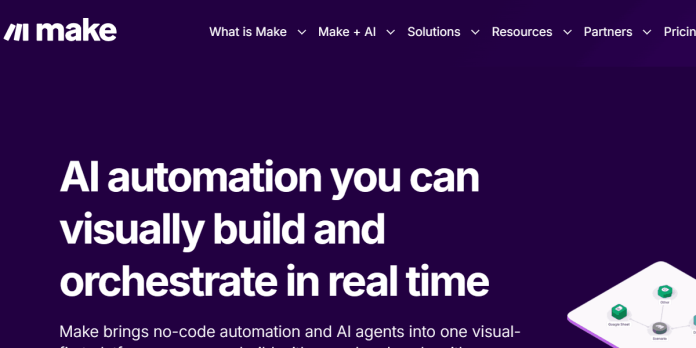
Make (formerly Integromat) is a visual, no-code automation platform where workflows, called scenarios, are built on a canvas-style editor connecting modules, triggers, and actions across more than 3,000 apps. Unlike Zapier’s linear task model, Make bills usage in operations, where every module execution in a scenario, including triggers, filters, and iterators, consumes one operation, and multi-branch or looped scenarios can use several operations per run. Make includes AI modules and agents that adapt workflows in real time, generate content, classify data, and enrich insights directly inside a scenario. Every paid plan starts with the same base operation allowance and unlimited active scenarios, with higher tiers adding priority execution, custom variables, and team collaboration rather than more operations by default. Enterprise-grade security includes GDPR and SOC 2 Type II compliance, encryption, and SSO. It suits users who want more visual control over branching, complex logic, and multi-path workflows than a simple trigger-action tool provides, generally at a lower cost per operation than Zapier.
Key Features
- Visual scenario builder — canvas-style editor for connecting modules, triggers, and actions with branching logic.
- AI modules and agents — adapt workflows in real time, generate content, classify data, and enrich insights.
- 3,000+ app integrations — plus an HTTP module for connecting to virtually any API.
- Make Code — run custom JavaScript or Python directly inside a scenario for advanced logic.
- Analytics and observability — real-time execution metrics and documented automation logic.
- Custom Apps — build integrations for services without an existing pre-built connector.
- Enterprise Apps — pre-built connectors for complex platforms like Workday, Coupa, and ServiceNow.
How It Works
A scenario starts with dragging modules onto a visual canvas: a trigger module for what starts the automation, followed by action modules, routers for branching logic, filters for conditions, and iterators for looping over data. Each module execution consumes one operation from the plan’s monthly allowance, so a scenario with several branches or a loop can use considerably more operations per run than its module count suggests. The Free plan runs scenarios on a 15-minute minimum polling interval; Core and above drop that to as low as 1 minute for near-real-time automation. AI modules can be dropped into a scenario the same way as any other module, letting an automation classify incoming data, generate text, or make a decision mid-workflow. Make Code lets more technical users write custom JavaScript or Python for logic that doesn’t fit a pre-built module, and everything runs with real-time execution logs for debugging.
Technical Architecture & Overview
- Core Engine: Not one model; AI modules and agents integrate with third-party AI providers rather than a single named in-house model.
- Deployment: Cloud-based web platform; no self-hosted option.
- API Surface: HTTP module and Custom Apps for connecting to virtually any external API; Make Code supports custom JavaScript and Python inside a scenario.
- Known Limits: Free plan caps at 1,000 operations/month and 2 active scenarios with a 15-minute polling interval; Make counts operations differently than Zapier counts tasks, so direct comparisons need converting between the two units.
Pros & Cons
| Pros | Cons |
|---|---|
| Generally cheaper per operation than Zapier, even accounting for Make’s different unit counting | Triggers, filters, and iterators all count as separate operations, so complex scenarios burn through the allowance faster than expected |
| Visual canvas gives more direct control over branching and multi-path logic than a linear trigger-action model | Free plan’s 15-minute polling interval is too slow for anything time-sensitive |
| Make Code allows custom JavaScript or Python directly inside a scenario for advanced logic | Jump from Pro to Teams is a steep percentage increase mainly for team collaboration features |
| Every paid plan starts with unlimited active scenarios and the same base operation allowance | Additional operation packs beyond a plan’s allowance carry a markup over the included rate |
| GDPR and SOC 2 Type II compliance, encryption, and SSO built in for business use | Enterprise pricing is fully custom, with no published starting figure |
Our Take
Make’s visual canvas is a genuinely different way of thinking about automation than Zapier’s linear Zaps — branching, loops, and routers are first-class citizens rather than a paid add-on, which matters once a workflow gets past “if this, then that.” The tradeoff is that the operation-counting is opaque: filters, routers, and iterators all quietly consume operations too, so a scenario that looks simple on the canvas can burn through the monthly allowance faster than its module count suggests.
Not ideal for: anyone who wants to look at a plan’s headline operation number and know exactly what it buys — the real cost only becomes predictable after running a few scenarios and seeing how many operations they actually consume.
Pricing
| Plan | Price |
|---|---|
| Free | $0/month (1,000 operations, 2 active scenarios, 15-min polling) |
| Core | $9/month billed annually (monthly billing also available; 10,000 operations, unlimited scenarios, 1-min polling) |
| Pro | $16/month billed annually (monthly billing also available; priority execution, custom variables, full-text log search) |
https://www.make.com/en/pricing
Last verified: August 17, 2026
Platform Availability
Web
Best For
Budget-conscious automation builders | Complex branching workflows | Agencies | Technical and semi-technical teams
Frequently Asked Questions
Is Make free to use?
Yes. The Free plan includes 1,000 operations per month and 2 active scenarios, enough to test the platform, though it’s limited by a 15-minute minimum scheduling interval.
What counts as an operation in Make?
Every module execution in a scenario counts as one operation, including triggers, filters, routers, and iterators, not just the main action steps, so a visually simple scenario can consume more operations than its module count suggests.
Is Make cheaper than Zapier?
Generally yes, per operation, even though Make counts units differently than Zapier’s tasks; a single Zapier task can equal several Make operations, but Make’s overall cost per completed workflow is typically lower at scale.
Can I write custom code inside a Make scenario?
Yes. Make Code lets users run custom JavaScript or Python directly inside a scenario for logic that doesn’t fit a pre-built module, billed at 2 credits per second of execution time.
How does Make differ from n8n?
Make is a fully hosted, operation-billed platform with 3,000+ pre-built app integrations, while n8n is node-based and can be self-hosted for free, trading some polish and integration breadth for cost control and infrastructure ownership.
Similar Tools in This Directory
Also in AI Automation Tools: Zapier, 8,000+ app automation | n8n, self-hosted node-based automation | Workato, enterprise integration automation | Bardeen, browser-based automation | Gumloop, AI workflow automation | Power Automate, Microsoft cloud flows and desktop RPA | IFTTT, simple one-trigger automation | Airtable AI, no-code database with AI agents





