
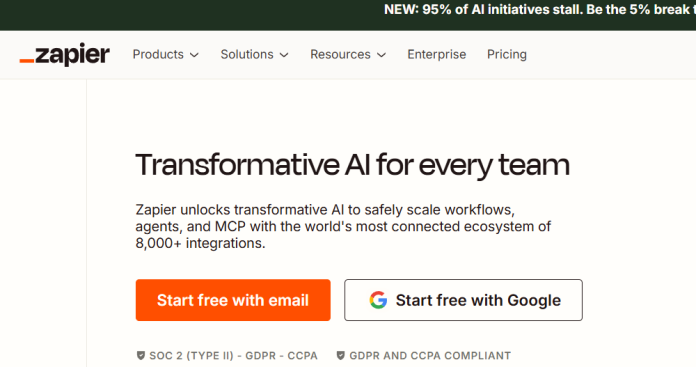
Description
Zapier is a no-code automation platform that connects more than 8,000 apps to automate repetitive tasks through workflows called Zaps, which link triggers in one app to actions in another. When an event happens in a connected app, Zapier automatically runs the linked actions without manual intervention. Beyond simple two-app connections, Zapier includes automation-ready Tables and Interfaces for building lightweight internal tools, plus AI features like Zapier Central for natural-language automation building and Zapier Agents (a separate paid add-on) for autonomous AI-driven tasks. Pricing runs on a task-based model: every action a Zap performs consumes one task from the plan’s monthly allowance, and multi-step Zaps consume multiple tasks per run. The Free plan is limited to 100 tasks and single-trigger, single-action Zaps, while paid plans unlock multi-step workflows, more apps, and faster update intervals. It suits businesses, marketers, and operations teams that want the broadest possible app coverage for automation, even at a premium over usage-based competitors.
Key Features
- Zaps — trigger-and-action workflows connecting more than 8,000 apps.
- Multi-step workflows with Paths — conditional logic and branching for more complex automations (paid plans).
- Tables and Interfaces — automation-ready databases and lightweight internal tools without a separate app.
- Zapier Central — AI-assisted, natural-language automation building.
- Zapier Agents — autonomous AI-driven task execution, sold as a separate add-on.
- MCP access — connects Zapier’s automation layer to AI assistants, available free across Free, Professional, and Team plans.
- Filters and formatters — refine data and control exactly when a Zap runs.
How It Works
Building a Zap starts with choosing a trigger app and event, such as a new form submission or a new row in a spreadsheet, then adding one or more action steps in other connected apps. On the Free plan, a Zap is limited to one trigger and one action, checked every 15 minutes; paid plans allow multi-step Zaps with conditional branching through Paths, plus much faster polling intervals down to near-instant on premium tiers. Every action a Zap performs, including each step in a multi-step workflow, consumes one task from the plan’s monthly task pool; a 5-step Zap uses 5 tasks per run. Once a plan’s monthly task limit is hit, Zaps pause until the next billing cycle or an upgrade. Tables and Interfaces let a team build simple databases and forms directly inside Zapier that can themselves trigger further automations, and Zapier Central adds a natural-language layer for building or editing a Zap by describing it in plain language.
Technical Architecture & Overview
- Core Engine: Not one model; Zapier Central and Zapier Agents apply AI on top of Zapier’s existing automation infrastructure rather than a single named in-house model.
- Deployment: Cloud-based web platform; no self-hosted option.
- API Surface: Webhooks and a developer platform for building custom app integrations; MCP access for connecting Zapier’s automation layer to AI assistants, included free on Free, Professional, and Team plans.
- Known Limits: Free plan caps out at 100 tasks/month and single-step Zaps only; premium app integrations (Salesforce, NetSuite, advanced database connectors) require a paid plan; task overages pause Zaps until the next billing cycle or an upgrade.
Pros & Cons
| Pros | Cons |
|---|---|
| Connects more than 8,000 apps, the broadest integration library of any major automation platform | Task-based pricing means multi-step Zaps consume tasks quickly, and costs can rise faster than expected |
| MCP access is included free across Free, Professional, and Team plans | Free plan only supports single-step Zaps, making it a trial tier rather than a real working plan |
| Tables, Interfaces, and Zapier Central bundle lightweight app-building tools alongside pure automation | Zapier Agents and Chatbots are separate paid add-ons, not included in any core plan |
| Annual billing meaningfully cuts the monthly rate compared to paying month to month | Generally more expensive per task than competitors like Make or n8n at higher automation volume |
| Long track record and mature ecosystem, with more third-party guides and community support than most alternatives | Premium app integrations like Salesforce and NetSuite are gated behind paid plans |
Our Take
Zapier’s real value is coverage and simplicity, not cost-efficiency — 8,000+ apps and a mature ecosystem mean it’s almost always the tool that “just has” the integration you need, and the setup is the easiest of any tool in this category. That convenience is priced in: task-based billing means a busy multi-step Zap burns through the monthly allowance fast, and per-task cost at scale runs higher than Make’s operations or n8n’s per-execution model.
Not ideal for: teams optimizing for cost at high automation volume — if the workflows are complex and frequent, Make or n8n will generally do more for less, and Zapier’s premium is the price of not having to think about it.
Pricing
| Plan | Price |
|---|---|
| Free | $0/month (100 tasks, single-step Zaps only) |
| Professional | $19.99/month billed annually (monthly billing also available; 750 tasks, multi-step Zaps, Paths) |
| Team | $69/month billed annually (monthly billing also available; 2,000 tasks, shared workspaces, SSO) |
Last verified: August 17, 2026
Platform Availability
Web
Best For
Businesses and marketers | Operations teams | Non-technical automation builders | Teams needing broad app coverage
Frequently Asked Questions
Is Zapier free to use?
Yes. The Free plan includes 100 tasks per month, but is limited to single-trigger, single-action Zaps; multi-step workflows require a paid plan starting with Professional.
What counts as a task in Zapier?
A task is one action a Zap performs. A simple Zap with one trigger and one action uses one task per run, while a 5-step Zap uses 5 tasks per run, since every action step counts separately.
What happens when I run out of tasks?
Zapier pauses affected Zaps until the next billing cycle resets the task count, or until the account is upgraded to a higher tier or additional task packs are purchased.
Are Zapier Agents included in a paid plan?
No. Zapier Agents and Zapier Chatbots are separate paid add-ons, priced independently from the core Free, Professional, and Team plans.
How does Zapier differ from Make or n8n?
Zapier offers the broadest app library (8,000+) with the simplest setup, but generally costs more per task at scale than Make, which bills by completed scenario runs, or n8n, which offers a self-hosted, node-based alternative.
Similar Tools in This Directory
Also in AI Automation Tools: Make, visual scenario-based automation | n8n, self-hosted node-based automation | Bardeen, browser-based automation | Gumloop, AI workflow automation | Workato, enterprise integration automation | Power Automate, Microsoft cloud flows and desktop RPA | IFTTT, simple one-trigger automation | Airtable AI, no-code database with AI agents





