
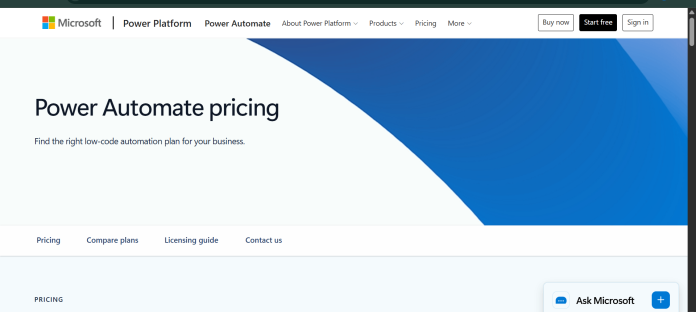
Description
Power Automate is Microsoft’s automation platform for building cloud flows, desktop flows, and business process automation, integrated directly into the Microsoft 365 and Power Platform ecosystem. Cloud flows connect apps and services to automate multi-step processes triggered by events like a new email or a form submission, while desktop flows use robotic process automation (RPA) to record and replay UI-based actions on legacy or non-API-connected applications. Process mining tools analyze how a business process actually runs today, surfacing bottlenecks before automating it. Copilot in Power Automate lets users describe a flow in natural language and have it generated automatically, rather than building every trigger and action by hand. Pricing splits into per-user plans for individuals building their own flows and per-bot plans for unattended automation running on a schedule or trigger without a human present. It suits organizations already invested in Microsoft 365 that want automation deeply integrated with Teams, SharePoint, Dynamics 365, and the wider Power Platform rather than a separate standalone tool.
Key Features
- Cloud flows — connect apps and services to automate multi-step, trigger-based workflows.
- Desktop flows (RPA) — record and replay UI-based actions on legacy or non-API-connected applications.
- Copilot in Power Automate — describe a flow in natural language and have it generated automatically.
- Process mining — analyzes how a business process actually runs today to identify automation opportunities.
- Attended and unattended bots — run automation alongside a user or fully independently on a schedule.
- Deep Microsoft 365 integration — native connections to Teams, SharePoint, Outlook, and Dynamics 365.
- Business process flows — guide users step by step through a structured business process.
How It Works
A cloud flow starts with a trigger, such as a new item in a SharePoint list or an incoming email, connected to one or more action steps across integrated apps and services, built through a visual designer or generated from a plain-language description with Copilot. Desktop flows work differently: instead of connecting through an API, they record a user’s clicks, keystrokes, and UI navigation, then replay those exact steps automatically, which lets Power Automate work with older desktop applications that have no API to connect to directly. Process mining tools first analyze existing system logs to map out how a process currently runs in practice, highlighting delays or inefficiencies before a flow is built to automate it. Once created, a flow can run attended, alongside a logged-in user who might approve or adjust steps, or unattended, executing entirely on its own on a schedule or trigger, which is what the per-bot pricing tiers are built around.
Technical Architecture & Overview
- Core Engine: Copilot in Power Automate generates flows from natural language; specific underlying model is not named on Microsoft’s pricing page.
- Deployment: Cloud-hosted flows run on Microsoft’s infrastructure; desktop flows run locally on a Windows machine for RPA-style automation.
- API Surface: Hundreds of Microsoft and third-party connectors for cloud flows; desktop flows use UI automation rather than APIs for legacy app support.
- Known Limits: Per-bot Process and Hosted Process plans are billed monthly but paid yearly upfront; the difference between Process and Hosted Process is whether the bot runs on the customer’s own infrastructure or Microsoft-managed infrastructure.
Pros & Cons
| Pros | Cons |
|---|---|
| Deep native integration with Microsoft 365, Teams, SharePoint, and Dynamics 365 | Per-bot pricing for unattended automation is significantly more expensive than most competitors’ automation tiers |
| Desktop flows (RPA) can automate legacy applications with no API, unlike most cloud-only automation tools | Deepest value is realized inside the Microsoft ecosystem; less compelling for teams on other platforms |
| Process mining identifies automation opportunities before a flow is even built | Hosted Process, the fully managed tier, costs $215/bot/month, a steep jump from Premium’s $15/user/month |
| Copilot can generate a flow from a plain-language description rather than manual trigger-action setup | Pricing structure across four different plans (user-based and bot-based) takes effort to map to actual usage needs |
| Free 30-day trial available before committing to a paid plan | Attended desktop automation and process mining are Premium-tier features, not available on the free trial long-term |
Our Take
Power Automate’s real edge over the rest of this category is desktop RPA — it can automate legacy Windows applications with no API by recording and replaying clicks, something none of the cloud-only tools here do. Paired with native Teams, SharePoint, and Dynamics 365 integration, it’s a strong pick specifically for organizations already standardized on Microsoft 365.
Not ideal for: teams outside the Microsoft ecosystem — the value proposition drops sharply without Teams, SharePoint, or Dynamics already in play, and per-bot unattended pricing (up to $215/bot/month for Hosted Process) is genuinely expensive next to competitors’ automation tiers.
Pricing
| Plan | Price |
|---|---|
| Free trial | Free for 30 days (UI-based cloud flows) |
| Premium | $15.00/user/month, paid yearly (attended desktop flows, process mining, individual use) |
| Process | $150.00/bot/month, paid yearly (unattended automation, customer-managed infrastructure) |
| Hosted Process | $215.00/bot/month, paid yearly (unattended automation, Microsoft-managed infrastructure) |
https://www.microsoft.com/en-us/power-platform/products/power-automate/pricing
Last verified: August 17, 2026
Platform Availability
Web | Windows (desktop flows) | Mobile
Best For
Microsoft 365 organizations | Enterprise IT teams | Legacy application automation | Business process teams
Frequently Asked Questions
Is Power Automate free to use?
There’s a free 30-day trial covering UI-based cloud flows, but ongoing use requires a paid plan starting at $15.00/user/month for Premium, confirmed directly on Microsoft’s official pricing page.
What is the difference between Process and Hosted Process plans?
Both are per-bot, unattended automation plans billed at $150.00 and $215.00 per month respectively (paid yearly); Hosted Process runs on Microsoft-managed infrastructure, while Process runs on the customer’s own, per Microsoft’s official pricing page.
Can Power Automate automate desktop applications without an API?
Yes. Desktop flows use robotic process automation (RPA) to record and replay UI-based actions, letting Power Automate work with legacy applications that have no API to connect to directly.
What is process mining in Power Automate?
Process mining analyzes how a business process actually runs today using existing system logs, surfacing bottlenecks and inefficiencies before a flow is built to automate that process.
How does Power Automate differ from Zapier or Make?
Power Automate is deeply integrated into Microsoft 365 and includes true desktop RPA for legacy apps, while Zapier and Make are platform-agnostic cloud automation tools without native desktop automation built in.
Similar Tools in This Directory
Also in AI Automation Tools: Zapier, 8,000+ app automation | Make, visual scenario-based automation | n8n, self-hosted node-based automation | Workato, enterprise integration automation | Gumloop, AI workflow automation | Bardeen, browser-based automation | IFTTT, simple one-trigger automation | Airtable AI, no-code database with AI agents





