
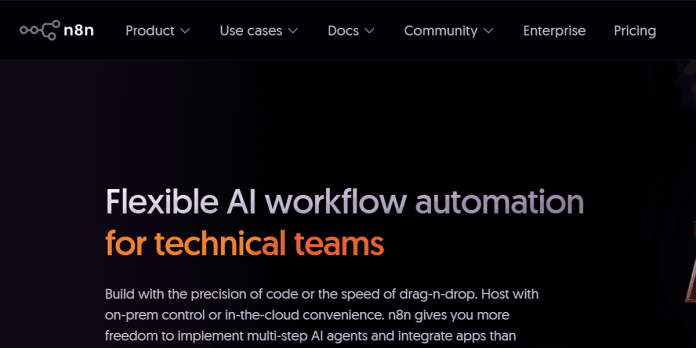
Description
n8n is a workflow automation platform combining a visual, node-based builder with native AI support, aimed at technical teams that want more control than a purely no-code tool offers. Workflows connect nodes representing triggers, apps, logic, and code, with built-in support for loops, filters, and custom JavaScript or Python for anything a pre-built node can’t handle. Unlike per-step or per-task billing, n8n charges purely by workflow execution, where a single execution can contain unlimited steps, so a 40-step workflow still counts as one execution. Every Cloud plan now includes unlimited workflows and unlimited users, with only execution volume changing the bill. n8n’s AI Assistant (currently in early preview) helps draft workflows using a monthly pool of AI credits included on every Cloud plan. A free, self-hosted Community Edition is available on GitHub with unlimited executions, the tradeoff being the setup and maintenance work of running it yourself. It suits developers and technical teams who want deep customization and either predictable execution-based cloud pricing or full control through self-hosting.
Key Features
- Node-based visual builder — connect triggers, apps, logic, and code nodes, with loops and filters for advanced flows.
- Custom code nodes — write JavaScript or Python directly inside a workflow for logic beyond pre-built nodes.
- Per-execution billing — pay by completed workflow run, not by individual step or task.
- AI Assistant (early preview) — drafts workflows using a monthly pool of AI credits included on every Cloud plan.
- AI Agent and RAG templates — pre-built templates for chatbots and retrieval-augmented generation workflows.
- Self-hosted Community Edition — free, open-source version with unlimited executions, run on your own infrastructure.
- Git-based version control — track and manage workflow changes (Business plan and above).
How It Works
Building a workflow means dragging nodes onto a canvas, starting with a trigger node (a webhook, schedule, or app event) and connecting it to action nodes, logic nodes for branching, and optional code nodes for custom JavaScript or Python. Because n8n bills per full execution rather than per step, a workflow can be as long and complex as needed without multiplying the cost the way step-based or task-based tools do. n8n Cloud plans each include a monthly execution allowance and a set number of AI Workflow Builder credits, consumed when the AI Assistant helps draft or modify a workflow; unused credits don’t roll over month to month. For teams that want full control over infrastructure, the Community Edition can be self-hosted for free via Docker, with n8n’s own execution meter simply not applying since usage is bound only by the server’s hardware. Paid self-hosted Business and Enterprise tiers add SSO, Git version control, and multiple environments for organizations with stricter governance needs.
Technical Architecture & Overview
- Core Engine: AI Assistant and AI Agent nodes connect to third-party LLM providers; self-hosted users bring their own API key with no credit limits applied.
- Deployment: n8n Cloud (fully hosted) or self-hosted via Docker on any infrastructure; the Community Edition source is available on GitHub.
- API Surface: HTTP Request node for connecting to any external API not covered by a pre-built integration; supports custom JavaScript and Python code nodes.
- Known Limits: Starter Cloud plan is capped at 2,500 executions/month and 5 concurrent executions; the paid self-hosted Business tier is the only way to get SSO/SAML/LDAP and Git version control without going to custom Enterprise pricing.
Pros & Cons
| Pros | Cons |
|---|---|
| Bills per full workflow execution, not per step, so complex workflows don’t multiply the cost | More technical than pure no-code tools; node-based logic has a steeper learning curve for non-developers |
| Free, self-hosted Community Edition offers genuinely unlimited executions, bound only by your own server | Self-hosting requires comfort with Docker, updates, and server maintenance |
| Every Cloud plan now includes unlimited workflows and unlimited users, a 2026 pricing change | AI Assistant is still in early preview and its credit allowance doesn’t roll over month to month |
| Custom JavaScript and Python code nodes give far more logic flexibility than most no-code tools | Business tier’s SSO and Git version control are self-hosted only, at a steep price jump from Pro |
| Start-up Plan offers 50% off Business for companies under 20 employees | Prices are set in euros, so USD customers pay a fluctuating exchange-rate equivalent |
Our Take
n8n is the one tool in this category with a genuinely free option that isn’t a crippled trial — the self-hosted Community Edition really is unlimited, bound only by your own server. That’s a real cost advantage, but it’s not actually free: the price shows up as setup and ongoing maintenance time (Docker, updates, uptime) instead of a subscription line item, which is a fair trade for a technical team and a bad one for anyone who isn’t.
Not ideal for: non-technical teams who don’t want to touch infrastructure — n8n Cloud removes the hosting burden, but the node-based builder itself still assumes more comfort with logic and code than Zapier or IFTTT expect.
Pricing
| Plan | Price |
|---|---|
| Community Edition (self-hosted) | Free (unlimited executions, source available on GitHub) |
| Starter (Cloud) | €20/month billed annually (monthly billing also available; 2,500 executions, unlimited users/workflows) |
| Pro (Cloud) | €50/month billed annually (monthly billing also available; 10,000 executions, admin roles, execution history) |
Last verified: August 17, 2026
Platform Availability
Web (Cloud) | Self-hosted (Docker)
Best For
Developers | Technical teams | Self-hosting enthusiasts | Complex multi-step workflows
Frequently Asked Questions
Is n8n free to use?
Yes. The self-hosted Community Edition is free and open source with unlimited executions, bound only by your own server’s hardware; n8n Cloud starts at €20/month billed annually for hosted convenience.
What counts as an execution in n8n?
An execution is one complete workflow run, regardless of how many steps or nodes it contains, so a 40-step workflow still counts as a single execution against a plan’s monthly allowance.
Does n8n limit the number of workflows or users?
No, not anymore. As of n8n’s 2026 pricing update, every Cloud plan includes unlimited workflows and unlimited users; only execution volume affects the bill.
Can I self-host n8n for free?
Yes. The Community Edition is free, open source, and available on GitHub, with no execution meter since usage is limited only by your own server’s capacity rather than a plan tier.
How does n8n differ from Zapier or Make?
n8n bills per full workflow execution regardless of step count and offers a genuinely free self-hosted option, while Zapier bills per task and Make bills per module operation, both cloud-only with no self-hosting path.
Similar Tools in This Directory
Also in AI Automation Tools: Zapier, 8,000+ app automation | Make, visual scenario-based automation | Workato, enterprise integration automation | Bardeen, browser-based automation | Gumloop, AI workflow automation | Power Automate, Microsoft cloud flows and desktop RPA | IFTTT, simple one-trigger automation | Airtable AI, no-code database with AI agents





